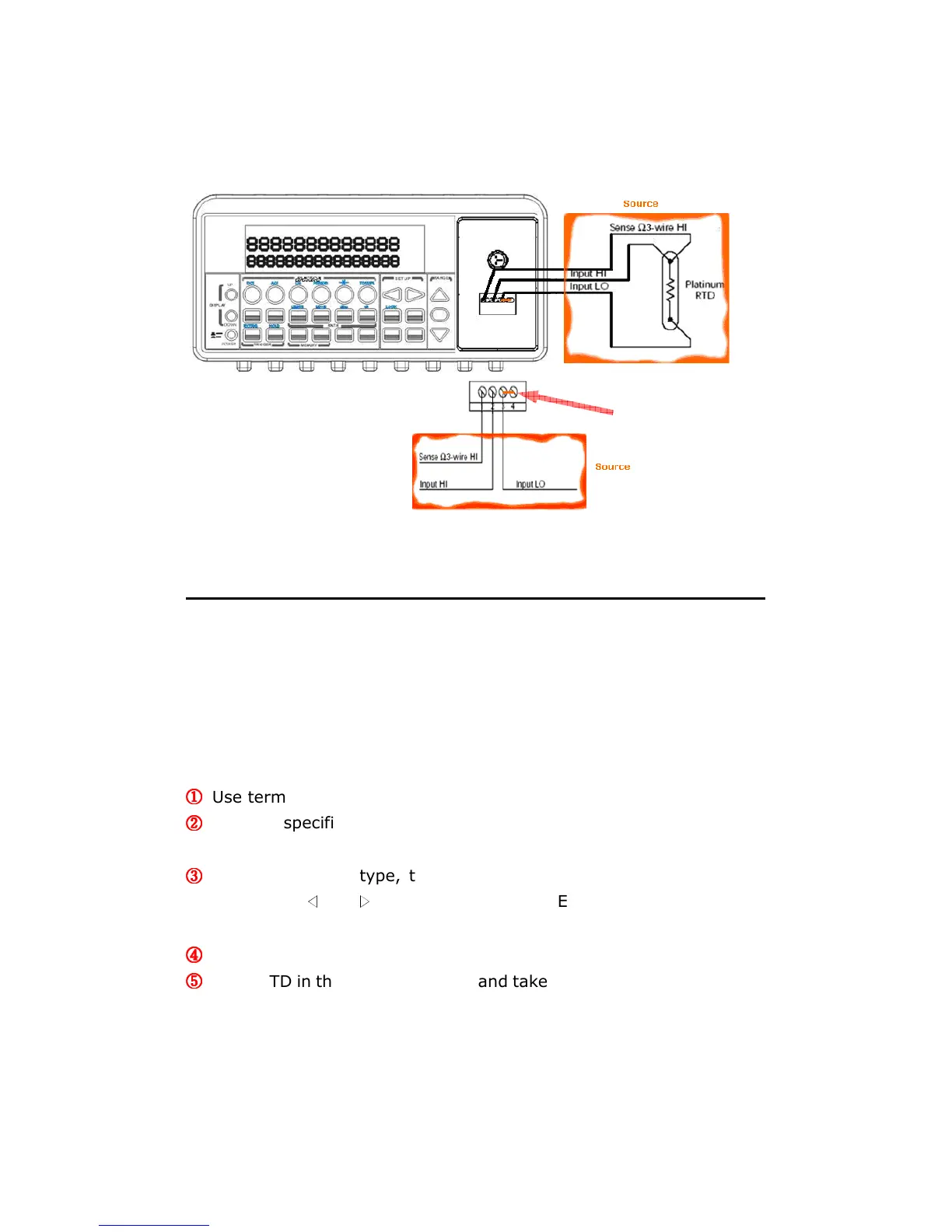
Figure 3-16
3.7.2.3 4-Wire RTD Measurements
How to measure temperature with 4-Wire RTD
The following Figure 3-17 shows theory diagram of 4-Wire RTD
measurement.
①
①①
①
Use terminals switch to select front terminals.
②
②②
②
Insert a specified adapter into the front terminals. Connect the low
thermal patch leads to the adapter as shown in Figure 3-18.
③
③③
③
Configure sensor type, transducer (4W) and unit using CONFIG +
TEMP and
◁
or
▷
. When ready, press ENTER button. For more
information, refer to the section 4.1.8.
④
④④
④
Press TEMP button.
⑤
⑤⑤
⑤
Place RTD in the desired position and take the reading on the display.



 To Next Page