TEMP and
◁
or
▷
. When ready, press ENTER button. For more
information, refer to the section 4.1.8.
④
④④
④
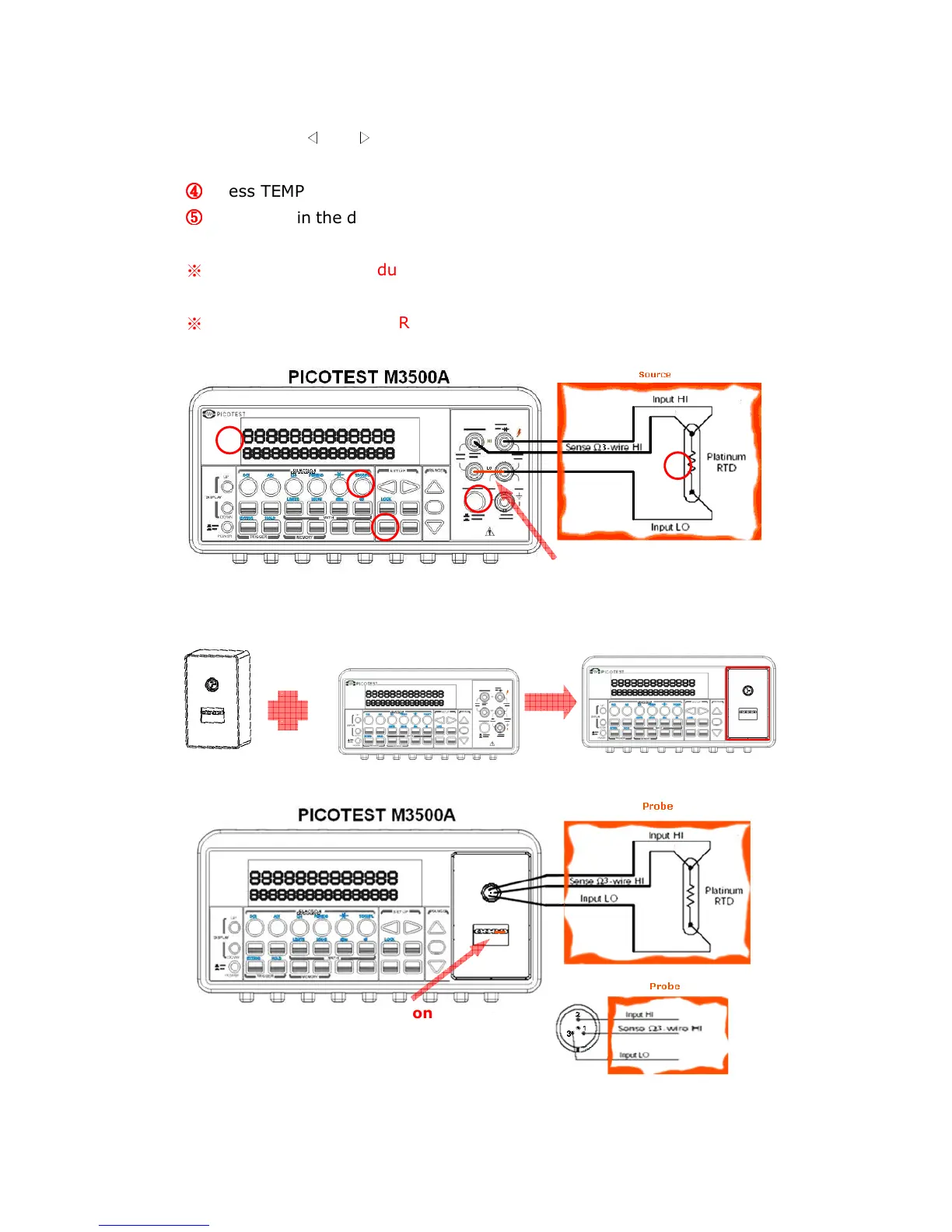
Press TEMP button.
⑤
⑤⑤
⑤
Place RTD in the desired position and take the reading on the display.
※
Note: When you conduct the 3-wire RTD measurement, the input LO
and sense LO have to be connected in short condition.
※
Note: “Source” means RTD Probe or RTD Simulator.
Figure 3-15
1



 To Next Page