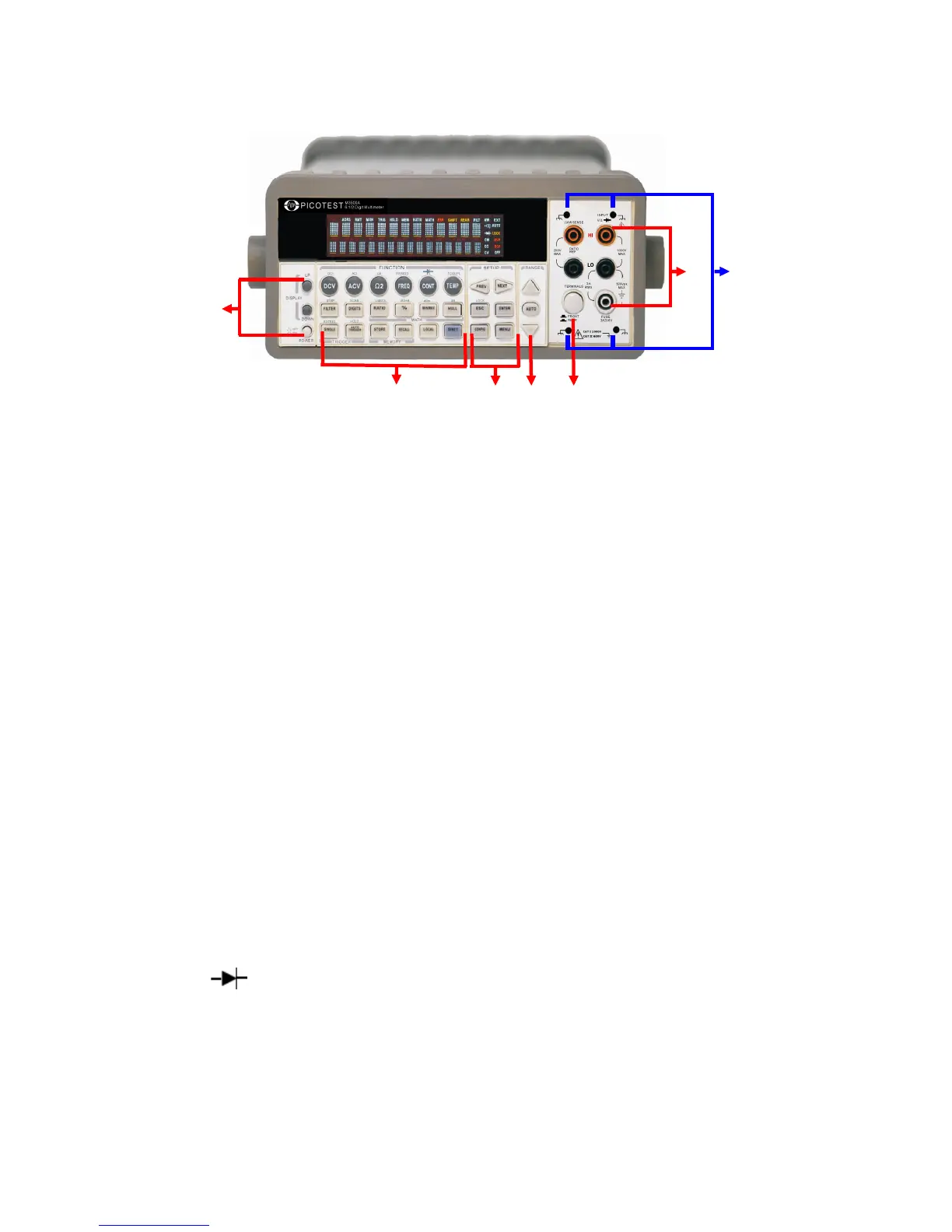
Figure 2-15
1. Power & Display:
Power: Activates M3500A DMM.
Display: Shows model, version & condition by pressing round PREV
& NEXT buttons.
2-1. First row without SHIFT button:
DCV: Selects DC voltage measurement.
ACV: Selects AC voltage measurement.
Ω2: Selects 2-wire resistance measurement.
FREQ: Selects frequency measurement.
CONT: Selects the continuity test.
TEMP: Selects RTD temperature measurement.
2-2. First row with SHIFT button:
DCI: Selects DC current measurement.
ACI: Selects AC current measurement.
Ω4: Selects 4-wire resistance measurement.
PERIOD: Selects period measurement.
: Selects diode testing.
TCOUPL: Selects thermocouple temperature measurement.
2-3. Second row without SHIFT button:
FILTER: Enable or disable the digital filter.



 To Next Page