⑤
⑤⑤
⑤
Select the auto-range function by pressing AUTO button on the front
panel or use
△
and
▽
buttons to select desired range.
⑥
⑥⑥
⑥
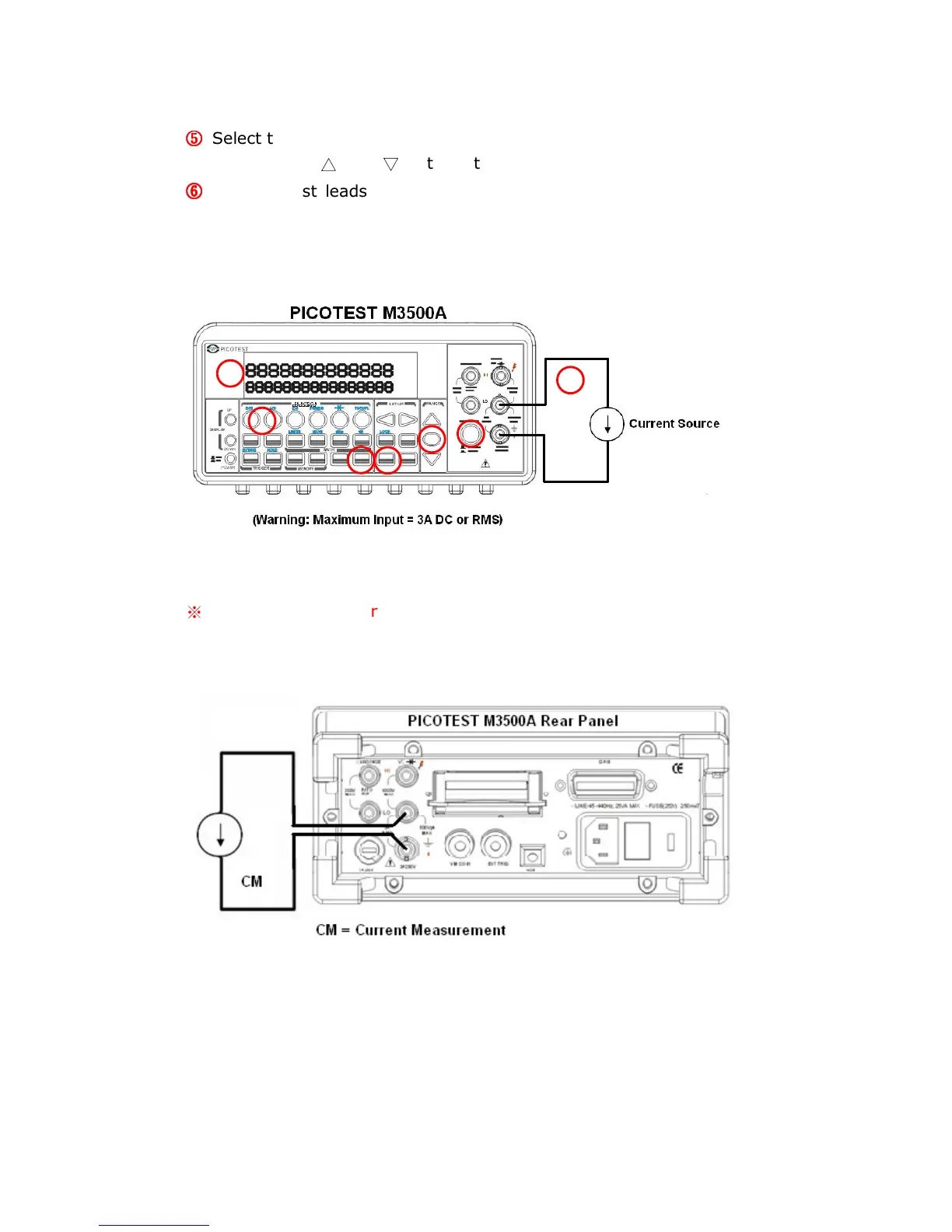
Connect test leads to your source signal and observe the reading
shown on the display. If the input signal is greater than the allowed
range, an overflow message “OVLD” will be displayed.
Figure 3-4
※
Note: The rear terminal panel also can be used via the same
procedures as the front panel. (See Figure 3-5)
Figure 3-5
1



 To Next Page