1. Switch the terminal to the front control.
2. Externally connect a current shunt “0.1Ω” in parallel connection
to the INPUT HI & LO and a current source 10A.
3. Press CONFIG > SHIFT + % to set the MX+B. You need to input
the current shunt value “M = 1/0.1= 10Ω” and the Offset “B, ex:
0” value.
4. Press ENTER to confirm the settings.
5. Press DCV function.
6. Activate the MX+B math function by pressing SHIFT + %
buttons.
7. The DMM’s display will show a value +9.969XXXE+00. (This
measurement also can be used with the PT-TOOL software.
Please refer to the 5 ~ 7 procedures of the Application 1.)
※
Note: If the input source exceeds the specification ACV:750V /
DCV:1000V, the display will show OVLD.
Front Panel Operation
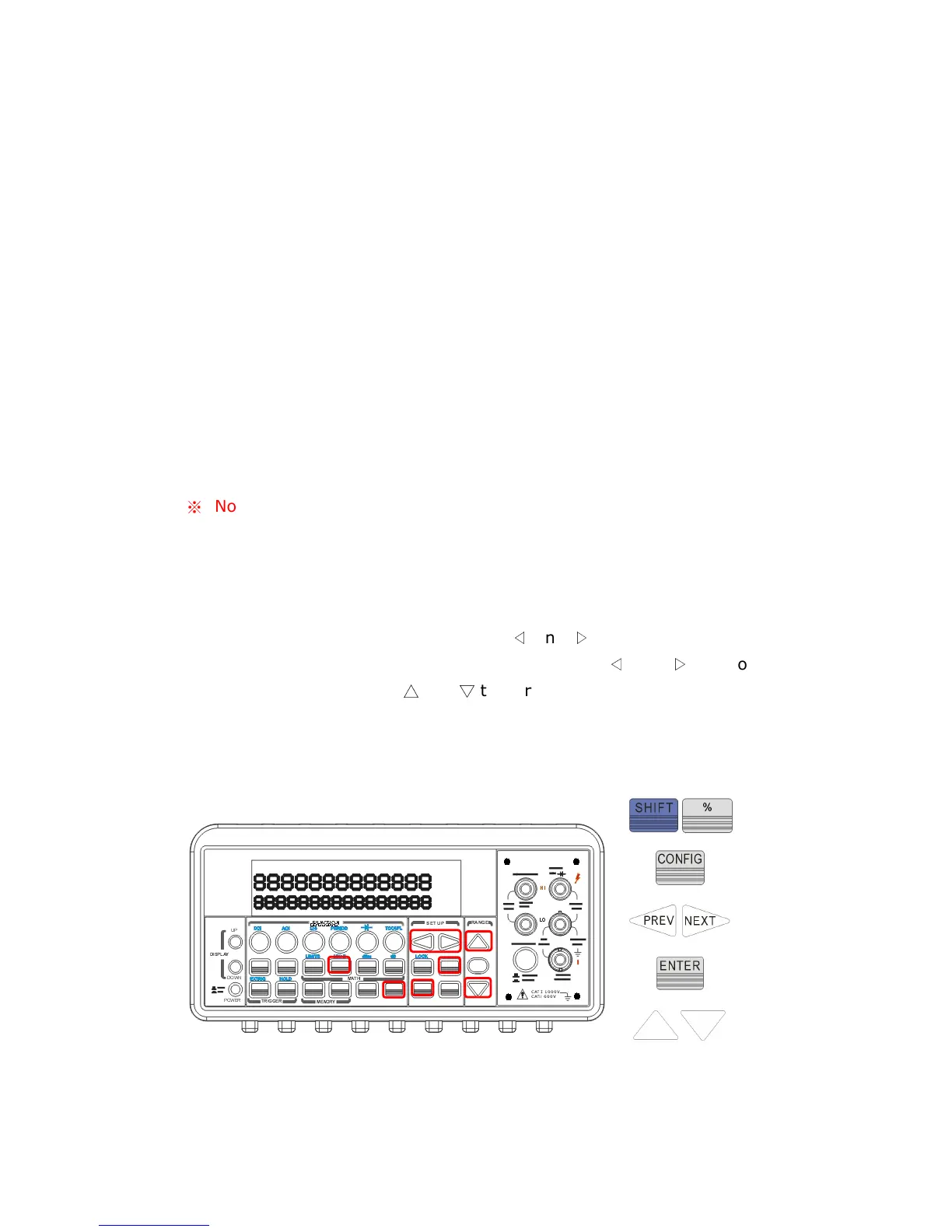
To set the values of M and B, you need to configure this math function by
pressing CONFIG and SHIFT + %. Use
◁
and
▷
to switch between M
and B. Press ENTER on your selection. Then use
◁
and
▷
to move
through the digits and use
△
and
▽
to increase or decrease the number
to a desired value. Press ENTER to set the value. You need to set the
values of M and B first. Then Select a measurement function and press
SHIFT + % to activate MX+B function as shown as Figure 4-20.
Figure 4-20



 To Next Page