because there is no I/O delay. But turning off the display will not affect
the messages displayed from the RECALL, MENU and CONFIG
operations.
You can send a message through the remote interface from your PC
terminal to the lower row display and will substitute the original display.
Default
The display default is “ON”. The “On/Off” selected by you is stored in a
volatile memory and the default “ON” will be restored when the meter is
power-off.
How to control the display
You can control the display through the front panel operation or through
the remote interface operation. The remote interface operation has
higher priority over the front panel operation.
Front Panel Operation
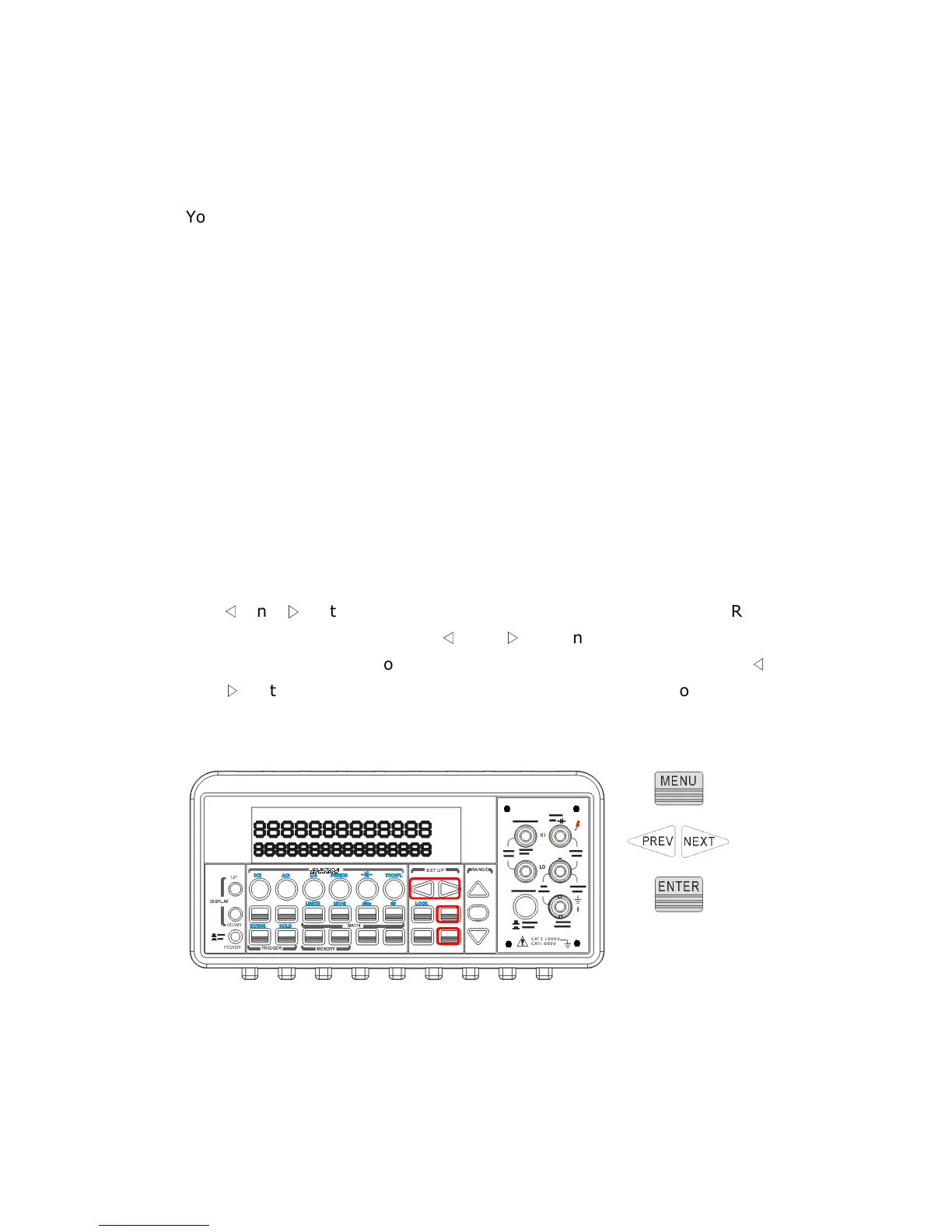
Use the following steps to control the display: Press MENU button then
use
◁
and
▷
buttons to locate “SYSTEM” submenu. Press
ENTER to
select it, and then again use
◁
and
▷
buttons to locate “DISPLAY”
submenu. Press
ENTER to select it, and then find ON or OFF by using
◁
and
▷
buttons. Press ENTER on your selection.
The locations of the
buttons are shown with red rectangle frames in Figure 4-26.
Procedures: MENU →
→→
→ SYSTEM →
→→
→ DISPLAY →
→→
→ {ON|OFF}
Figure 4-26
Remote Interface Operation



 To Next Page