www.pinell.no Page12
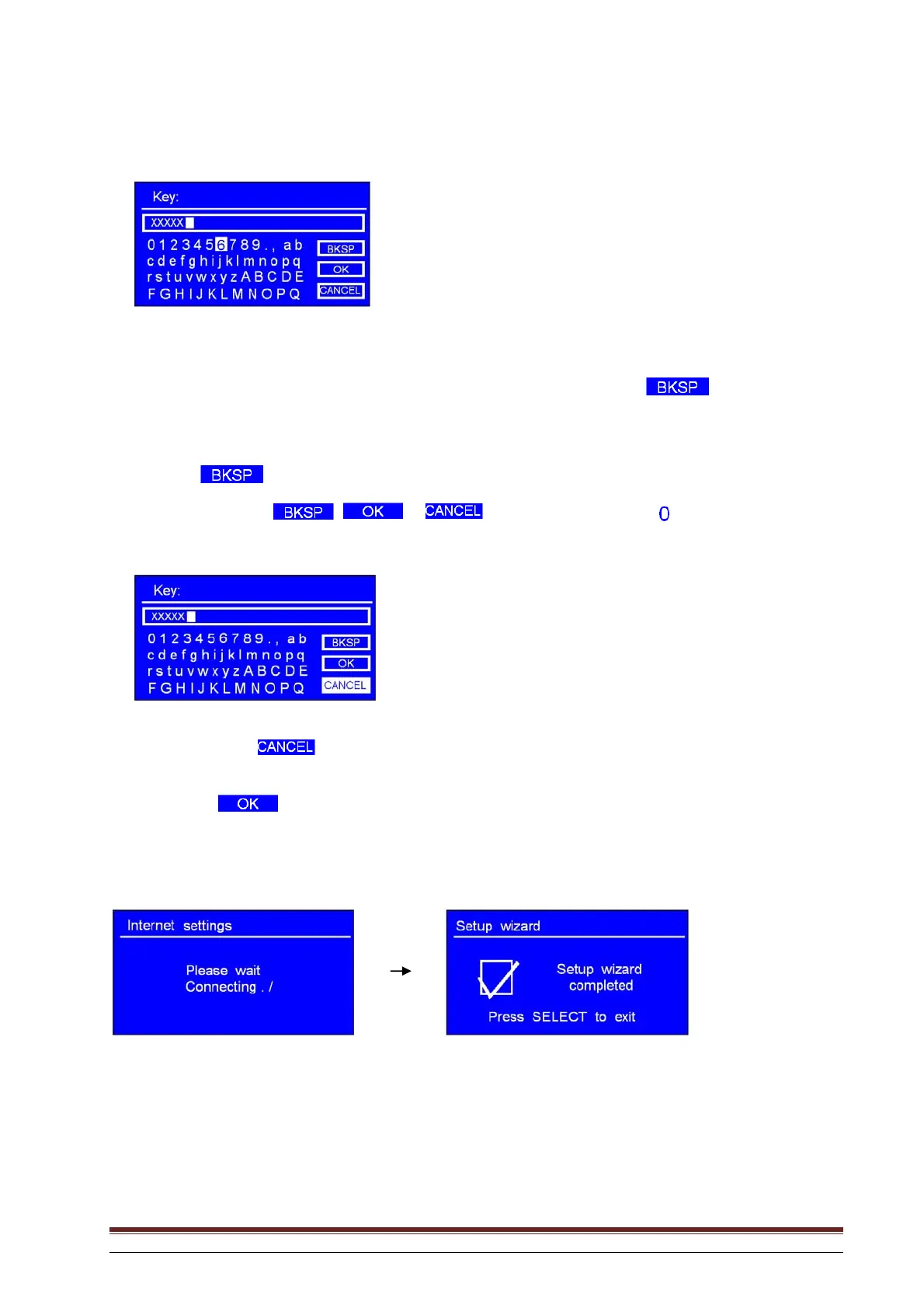
Rotate the knob or use the arrow keys to scroll through the alphanumeric characters and press the knob
to select each character.
NB: WEP/WPA passwords are case-sensitive, in other words, they distinguish between small and capital
letters..
If you select an incorrect character when entering the password, select “ ” to
delete this character.
NB: a.> is an abbreviation of “Backspace”.
b.> To select , or : with the arrow pointing to “ ”, rotate the knob or use
the arrow keys to move in an anti-clockwise direction. You will see these options:
c.> Select to return to the previous display.
d.> After selecting the last character in the password, rotate the knob or use the arrow keys to highlight
. Press to confirm.
e.> The radio stores the WEP/WPA key you have specified so that you don’t need to provide it again.
Press Select to exit.
The setting has now been entered.
NB: If you are using an encrypted WPS network, refer to Page 51.



 To Next Page