75
Front Panel≫ Rear Panel≫ Remote≫
Contents
≫
Connections
≫
Playback
≫
Setup
≫
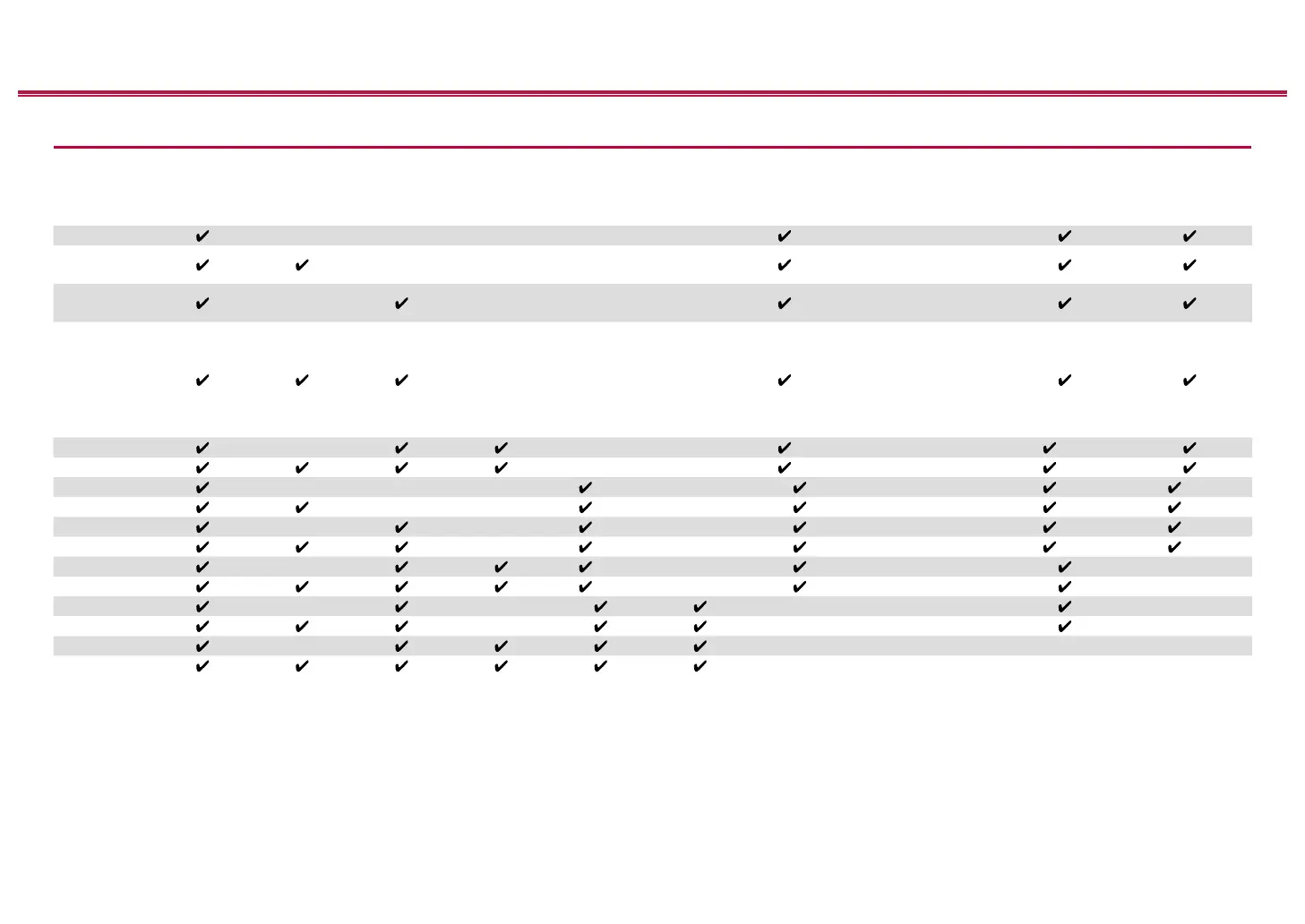
Speaker combinations
• Up to two powered subwoofers can be connected in either combination.
Speaker
Channels
FRONT CENTER
SURROUND
SURROUND
BACK
HEIGHT 1 HEIGHT 2
SP B (*1)
(SPEAKER B)
Bi-AMP (*1)
ZONE 2 (*1)
(ZONE SPEAKER)
ZONE 3 (*1)
(ZONE SPEAKER)
2.1 ch
(*2)
FRONT
3.1 ch
(*2)
FRONT,
FRONT/CENTER
4.1 ch
(*2)
FRONT,
FRONT/SURROUND
5.1 ch
(*2)
FRONT,
FRONT/CENTER,
FRONT/SURROUND,
CENTER/SURROUND,
FRONT/CENTER/
SURROUND
6.1 ch
(*2)
FRONT
(*3)
7.1 ch
(*2)
FRONT
(*3)
2.1.2 ch
(*4)
FRONT
(*5) (*6)
3.1.2 ch
(*4)
FRONT
(*5) (*6)
4.1.2 ch
(*4)
FRONT
(*5) (*6)
5.1.2 ch
(*4)
FRONT
(*5) (*6)
6.1.2 ch
(*4)
FRONT
7.1.2 ch
(*4)
FRONT
4.1.4 ch FRONT
5.1.4 ch FRONT
6.1.4 ch
7.1.4 ch
(*1) It is not possible to use Speaker B, Bi-AMP, and ZONE speakers at the same time. However, with 2.1 ch to 7.1 ch, it is possible to use Bi-AMP (FRONT) and ZONE
2 speakers at the same time.
(*2) You can also use Bi-Amping connections with Speakers B.
(*3) If you have not connected ZONE 3 speakers in another room but have only connected ZONE 2 speakers, connect the ZONE 2 speakers to the HEIGHT 1 jacks.
However, if you want to use at the same time as Bi-AMP (FRONT), connect the ZONE 2 speakers to the HEIGHT 2 jacks.
(*4) If front speakers are to be Bi-Amping connected, height speakers need to be connected to the HEIGHT 2 jacks.
(*5) If you have not connected ZONE 3 speakers in another room but have only connected ZONE 2 speakers, connect the ZONE 2 speakers to the HEIGHT 2 jacks.



 To Next Page
 Loading...










