208
Front Panel≫ Rear Panel≫ Remote≫
Contents
≫
Connections
≫
Playback
≫
Setup
≫
Resetting the unit (this resets the unit settings to the default)
If the restart of the unit does not solve the problem, reset the unit, and restore all the settings to the factory default at the time of purchase. This may solve the problem.
If the unit is reset, your settings are restored to the default values. Be sure to note down your setting contents before performing the following operations.
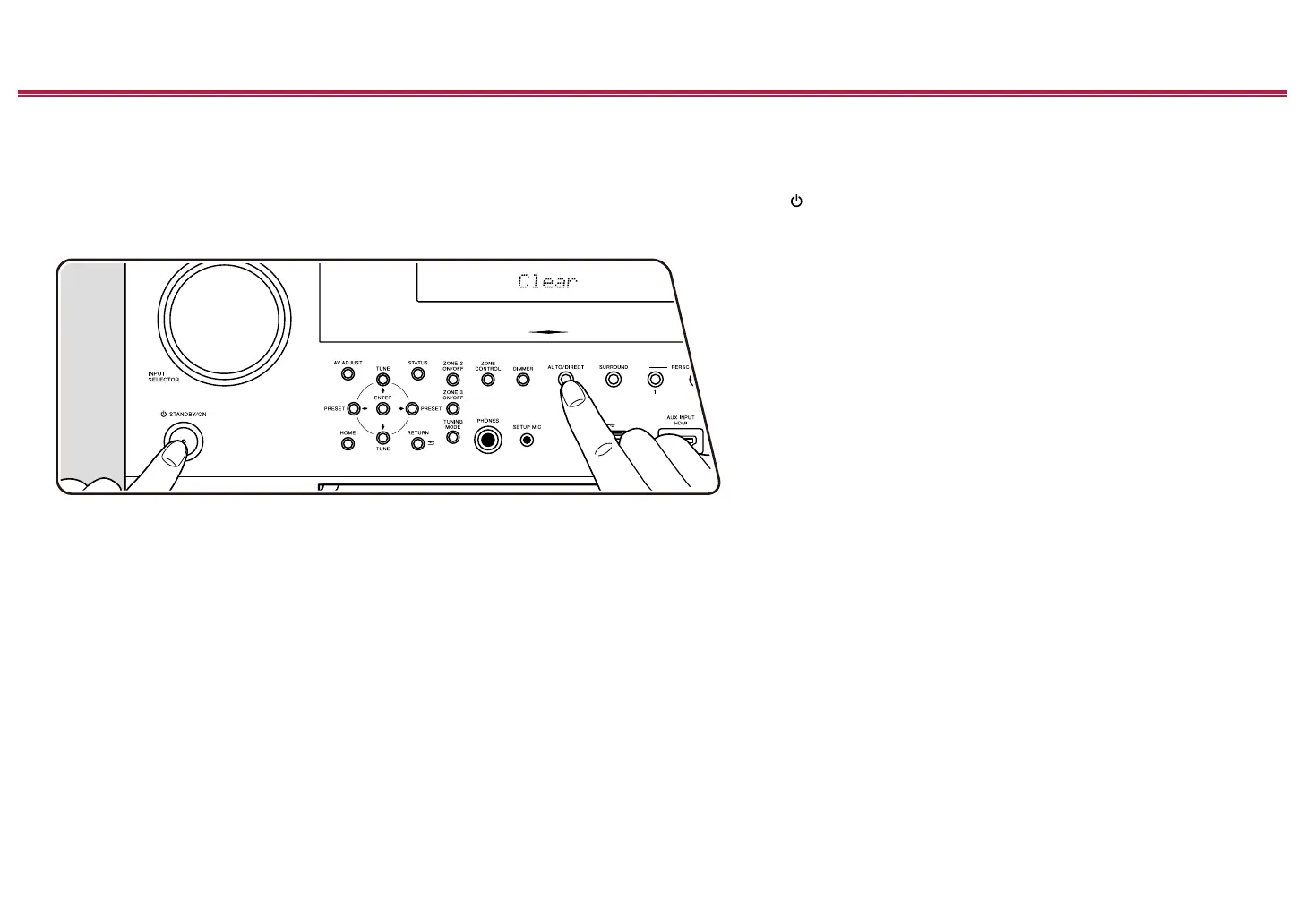
1. While pressing and holding AUTO/DIRECT button on the main unit with the unit turned on, press the
STANDBY/ON button.
2. "Clear" is displayed on the display, and the unit returns to the standby state. Do not remove the power cord until "Clear" disappears from the display.
To reset the remote controller, while pressing and holding MODE, press CLEAR at least 3 seconds.
1
2



 To Next Page
 Loading...










