74
Front Panel≫ Rear Panel≫ Remote≫
Contents
≫
Connections
≫
Playback
≫
Setup
≫
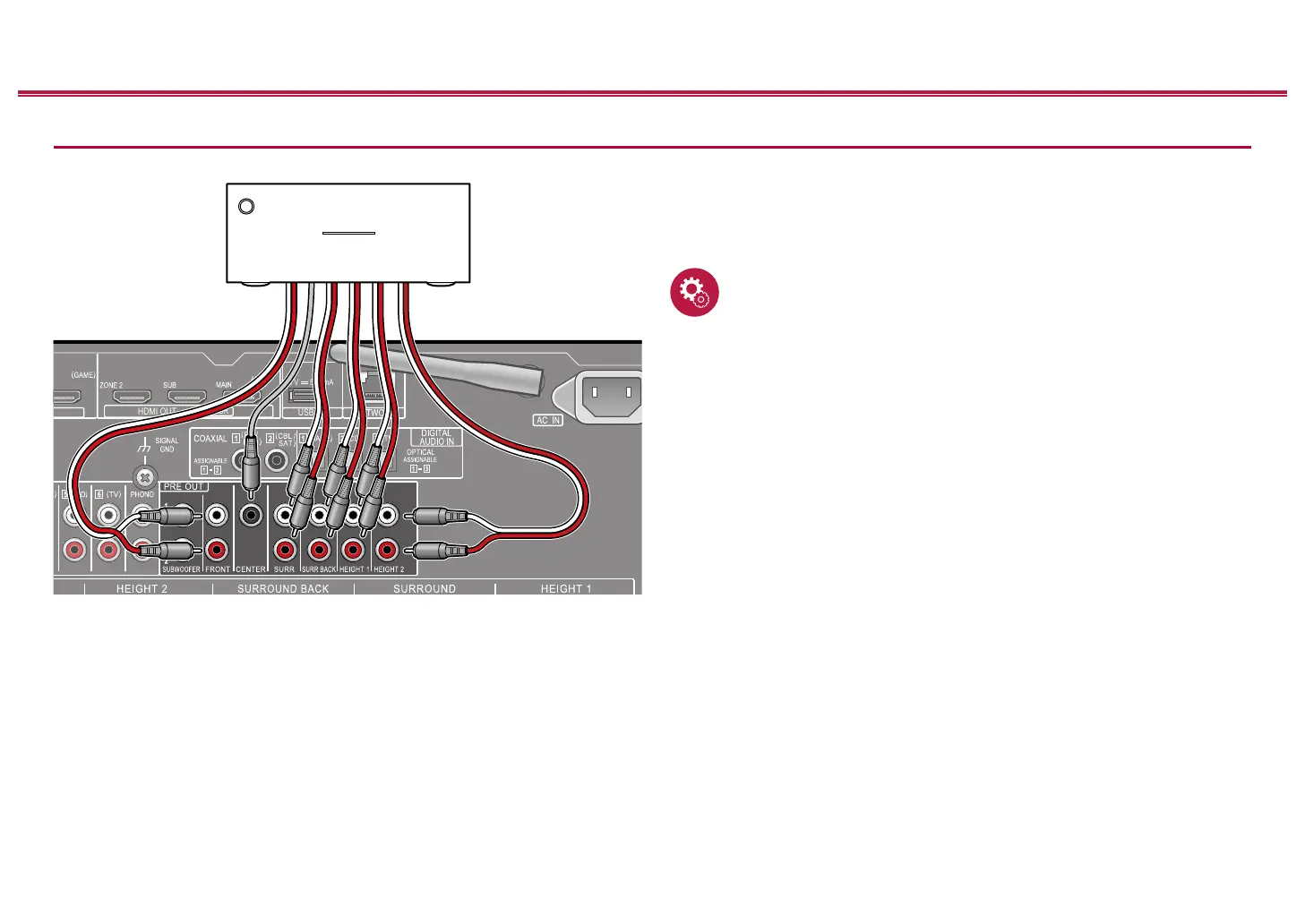
Connecting a Power Amplier
You can connect a power amplier to the unit and use the unit as a pre-amplier
in order to produce a large volume that cannot be output with the unit only.
Connect the speakers to the power amplier. For details, refer to the power
amplier's instruction manual.
• Connect as shown on the left using the PRE OUT jacks.
Setup
• Set "System Setup" - "Speaker" - "Conguration" - "Speaker Channels" in
accordance to the number of channels for the connected speakers.
• You can reduce power consumption by turning off the power of the
SPEAKERS terminals you are not using on this unit. Make the setting in
"System Setup" - "Miscellaneous" - "Preamp Mode".
a Analog audio cable
4K HDR
HDMI OUT
ARC
eARC
USB
5 V 500 mA
a
Power amplier



 To Next Page
 Loading...










