84
Front Panel≫ Rear Panel≫ Remote≫
Contents
≫
Connections
≫
Playback
≫
Setup
≫
Connecting an AV Component in a Separate Room (Multi-zone Connection)
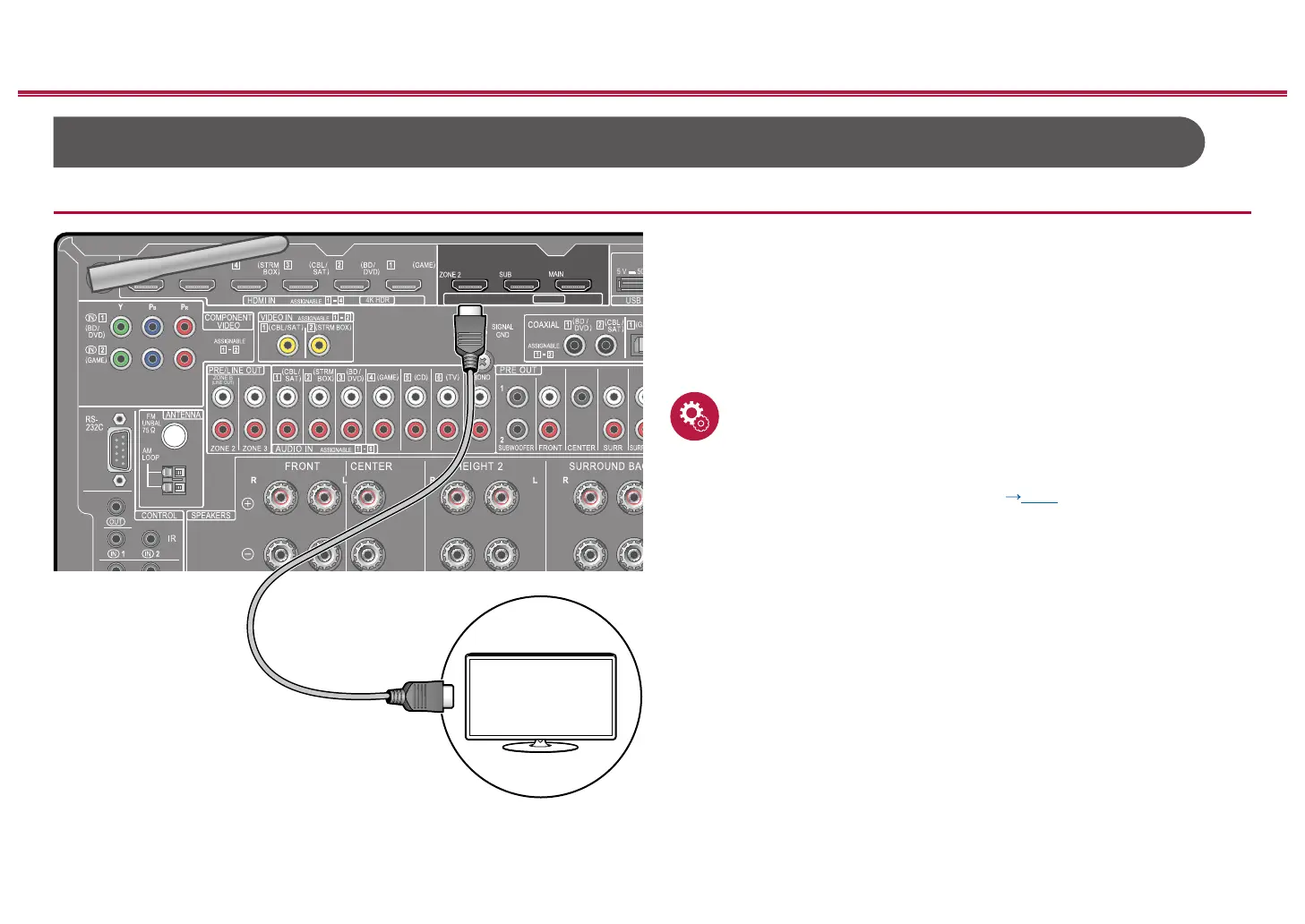
Connecting a TV (ZONE 2)
While a disc is played on a Blu-ray Disc player in the main room (where this unit
is located), you can play the video and audio of the same Blu-ray Disc player or
another AV component on the TV equipped with an HDMI IN jack in a separate
room (ZONE 2). Note that only the devices connected to the HDMI IN1 to IN3
jacks can be played on the TV in the separate room.
• The audio from externally connected AV components can be output only when
the signal is 2ch PCM audio. It may also be necessary to convert the audio
output of the AV component to PCM output.
Setup
• When video and audio via HDMI input are output to ZONE 2, set "Input/Output
Assign" - "TV Out / OSD" - "Zone 2 HDMI" ( p153) to "Use" on the System
Setup menu.
ZONE B
(LINE OUT)
4K HDR
4K HDR
HDMI OUT
ARC
eARC
USB
a
TV
a HDMI cable



 To Next Page
 Loading...










