49
Front Panel≫ Rear Panel≫ Remote≫
Contents
≫
Connections
≫
Playback
≫
Setup
≫
"Speaker Setup" settings during
Initial Setup ( p203)
Speaker Setup
Height 1 Speaker
Height 2 Speaker
1 ch
---
---
Speaker B
Zone 2
Zone 2 Preout
Zone 2
5.1 ch
Zone Speaker
• Speaker Channels: 5.1 ch
• Subwoofer: 1ch
• Height 1 Speaker: ---
• Height 2 Speaker: ---
• Zone Speaker: Zone 2 or Zone 2/
Zone 3
• Speaker B: No
• Zone 2 Preout: Zone 2
• Bi-Amp: No
• Symmetry / All Channel Adjust / Front
Align ( p203)
Setup
To output the video and audio of the
HDMI input to ZONE 2, from the Home
screen, set "System Setup" - "Input/
Output Assign" - "TV Out/OSD" - "Zone
2 HDMI" (
p153) to "Use".
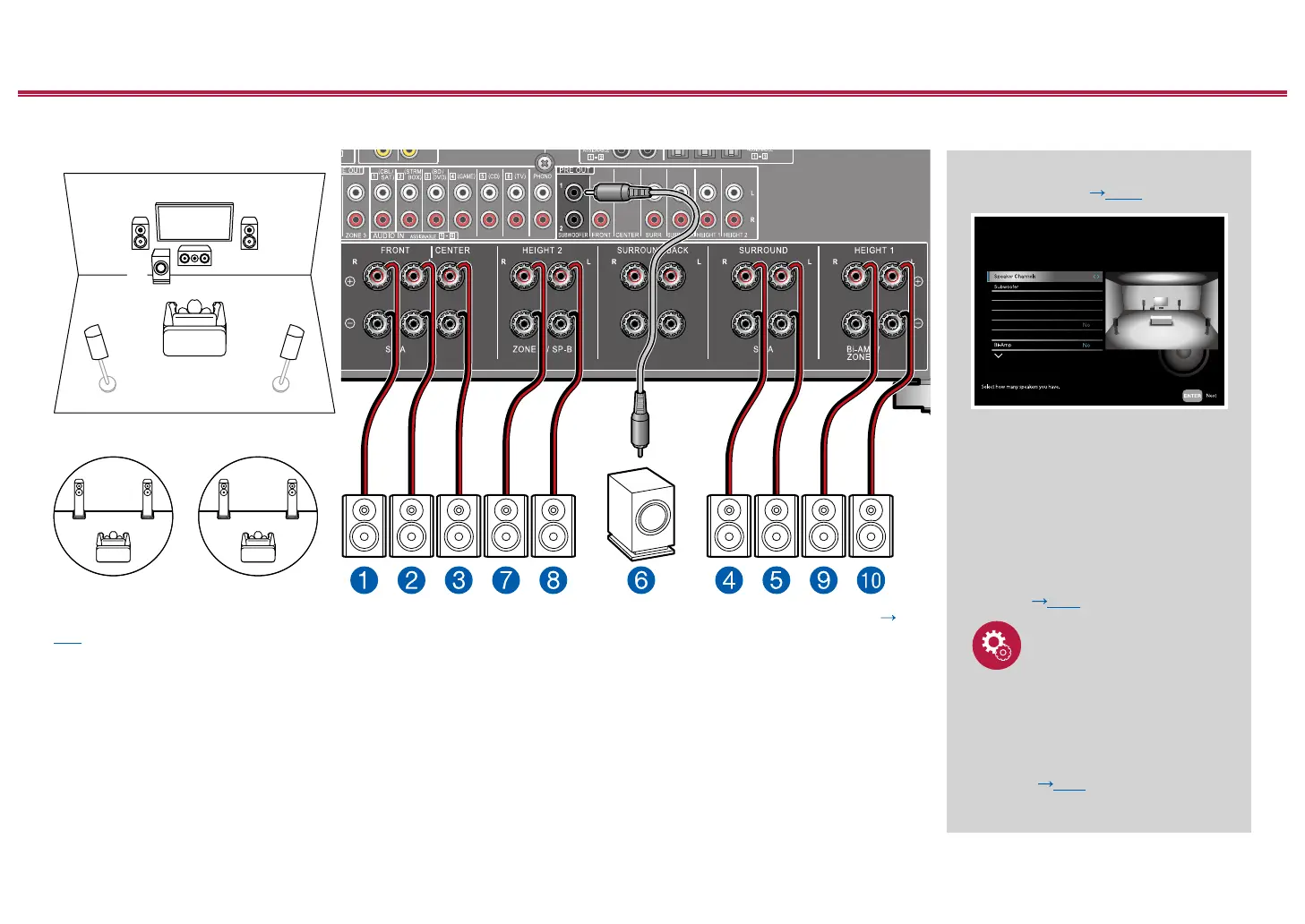
5.1 Channel System + ZONE SPEAKER
ZONE 2
MAIN ROOM
ZONE 3
MAIN ROOM: This is a basic 5.1 Channel System. For details of the speaker layout, refer to "Speaker Installation" (
p19).
ZONE 2/ZONE 3: You can enjoy 2-ch audio in the separate room (ZONE 2/ZONE 3) while performing 5.1-ch playback in
the main room (where this unit is located). The same source can be played back in the main room and ZONE 2/ZONE 3
simultaneously. Also, different sources can be played back in both rooms.
To output audio from an externally connected AV component to ZONE 3, use an analog audio cable for connection. Note
that ZONE 3 output is not possible with the connection using a HDMI cable, digital coaxial cable, or digital optical cable.
ZONE 2
ZONE 3



 To Next Page
 Loading...










