92
Front Panel≫ Rear Panel≫ Remote≫
Contents
≫
Connections
≫
Playback
≫
Setup
≫
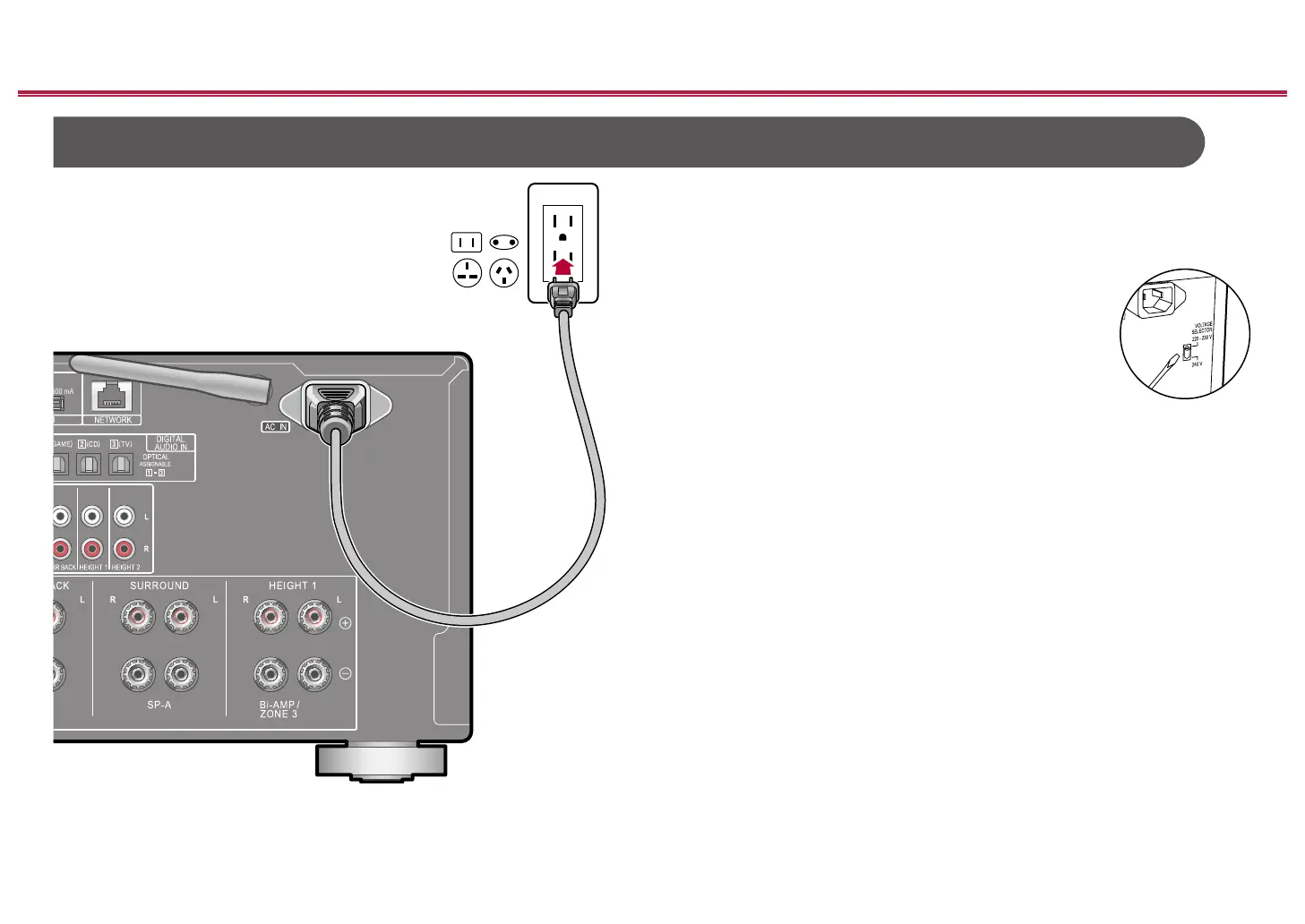
Connect the power cord after all the connections are completed.
• This unit includes a removable power cord. Be sure to connect the power
cord to the AC IN of the unit rst, and then connect it to the outlet. Always
disconnect the outlet side rst when disconnecting the power cord.
VOLTAGE SELECTOR (multi-voltage models only)
Use a medium-sized screwdriver to switch the voltage to the
one appropriate for your region. Before changing the voltage,
rst disconnect the power cord.
Connecting the Power Cord
a
a Power cord



 To Next Page
 Loading...










