User’s Manual of GS-5220-16S8C & GS-5220-16S8CR
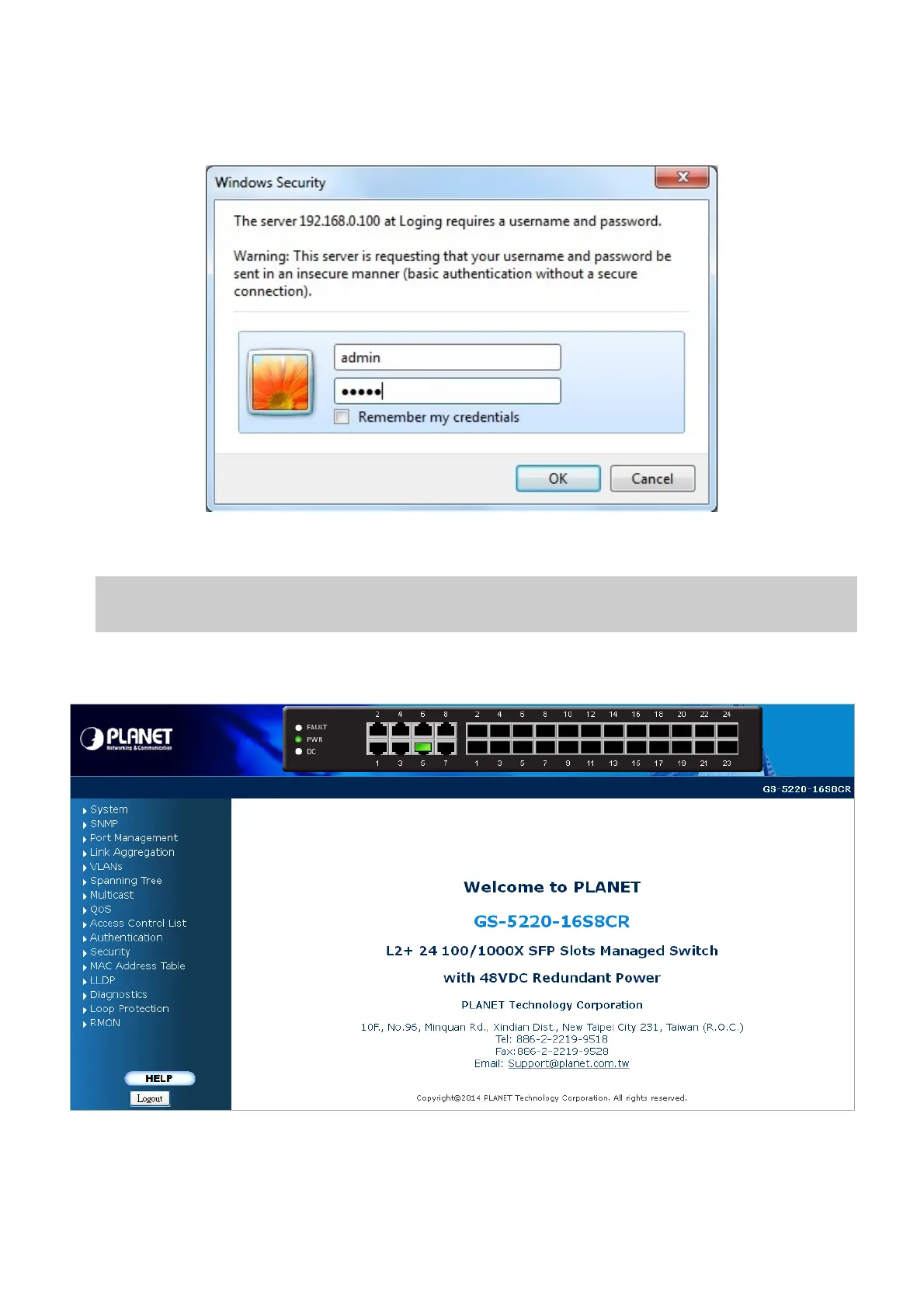
username/password you have changed via console) to login the main screen of Managed Switch. The login screen in
Figure 4-1-2 appears.
Figure 4-1-2: Login Screen
Default User name: admin
Default Password: admin
After entering the username and password, the main screen appears as shown in Figure 4-1-3.
Figure 4-1-3: Web Main Page
Now, you can use the Web management interface to continue the switch management or manage the Managed Switch by Web
39



 To Next Page
 Loading...












