User’s Manual of GS-5220-16S8C & GS-5220-16S8CR
4.2.21 Configuration Upload
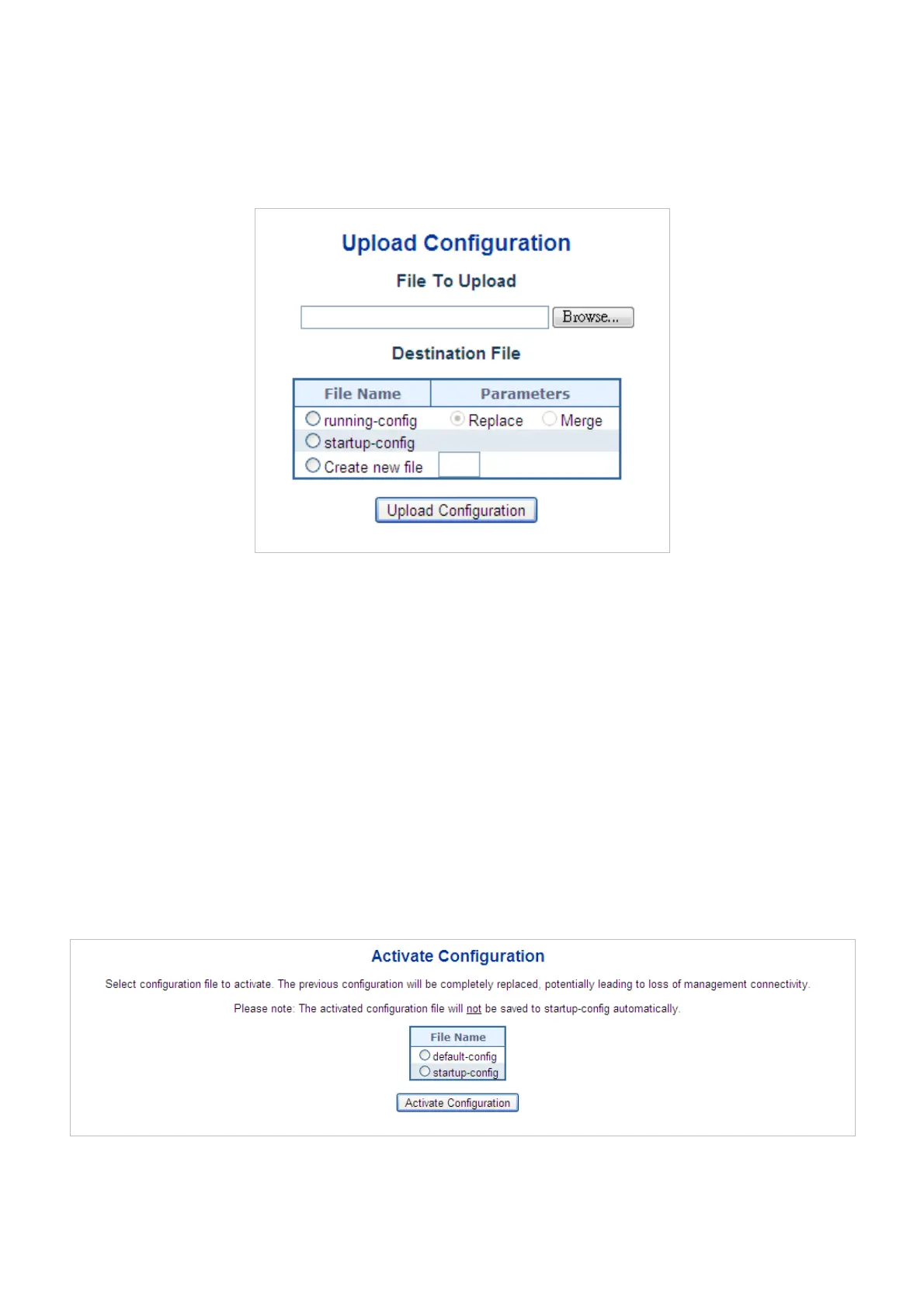
Configuration Upload page allows the upload the running-config and startup-config on the switch. Please refer to the Figure
4-2-26 shown below.
Figure 4-2-26: Configuration Upload Page Screenshot
If the destination is running-config, the file will be applied to the switch configuration. This can be done in two ways:
Replace mode: The current configuration is fully replaced with the configuration in the uploaded file.
Merge mode: The uploaded file is merged into running-config.
If the file system is full (i.e. contains the three system files mentioned above plus two other files), it is not possible to create new
files, but an existing file must be overwritten or another deleted first.
4.2.22 Configuration Activate
Configuration Activate page allows to activate the startup-config and default-config files present on the switch. Please refer to
the Figure 4-2-27 shown below.
Figure 4-2-27: Configuration Activate Page Screenshot
68


 To Next Page
 Loading...













