User Manual of WDRT-1800AX
-66-
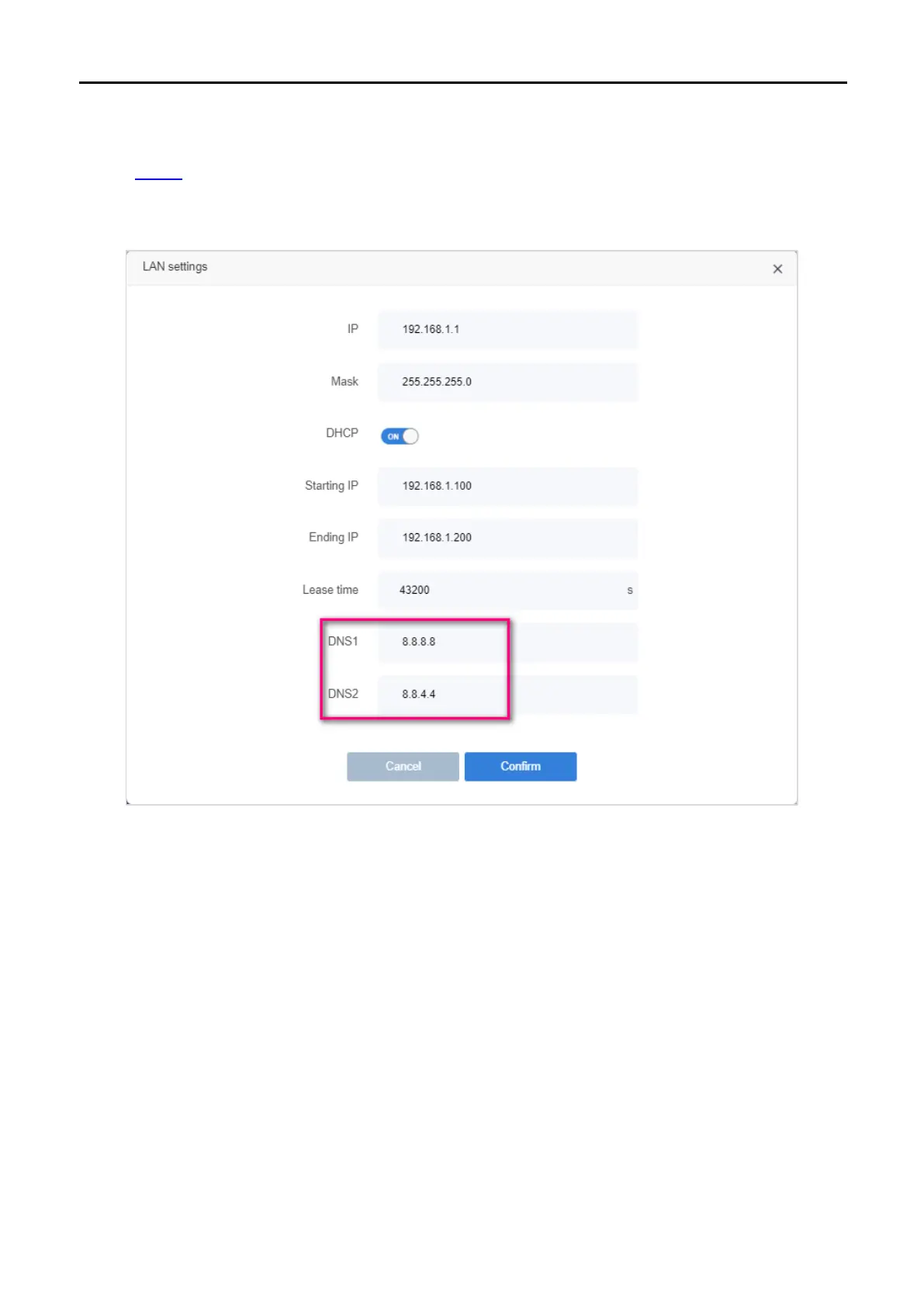
6.Your computer might not recognize any DNS server addresses, please manually configure DNS
server.
1. Visit http://1
92.168.1.1
2. Go to RouterLAN settings
3. Enter 8.8.8.8 as DNS1, 8.8.4.4 as DNS2
7.Reset the router to factory default settings and reconfigure the router.
8.Upgrade the firmware of the router.
9.Check the TCP/IP settings on the particular device if all other devices can get Internet from the router.
Note:If you’ve tried every method above but cannot access the Internet, please contact the technical support.
FAQ 5. I cannot find my wireless network or I cannot connect the wireless
network
If you are using a laptop or USB wireless card with a built-in wireless adapter, make sure that your device's
wireless function is enabled and the drivers are working properly.



 To Next Page
 Loading...








