Chapter E - DIMAX3 DIGITAL SYSTEM ADJUSTMENT
E-6 Planmeca Proline EC X-ray unit
PANORAMIC X-RAY BEAM ADJUSTMENT
Technical Manual
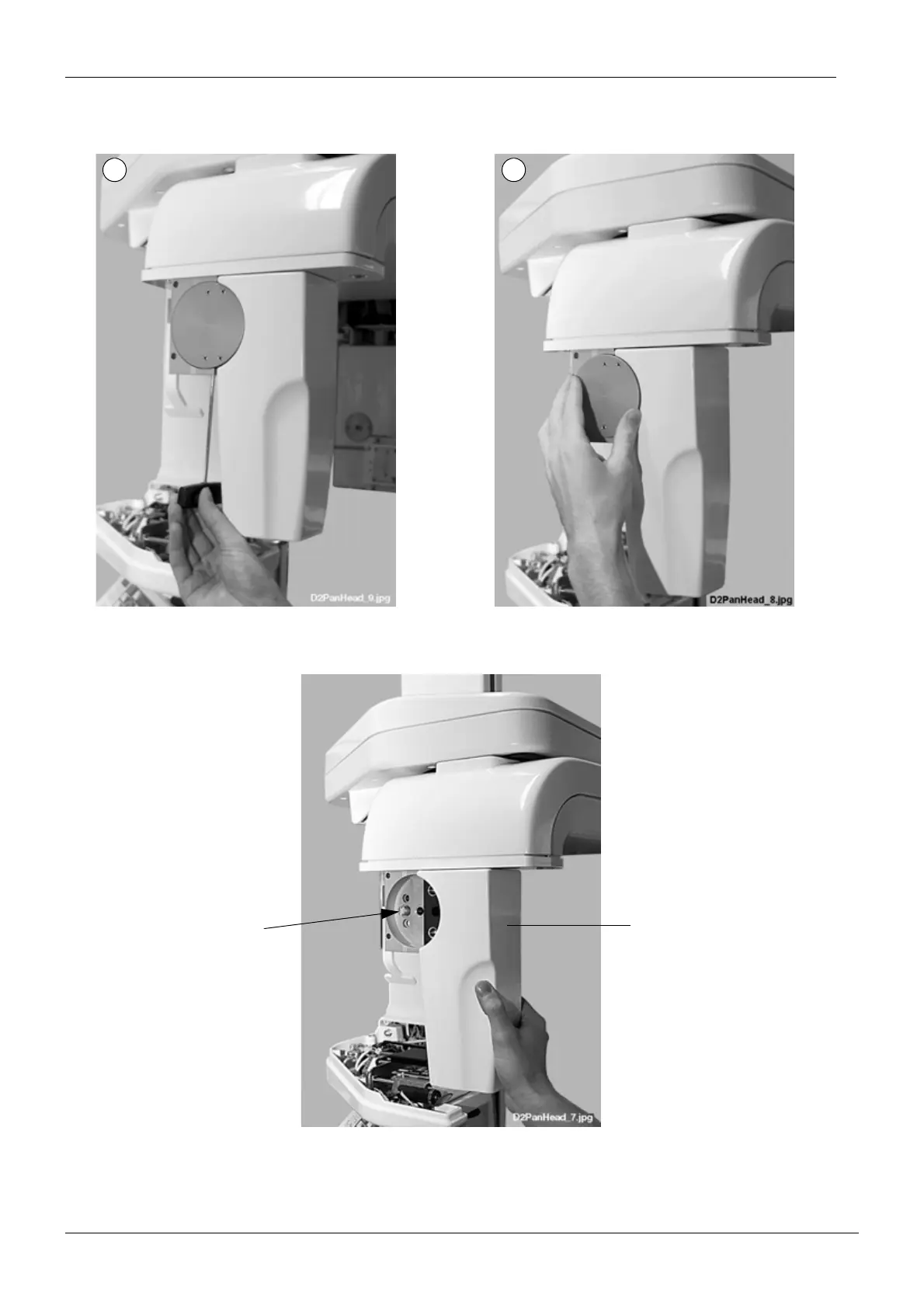
Loosen the lock disc attachment screw with the 3mm allen key (Fig. 4, 1) and remove the lock
disc from the adapter (Fig. 4, 2).
Figure 4
Push the button axle inwards and remove the sensor head from its adapter.
Figure 5
The sensor alignment tool can now be attached to the adapter pins.
1 2
Sensor head
Button axle














 To Next Page