6 MAIN PARTS
User’s Manual Planmeca ProOne 11
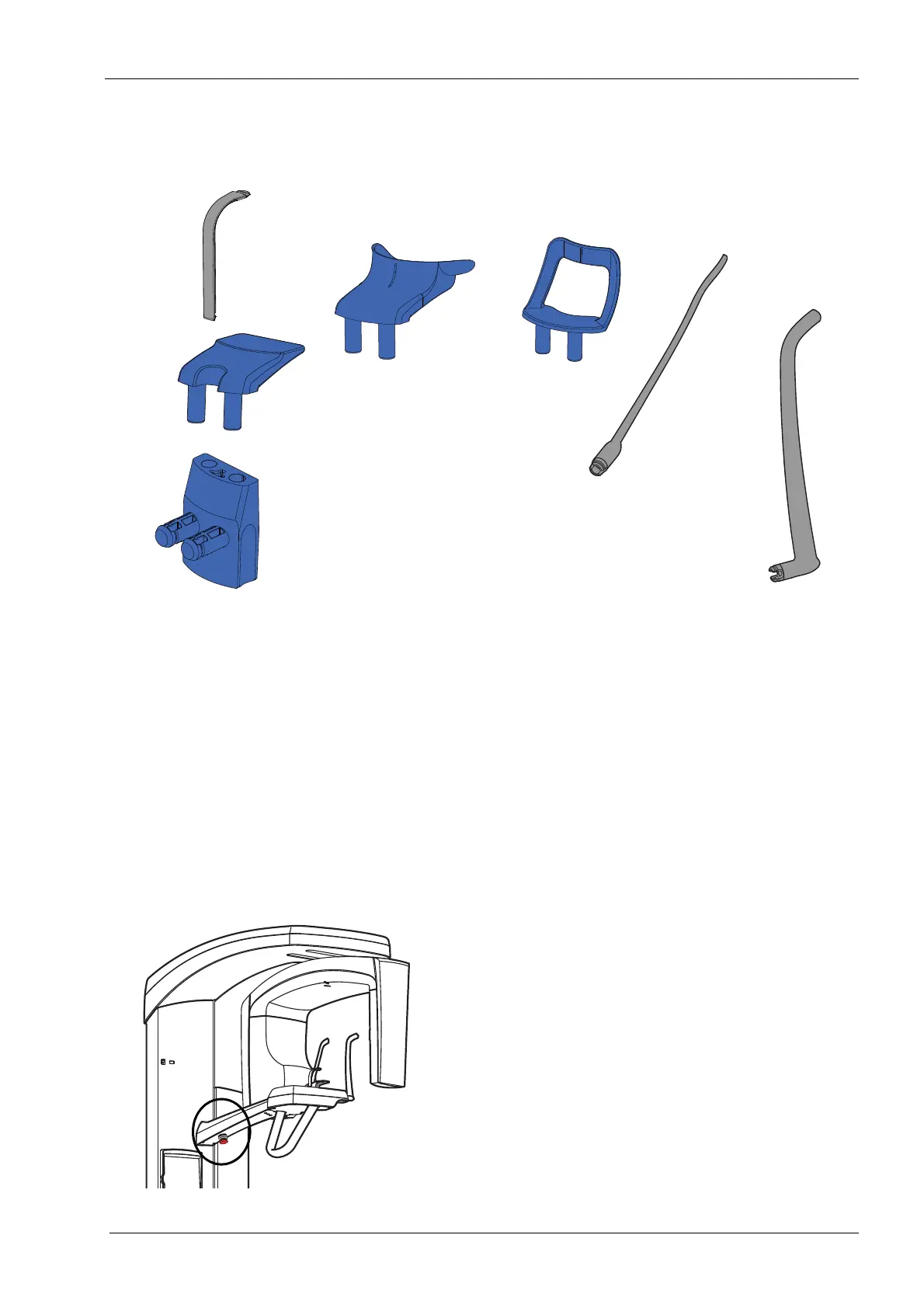
6.4 Patient supports
6.5 Emergency stop button
The emergency stop button is located on the underside of
the patient support table arm. Press the button to stop the
X-ray unit operating in an emergency. When the
emergency stop button is pressed down, all movements
of the X-ray unit are blocked and the unit will not generate
radiation.
A help message will appear on the control panel display.
Release the stop button to resume normal operation.
1 Bite piece
2Chin rest
3 Adapter
4 Chin cup
5 Chin support
6 Temple supports
Bite2.eps
Chin1.eps
Lip1.eps













 To Next Page