10 PANORAMIC EXPOSURE
User’s Manual Planmeca ProOne 45
10.2 Taking an exposure
Make sure that you have selected the right patient and the
panoramic exposure mode in the Romexis program before
you take an exposure. Refer to the Romexis User’s
Manual.
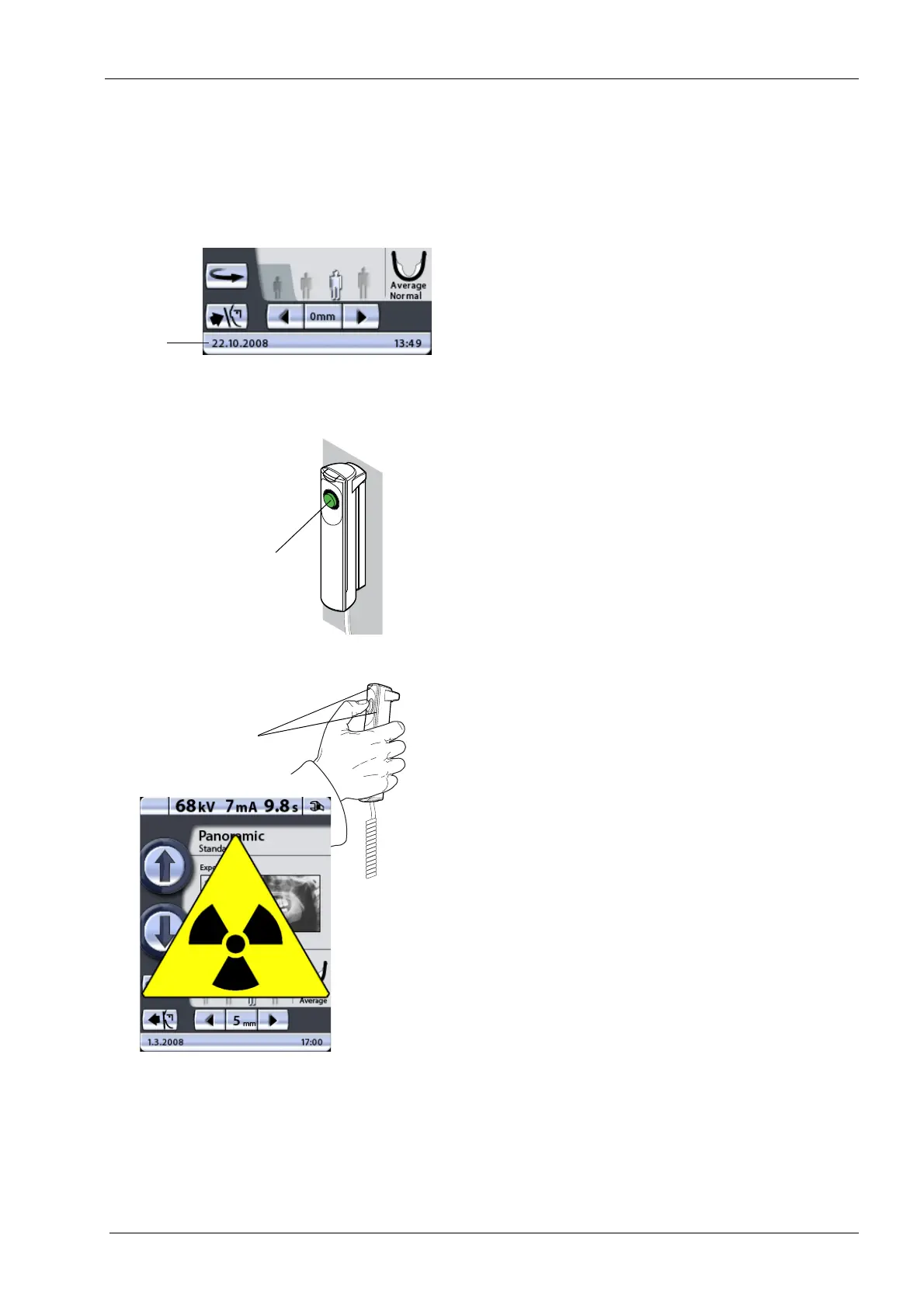
The status bar at the bottom of the display will turn green
when the unit is ready to take an exposure.
On the exposure button a green indicator light will come
on. The Romexis program will show the
Waiting for
Exposure
message on the computer screen.
Ask the patient to close their lips on the bite piece,
swallow, place their tongue flat against the roof of the
mouth, breathe normally, and stand as still as possible.
Move to a protected area.
Press and hold down the exposure button for the duration
of the exposure. The C-arm will move through one
exposure cycle.
During the exposure cycle the radiation warning light on
the exposure switch and on the display will come on and
you will hear a radiation warning tone. When the C-arm
has completed the exposure cycle the temple supports
will automatically open. You can now guide the patient
from the unit.
Maintain audio and visual contact with the patient and unit
during exposure. If the C-arm stops moving during
exposure, or moves in an erratic way, release the
exposure button immediately.
If exposures are taken in rapid succession the X-ray tube
will overheat and a cooling time will be shown on the
display (e.g. Cooling: 21 s). The cooling time indicates the
delay before the next exposure can be taken.
Green = Ready for exposure
Grey = Not ready for exposure
Status
bar
Green ready
indicator light
PXR_Dsw._2eps
Amber exposure
indicator light














 To Next Page