9 CONTROL PANEL
20 Planmeca ProOne User’s Manual
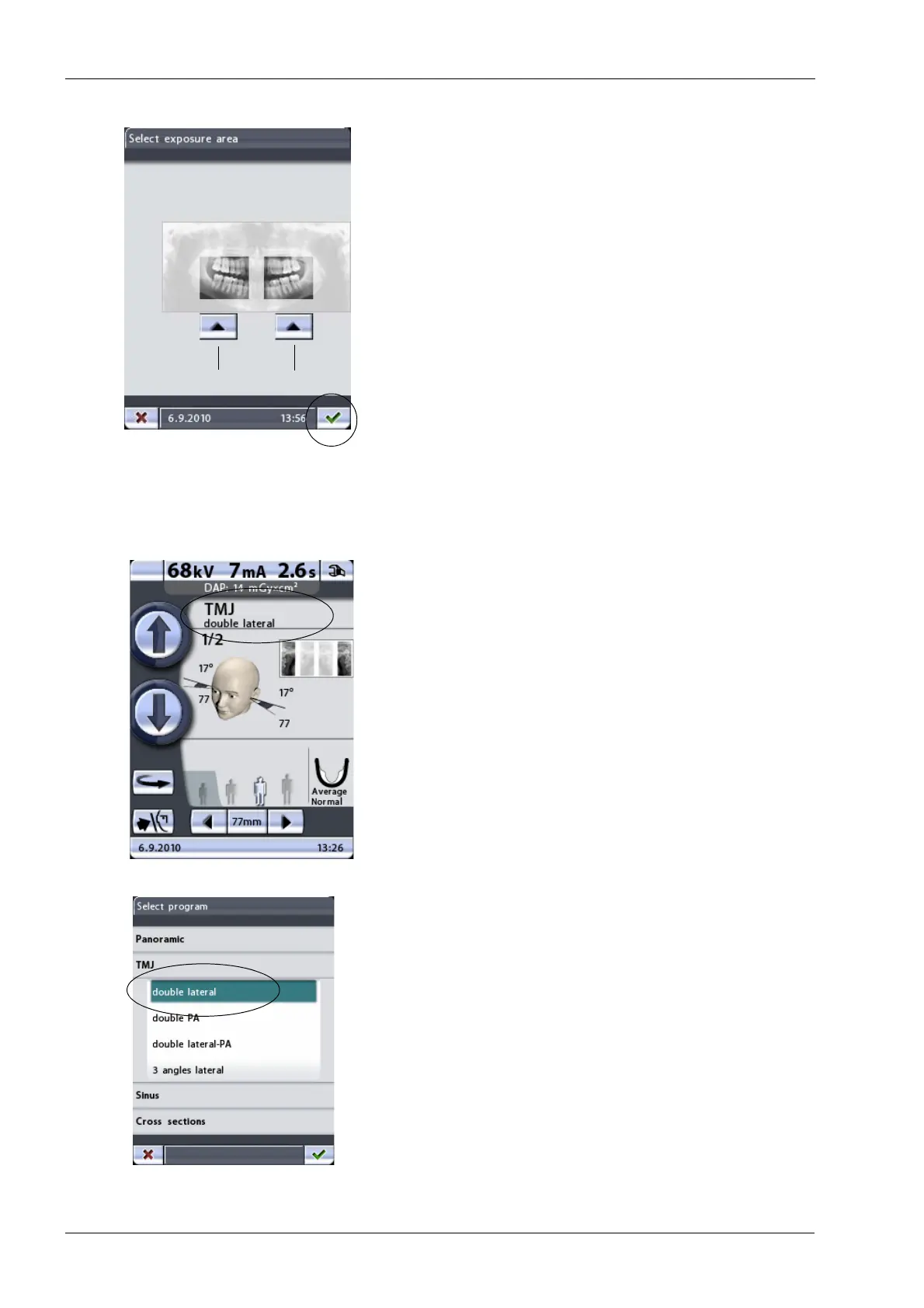
In the optional Bitewing program you can deselect the
patient’s right or left side by touching the corresponding
arrow button on the control panel.
Accept your selection and return to the main display by
touching the green check mark button in the bottom right
corner of the display.
9.3 Selecting temporomandibular joint (TMJ) exposure program
To select a temporomandibular joint (TMJ) exposure
program, touch the program field on the main display. The
main display is the display that is shown when the X-ray
unit is switched on.
The
Select program
display appears. Select the required
TMJ exposure program by touching the appropriate field
on the display. The selected program will be highlighted.
The patient positioning lights will be automatically
switched on when you select the exposure program.
Patient’s left side
Patient’s right side














 To Next Page