9 CONTROL PANEL
38 Planmeca ProOne User’s Manual
9.11 Returning C-arm to patient entry position
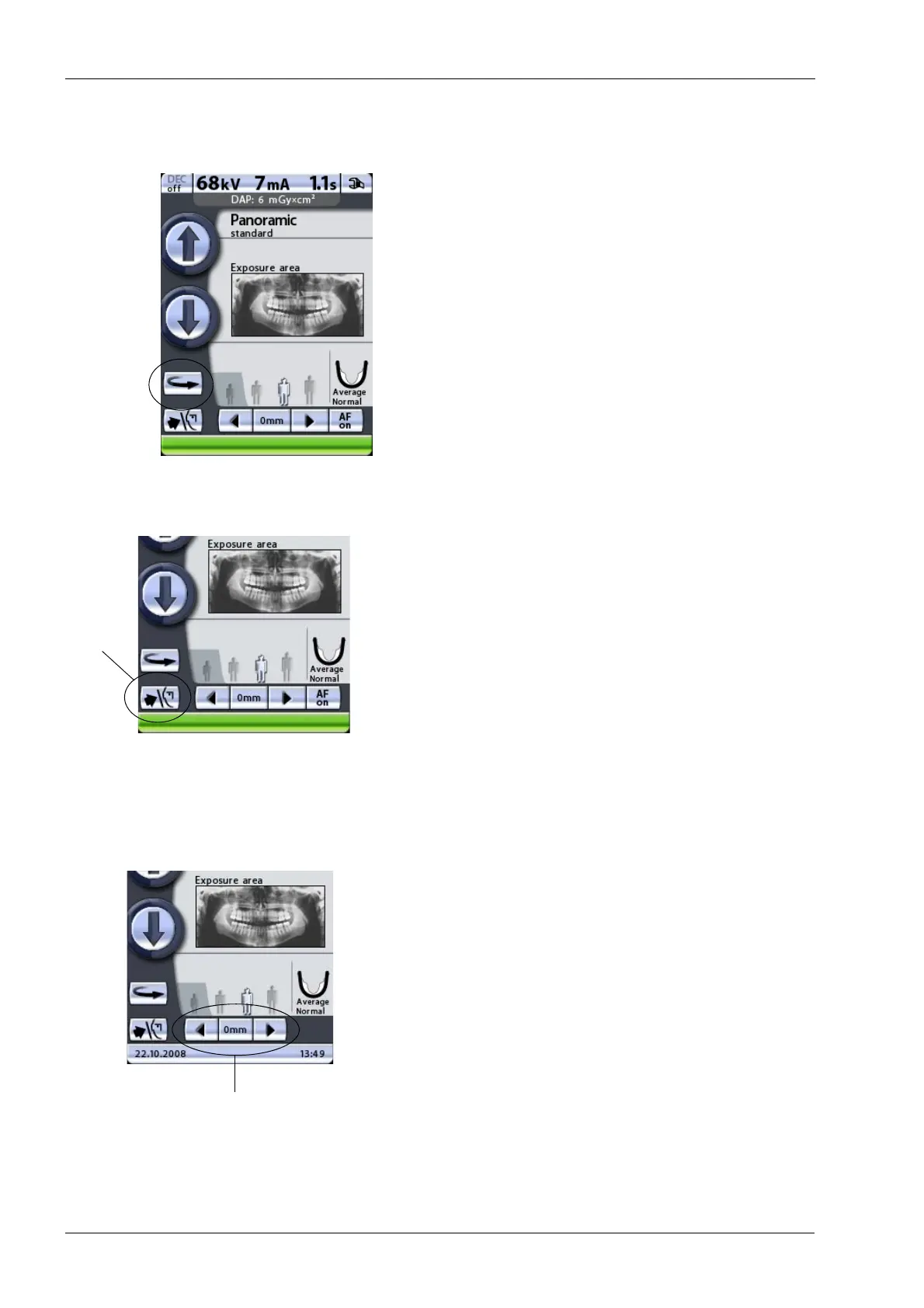
Touch the C-arm return button to move the C-arm to the
patient entry position. Alternatively, you can touch either
of the target position arrows to move the C-arm to the
patient entry position.
The C-arm will automatically move to the patient entry
position when you select an exposure program.
You can set the X-ray unit so that the C-arm will
automatically return to the patient entry position at the end
of an exposure cycle. Refer to section 14.2.3 “Functions
after exposure (P2300)” on page 86 for more information.
9.12 Opening/closing temple supports
Touch the temple support button to open or close the
temple supports.
The arrow shown on the temple support button points to
the right when the temple supports are open. The arrow
points to the left when the temple supports are closed.
The temple supports will automatically open when you
select an exposure program. They will also open at the
end of an exposure cycle.
9.13 Adjusting layer light position
Touch and hold either of the arrows in the target position
field to adjust the position of the layer light. The arrow
pointing to the left moves the C-arm forward and the
arrow pointing to the right moves the C-arm backward.
The C-arm movement will stop when you release the
button.
The number in the target position field indicates the
position of the layer light and serves as a reference for
later retakes.
Touching either of the target position arrows will move the
C-arm to the patient entry position, if it is not already there.
Touching either of the target position arrows will switch on
the patient positioning lights, if they are not already on.













 To Next Page