9 CONTROL PANEL
User’s Manual Planmeca ProOne 39
9.14 Switching DEC on/off (optional)
Dynamic Exposure Control (DEC) is an optional feature.
Refer to section14.2.1 “Program licences (P2100)” on
page 82 for more information.
Dynamic Exposure Control (DEC) is available for
Standard, Interproximal and Orthogonal panoramic
programs. However, DEC cannot be used if only the lower
horizontal jaw segment is imaged (partial exposure).
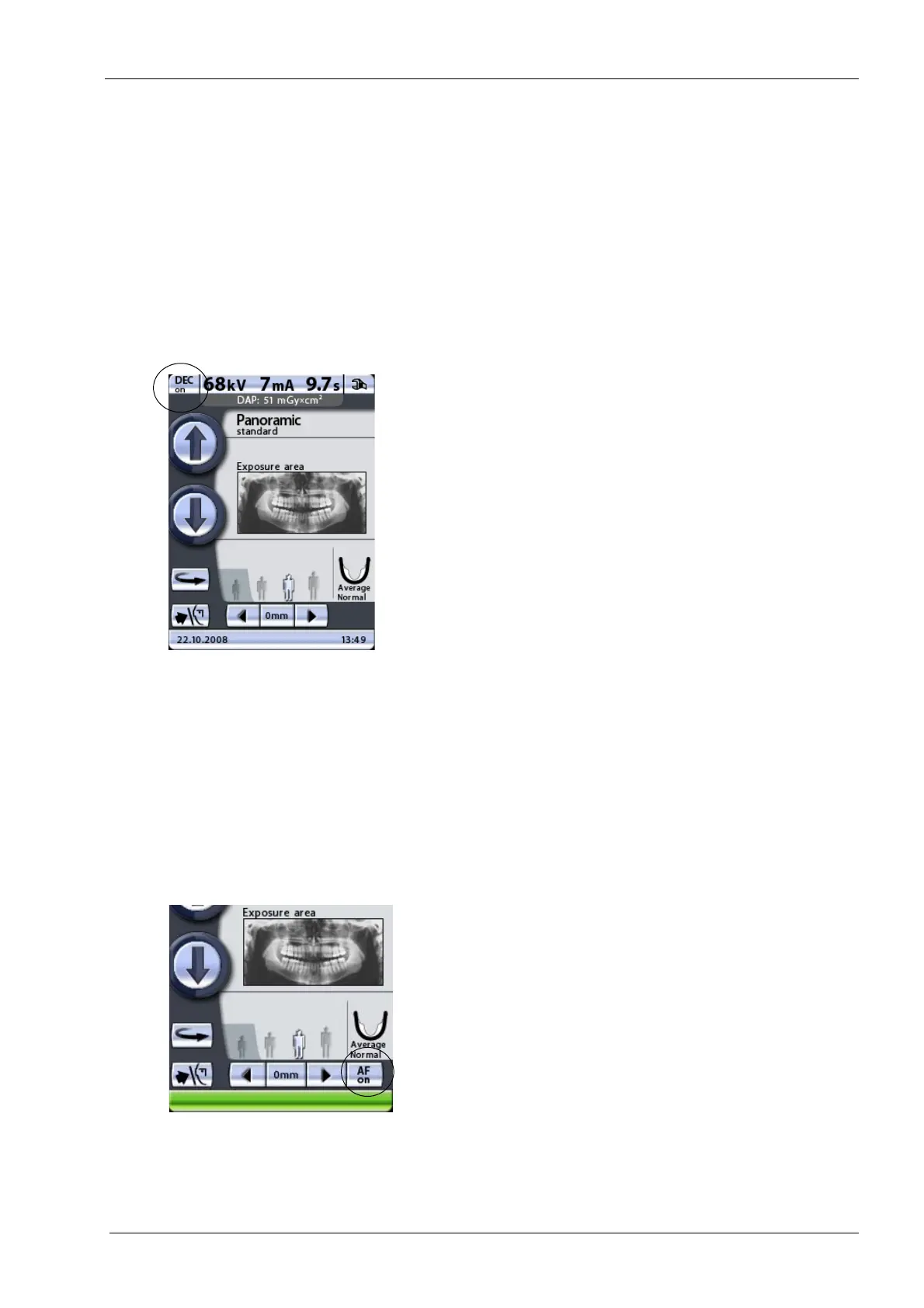
Touch the DEC button to switch Dynamic Exposure
Control (DEC) on or off for the exposure you are going to
take.
Dynamic Exposure Control (DEC) automatically provides
optimal exposure values for each patient during exposure.
This function adjusts the exposure values individually for
each patient based on their anatomic structure and bone
density. Switching DEC on improves the image quality as
the function produces images of more consistent
brightness and contrast.
When DEC is switched on the kV value will be adjusted by
max ±4 kV. However, if the starting value is e.g. 68 kV the
value will be increased by only 2 kV (available kV scale:
60-70). The mA value will be adjusted by max +4/-3 mA.
However, if the starting value is e.g. 7 mA the value will
not be further increased (available mA scale: 2-7).
DEC target value can be adjusted if the images appear to
be too bright or too dark. Refer to section14.2.2 “Program
presets (P2200)” on page 84 for more information.
9.15 Switching Autofocus (AF) on/off
Autofocus is available for Standard, Interproximal and
Orthogonal panoramic programs.
Touch the AF button to switch Autofocus (AF) on or off for
the exposure you are going to take.
Autofocus adjusts the layer position automatically. The
function positions the image layer individually for each
patient based on the position and angle of the apices of
the upper central incisors.
Refer to section 10.2.2 “Taking an exposure with
Autofocus (AF)” on page 46 for more information.













 To Next Page