9 CONTROL PANEL
14 Planmeca ProOne User’s Manual
9 CONTROL PANEL
9.1 General about control panel
The contents of the displays depend on the configuration
of the X-ray unit. The displays shown here are from an X-
ray unit that features all currently available imaging
programs and functions.
Never allow patients to touch the display when they are
positioned in the X-ray unit. Touching the display during
exposure will stop the imaging process.
The X-ray images shown here are only examples.
To make a selection on the control panel, simply touch the
display with your finger or a soft stylus on a text field or on
an icon. For example, to select a program touch the
program field. You will hear a signal tone when a field is
activated.
Do not use sharp objects to operate the control panel.
Only the text fields and icons on the display are touch-
sensitive, and touching areas outside them will not
activate an action.
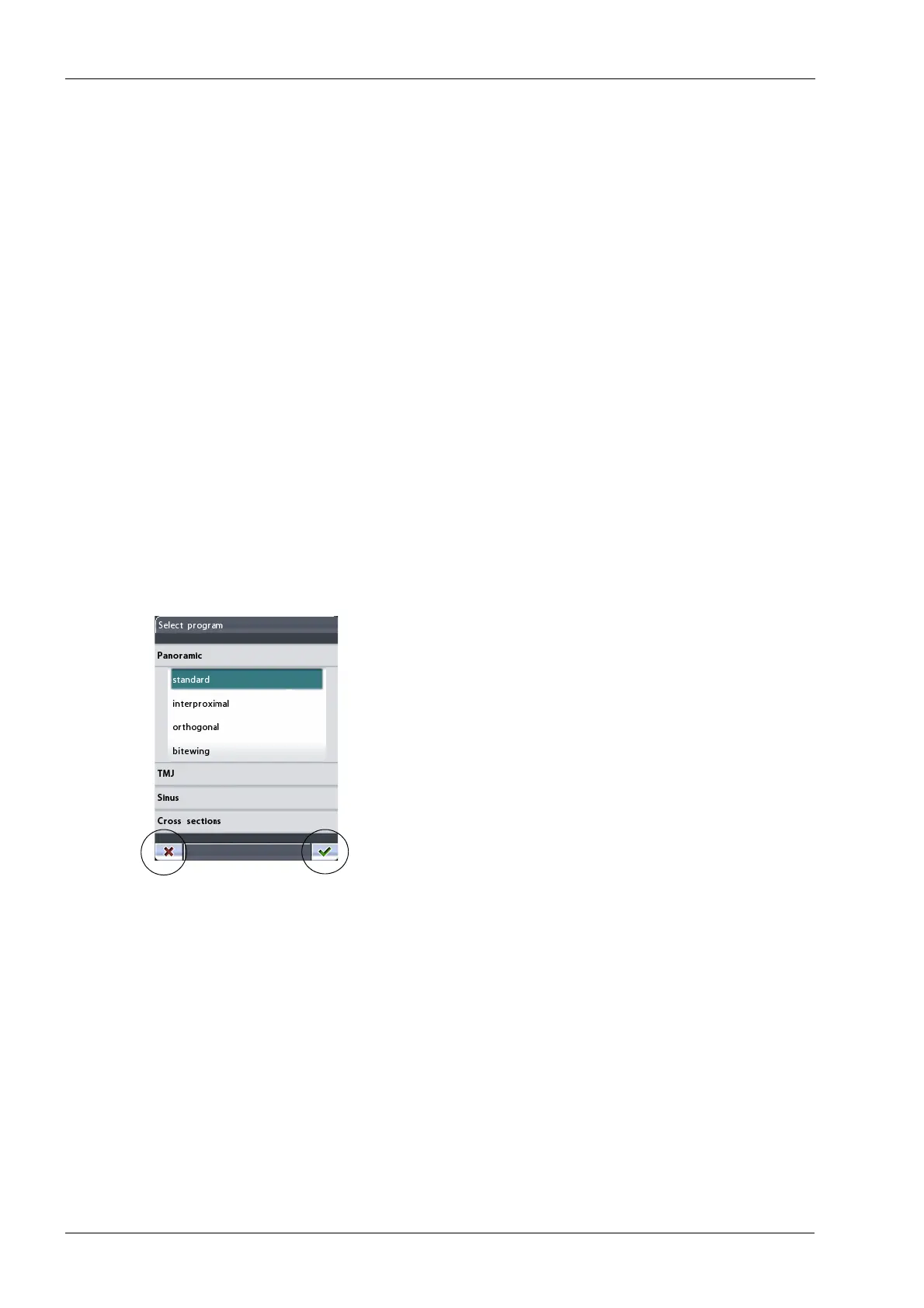
To accept a selection, touch the green check mark button
in the bottom right corner of the display. To cancel a
selection, touch the red cross button in the bottom left
corner of the display.
The display will automatically switch to stand-by mode if
you do not touch the display or the exposure button for
more than 30 minutes. A blue power light on the left side
of the display indicates that the X-ray unit is switched on
even though the display is dark. The display will switch on
as soon as you touch it again.
You can set the X-ray unit so that the current time and/or
date will be shown at the bottom of the display. You can
choose in which format (e.g. 22.10.2008 for date and
13:49 for time) they will be shown. Refer to section14.1.1
“Setting time and date (U1100)” on page 73 for more
information.













 To Next Page