14 SETTINGS
User’s Manual Planmeca ProOne 73
14.1 User settings
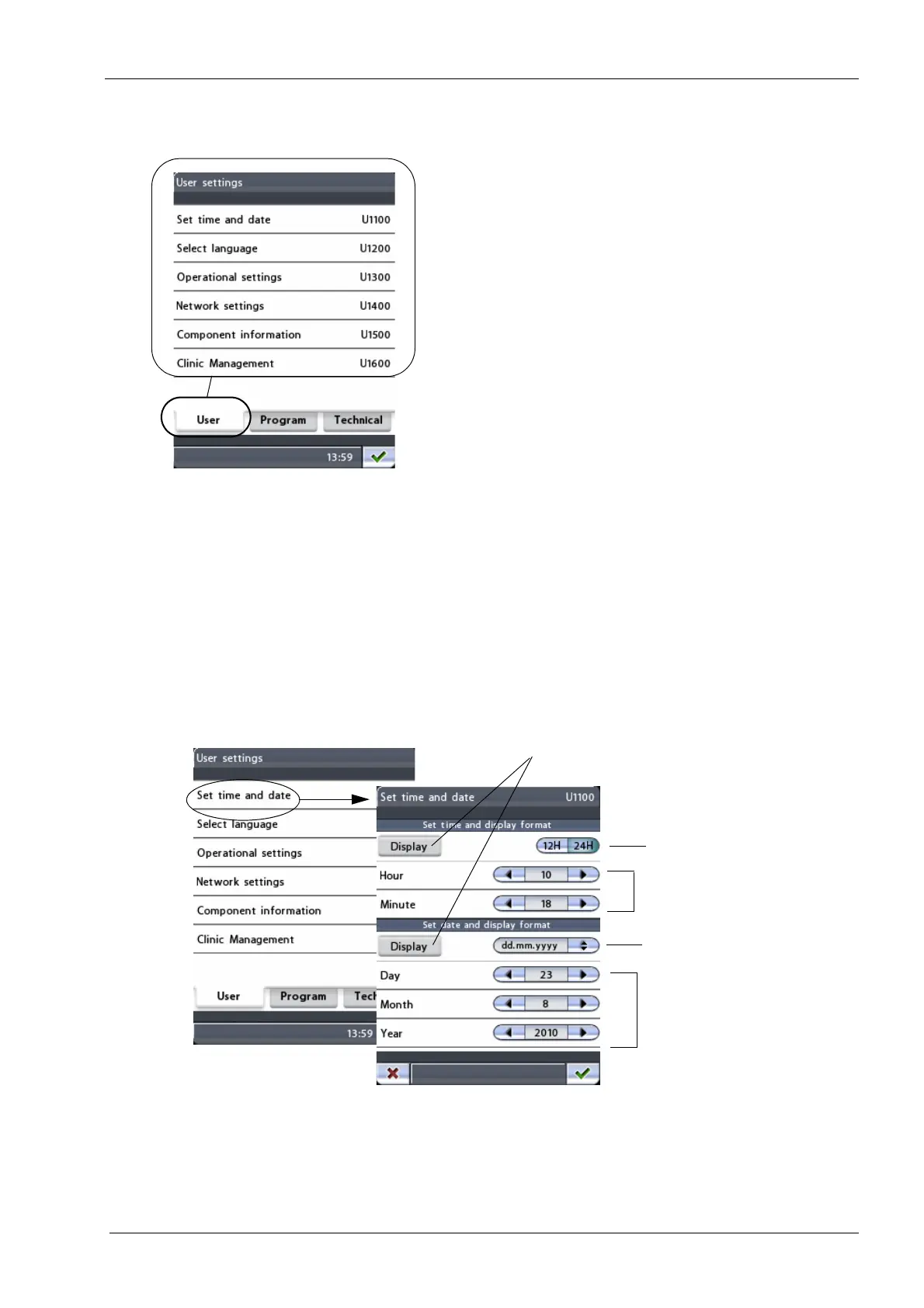
On the
User settings
display you can set time & date,
select the language for the control panel displays and
adjust or view operational and network settings. The
component information needed for service and
maintenance purposes is also available here.
The available options are described in detail on the
following pages.
Exit the
User settings
display by touching the green check
mark button in the bottom right corner of the display.
14.1.1 Setting time and date (U1100)
To set the X-ray unit so that the current time and/or date
will be shown at the bottom of the control panel display,
first select the
Set time and date (U1100)
option on the
User settings
display. The
Set time and date (U1100)
display will appear.
Set time
Select date format
Select time format
Set date
Display time and/or date













 To Next Page