10 MAIN PARTS
User’s & installation manual Planmeca ProScanner 31
10.2.3 Sleep mode
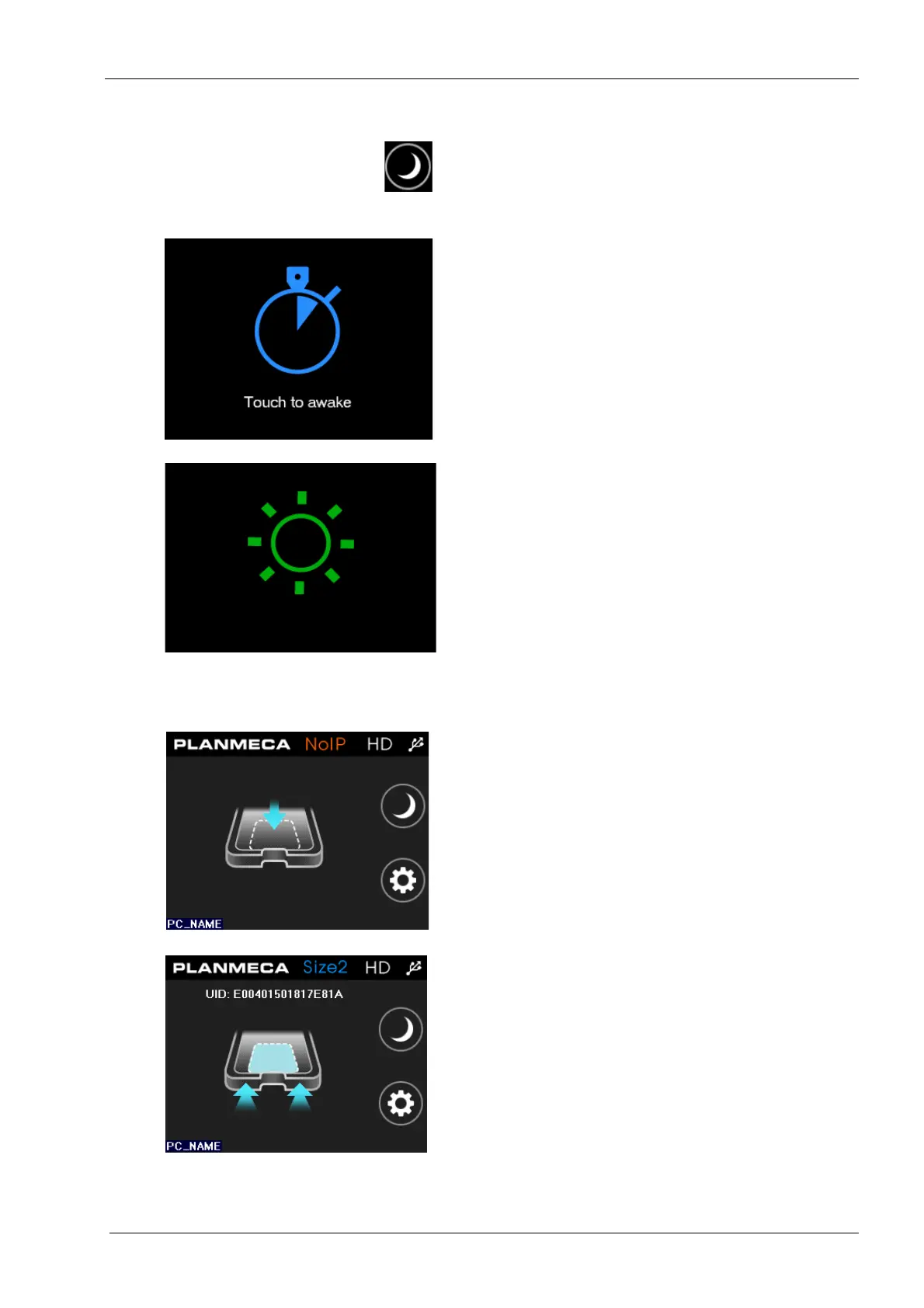
When the Sleep mode button is pressed the
scanner goes to sleeping (power saving) mode.
The imaging plate tray moves back inside the
scanner and the hatch closes.
To awake the scanner and to return to the
normal operating mode simply touch the screen.
As the scanner awakes the tray ejects and the
following screen appears.
Once awake, the status of the scanner changes
to operating mode.
The sleep mode can also be set to activate
automatically if the device has not been used for
a certain period of time. For more information,
see section “Auto sleep” on page 33.
10.2.4 Scanning
Scanner activated
The scanner is ready for scan, but there is no
imaging plate on the tray (NoIP). The name of
the currently connected computer appears on
the lower left corner of the screen.
Ready for scan
The imaging plate size is recognized and the
scanner is ready for scan.
The imaging plate size is shown on top when
the plate is recognized. To start scanning insert
the tray.
The UID code is the image plate specific serial
number. The code is saved to the
Image
properties
window in Planmeca Romexis
together with the image.












 To Next Page