61
Clean the Printer
The printer performs best when it is cleaned on a regular basis. The printer
should be cleaned when:
• The number of cards printed since last cleaning reaches the number for your
site
• The printer displays a message for which cleaning is a solution
• You notice debris, such as lint, on completed cards
• You install a new roll of print ribbon
• Follow the cleaning guidelines for your site to keep the printer in good
working condition.
You can perform the following cleaning tasks:
• “Run a cleaning card”
• “Clean the printhead”
Run a cleaning card
Run a printer cleaning card to clean debris from the inside of the printer. The
cleaning card can remove most contaminants from the printer.
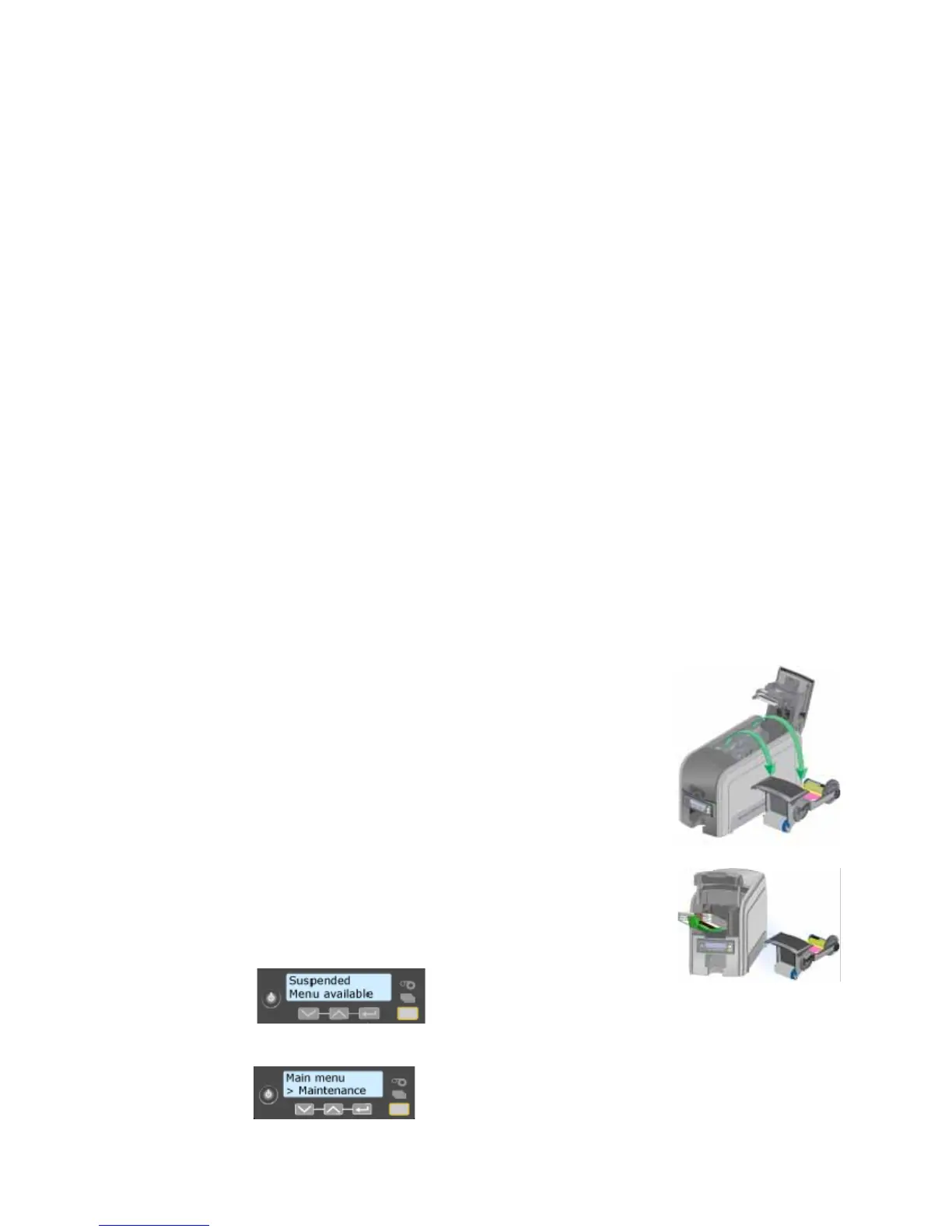
1. Begin with the printer powered on.
2. Open the printer cover and remove the print ribbon
cartridge.
3. Close the cover. The Ribbon Light will blink rapidly.
4. Open the input hopper and remove unprinted cards.
The Card light will blink rapidly if the printer has the
Card Present option.
5. Begin with the printer “Ready”. The U
SER button
shows steady green.
6. Press the U
SER button to display “Suspended” on Line
1 of the LCD panel.
7. Press the E
NTER key to enter the menu system.



 To Next Page
 Loading...








