PDR-7000 Operation Manual
when chart 1 is sharper.
Turn the dial counterclockwise by increments
of one. (Also possible by pressing )
when chart 2 is sharper.
Turn the dial clockwise by increments of one.
(Also possible by pressing )
Repeat the above until the both charts appear
equal.
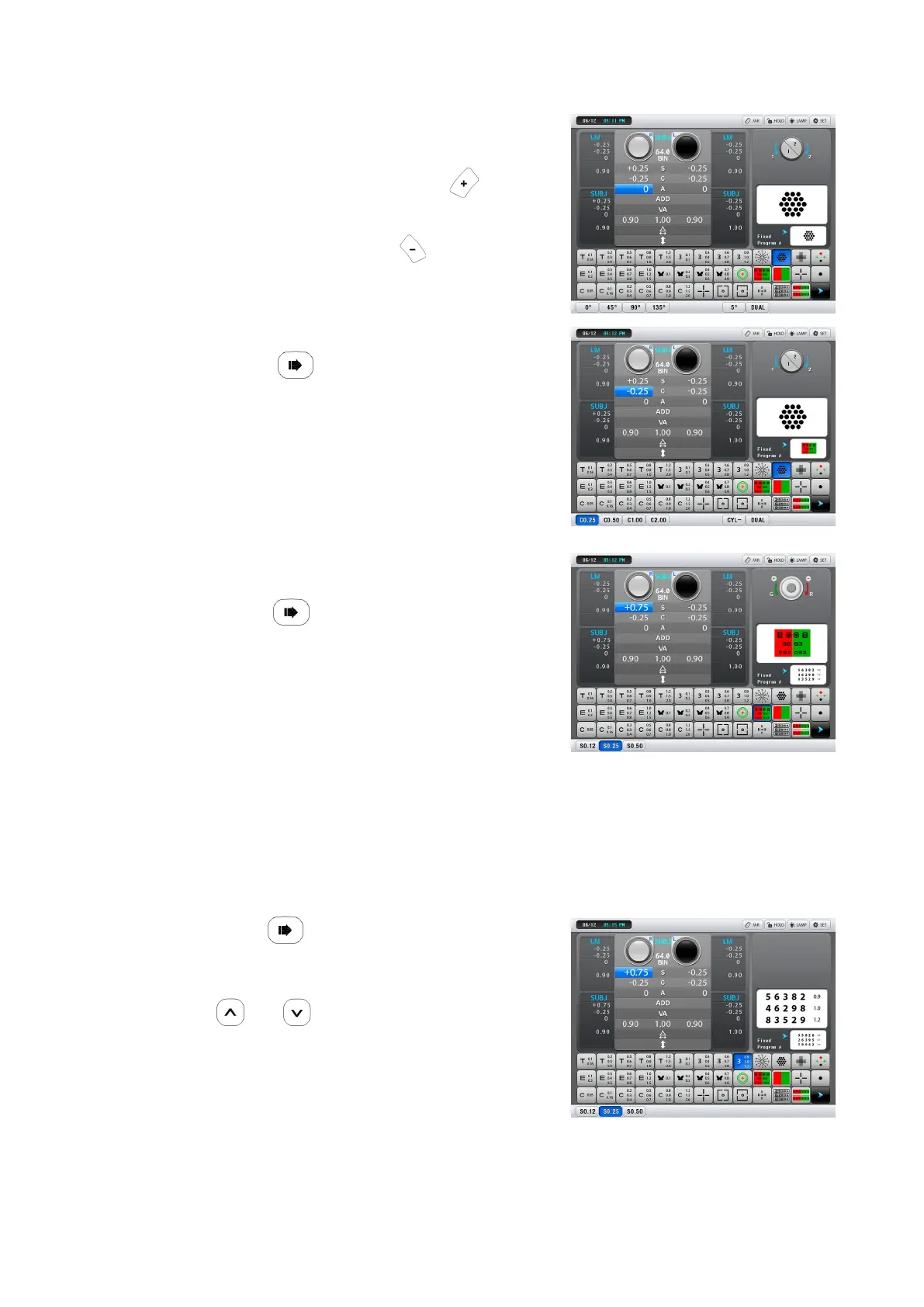
12.Measure the cylindrical power.
1) Press
The cross cylinder lens axis changes.
2) Measure the cylindrical power with the cross
cylinder lens.
Follow the same procedure as 2) of Step 11.
13.Refine the spherical power with the red-
green chart.
1) Press
The SPH +0.50 D lens is automatically added to
fog the vision. The red-green chart is presented.
2) Reduce fogging gradually until the
sharpness of the letters on the red and
green sides appears equal.
Letters on the red side are sharper Turn the dial clockwise by increments of one.
Letters on the green side are sharper Turn the dial counterclockwise by increments of
one
14.Refine the spherical power as high as possible to achieve the best possible
visual acuity.
1) Press
The isolated 1.0 line is presented.
2) Check the best possible visual acuity with
or .
3) Refine the spherical power as high as
possible to achieve the best possible visual
acuity.
Turn the dial counterclockwise to add SPH +0.25D
When the chart appears blur, turn the dial clock-wise by increments of one.
The spherical power for the right eye is perfectly refined.
- 30 -



 To Next Page