PDR-7000 Operation Manual
12. Preset ADD: Yes, No
Factory setting: Yes
Selection of whether or not to enter the patient’s age and preset the estimated
additional power
when is pressed.
The estimated additional power is lower than the actual one corresponding to the age.
13. SPH Far → Near: SPH, SPH + ADD
Factory setting: SPH + ADD
Setting of the sphere values when far mode is switched to near one.
SPH The sphere values in far mode are also used in near mode.⇒
SPH + ADD The additional powers are added to the sphere values in far mode.⇒
14. (–) ADD: Yes, No
Factory setting: No
Selection of whether or not to enter the negative value as additional power.
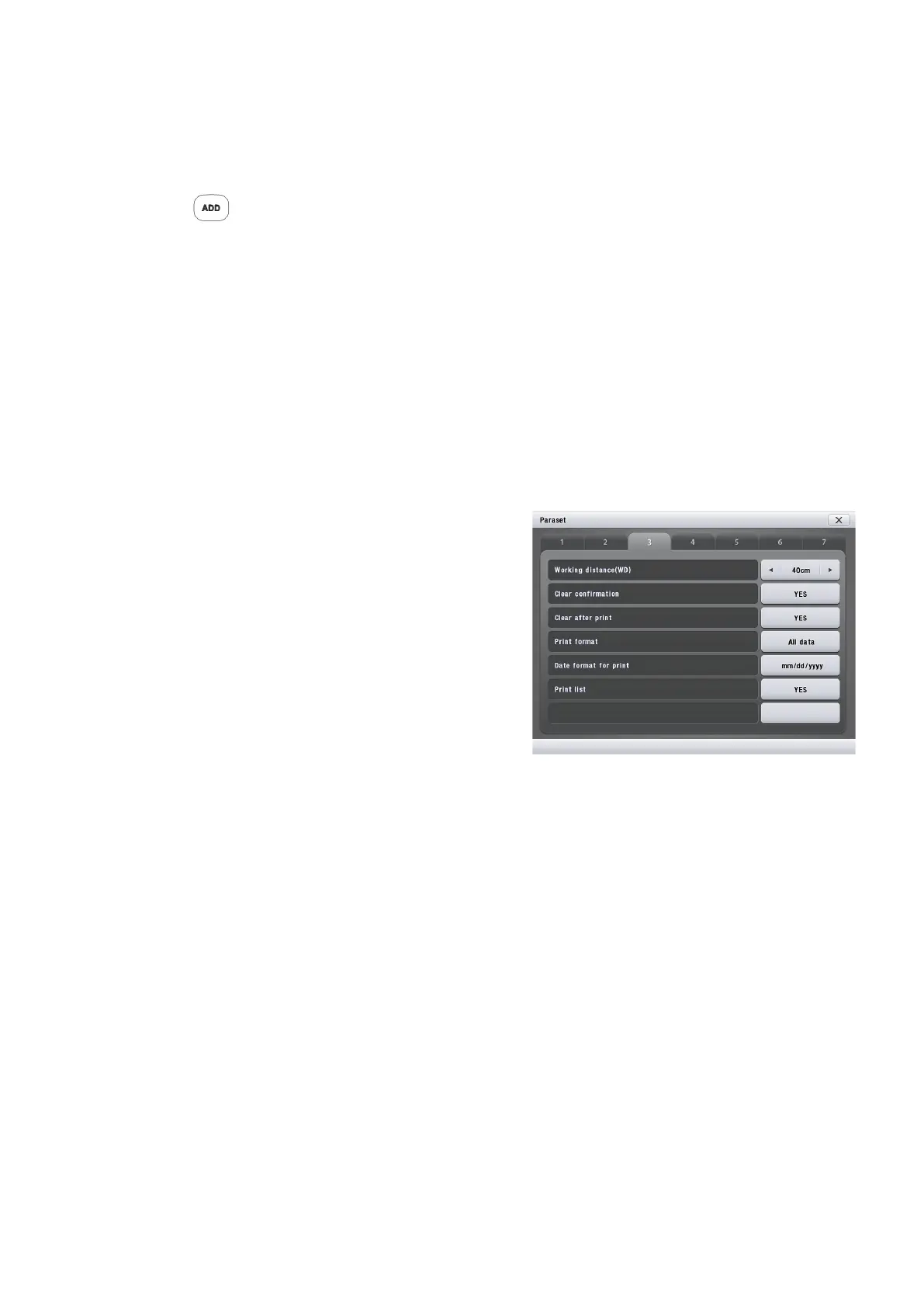
15. Working distance (WD): 35 cm to 70 cm
Factory setting: 40 cm
Setting of the working distance in increments of 5
cm.
16. Clear confirmation : Yes, No
Factory setting: Yes
Selection of whether or not to display
confirmation window when initializing the system
17. Clear after print: Yes, No
Factory setting: Yes
Setting of whether or not to clear measured data after printing.
18. Print format: All data, w/o AR, Unaided,Sugj,Final
Factory setting: All data
Setting of the contents to be printed.
All All data⇒
w/o AR All data except AR data⇒
U.S.F. Unaided visual acuity, subjective refinement data, and final data⇒
19. Date format for print: mm/dd/yyyy, dd/mm/yyyy, yyyy/mm/dd
Factory setting: mm/dd/yyyy
Setting of the data format to be printed.
mm/dd/yyyy AUG/20/2010⇒
dd/mm/yyyy 20/ 8/2010⇒
yyyy/mm/dd 2010. 8.20⇒
- 53 -



 To Next Page