PDR-7000 Operation Manual
38. NRC / PRC test : Yes, No
Factory setting: No
Setting up whether or not to use Negative Relative Convergence(NRC) and Positive Relative
Convergence(PRC) test.
39. Setting AR product to connect PDR-7000: POTEC, TOMEY, CANON, NIDEK, TOPCON-OLD,
TOPCON-KR800
Factory setting: POTEC
Setting up the AR model which is connected with PDR-7000.
40. Imported data initialization : Execution
Initializing the imported data(RK, LM and subjective data).
Press the [YES] button of confirmation window after clicking the [Execution] button.
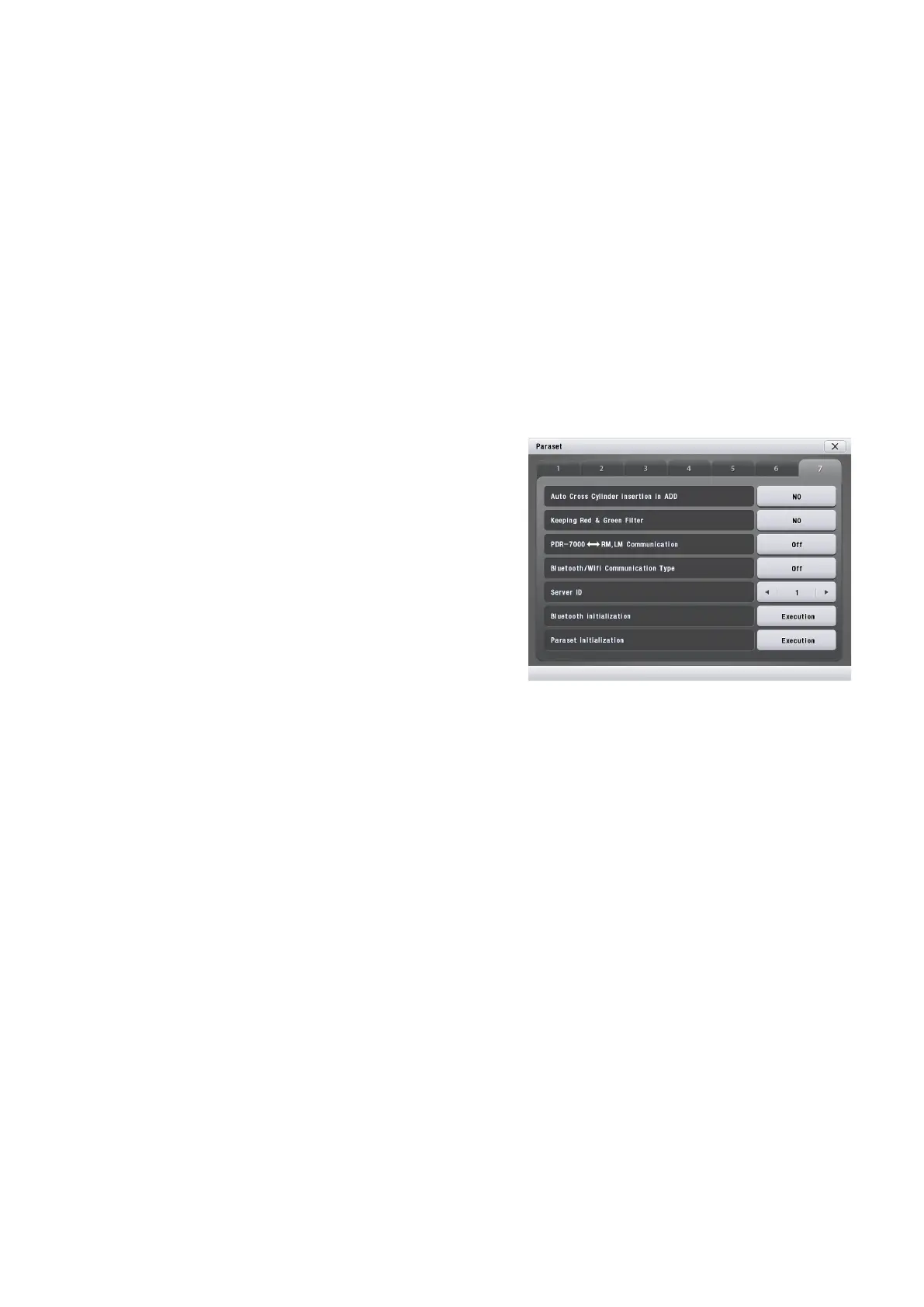
41. Auto Cross Cylinder insertion in ADD : Yes, No
Factory setting: No
Setting up whether or not to insert cross cylinder
lens automatically as the measurement mode come
into the ADD.
42. Keeping Red & Green Filter
Factory setting: No
Setting up whether or not to keep Red and Green
filter during changing the chart.
43. PDR-7000 RK,LM Communication :
SINGLE,MULTI
Factory setting: SINGLE
Communication : SINGLE / MULTI
44. Bluetooth / Wifi Communication Type : Off, Bluetooth, Wifi
Factory setting: Off
Communication : Bluetooth / Wifi
45. Server ID
Factory setting: 1
46. Bluetooth Initialization : Execution
47. Paraset Initialization : Execution
Initializing the parameter value as the Factory setting.
Press the [YES] button of confirmation window after clicking the [Execution] button.
- 57 -



 To Next Page