955725_4
20
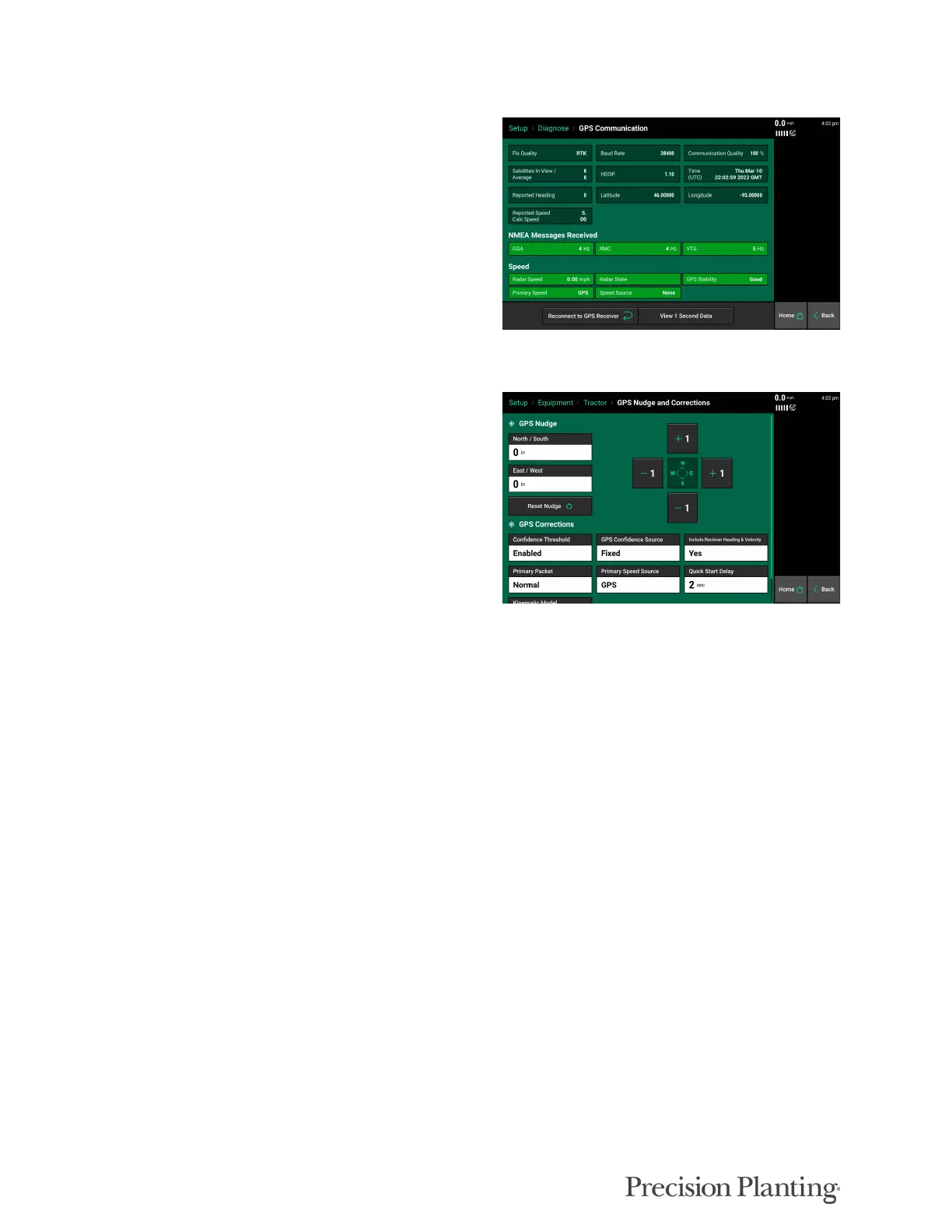
GPS Communication
“Reconnect to GPS Receiver” button is located in
the bottom left of this page. Press this button to
force the system to try to reacquire the GPS
signal.
GPS Nudge and Corrections
The GPS Corrections page can be used to
configure how the system handles the GPS
signal.
Navigate to Setup > Equipment > Edit Tractor >
GPS Settings
Bad GPS Correction — This can be changed between Calculated and GPS speed. Use
Calculated for lower grade GPS systems.
Heading Mode — This can be changed between Calculated and GPS. Use Calculated for
lower grade GPS systems.
Correction Level — This setting can be changed from Normal to High. High correction
level will raise the minimum GPS quality percentage for mapping to occur.
Primary Packet — This setting will allow for the user to switch between GGA and RMC
for the primary NMEA packet.
Primary Speed Source —This setting will allow for the user to switch between GPS and
Radar as the primary speed source.
Quick Start Delay —This setting will allow the user to set the amount of time for the Quick
Start Delay function.
Note: Do not change any of the GPS correction settings unless instructed to do so by a Dealer or
Product Support.
GPS Nudge
GPS nudge can be used to move the map data in situations where GPS shift has occurred. Use the
‘+1’ buttons to nudge the map in that direction.



 To Next Page