955725_4
46
Systems Menu
The Systems menu contains setup for all Systems and Products installed. The available options in
the System menu will change depending on what Systems (e.g. DownForce, Granular etc…) and
Products (e.g. Nitrogen, Starter, Wheat) are configured in the equipment menu. Each control
products’ operation guide contains additional setup and configuration information that needs to
be done in the systems menu (SeederForce, for example). Refer to these guides for more detailed
instructions on control products.
Systems Setup
Systems are added in the Equipment Profile and include Seeding, Force, Liquid and Granular.
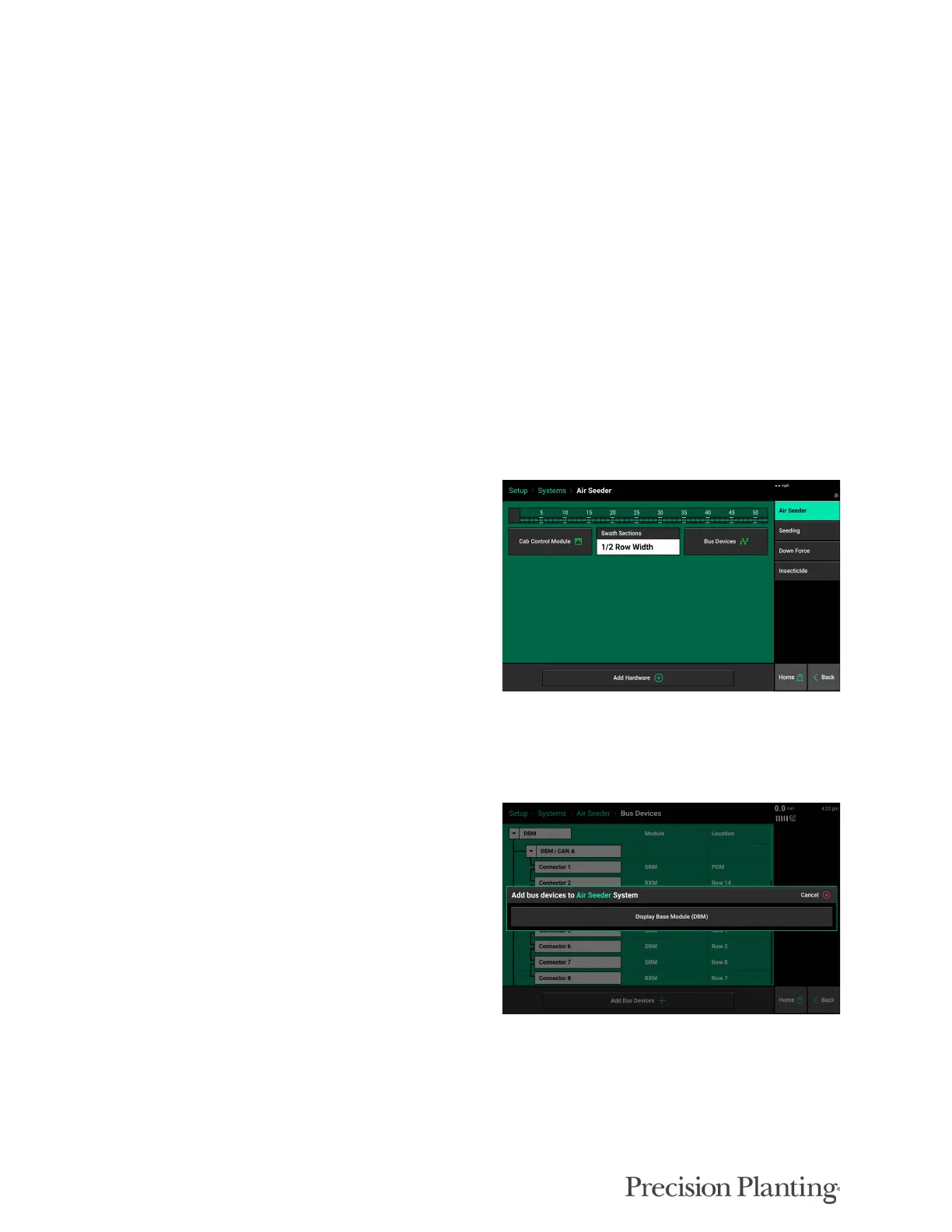
Starting with the first screen in Systems, “Air Seeder”, click on “Bus Devices” (see details
below). Once Bus Devices are setup other hardware will be added.
Bus Devices are any module (SRM, Blockage
Expansion Module, etc.) that is connected to the
CAN Bus system via a SRM Backbone
Connector. It is critical that all Bus Devices, in
the order they are plugged into the CAN Bus,
are assigned under Bus Devices. See Apendix A
for the Device Index Worksheet. Before
proceeding to the monitor configuration,
completely fill out the Device Index Worksheet
(either Tower Style or CCS/Drill Style Seeder).
See examples below for help in filling out the
worksheets.
After clicking Bus Devices, click Add Bus
Devices at the bottom of the screen. Select
Display Base Module (DBM).



 To Next Page