955725_4
66
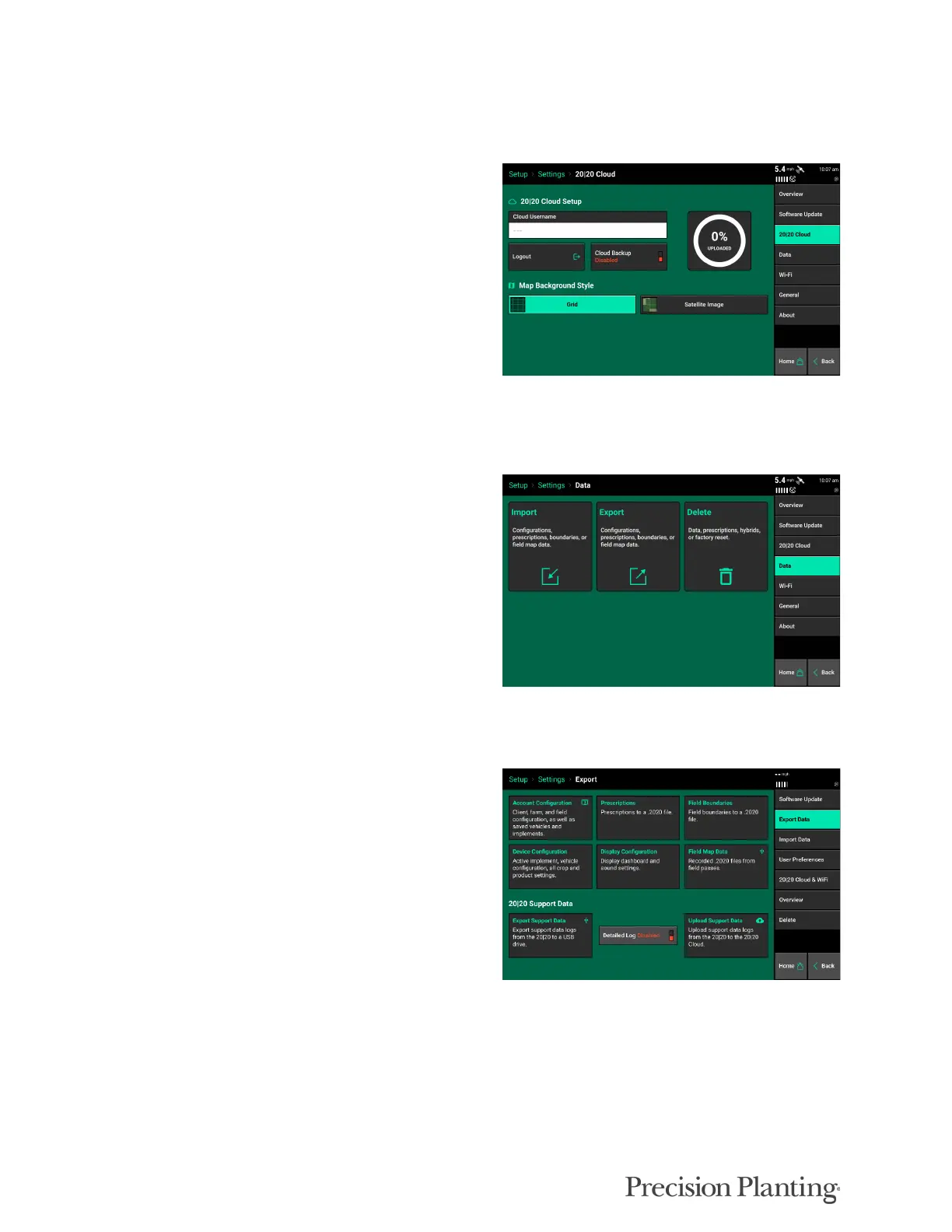
20|20 Cloud
Allows the user to login into their 20|20 cloud account and visualize satellite background map.
Registration is required before logging into the
cloud from the Gen3. Once logged in, the user
can backup data to the cloud by toggling on
“Cloud Backup Enabled”.
Login, cloud backup, and satellite imagery
requires a Wi-fi connection.
Data
Select Import, Export, or Delete to see further
options on specific configurations or files to
move.
Export Data
Account Configuration – Exports all Client,
Farm, Field configurations as well as saved
vehicles and implements to a USB Drive. This
data can be imported back into a display.
Prescription – Exports all prescription files to a
USB drive in a .2020 file format.
Boundary – Exports all boundary files to a USB
drive in a .2020 file format.
Device Configuration – Exports the active implement and vehicle configuration, as well as all
crop and product settings.
Display Configuration – Exports all Display, Sound, and Layout Settings to a USB drive. After
selecting “System Config” enter a name for the configuration. This is done to separate
configurations if multiple configurations have been exported to the same USB Drive. This data
can be imported back into a display. If dual displays are being used only the Display Config for



 To Next Page