955725_4
44
AIR SEEDER SYSTEMS (Tab 6)
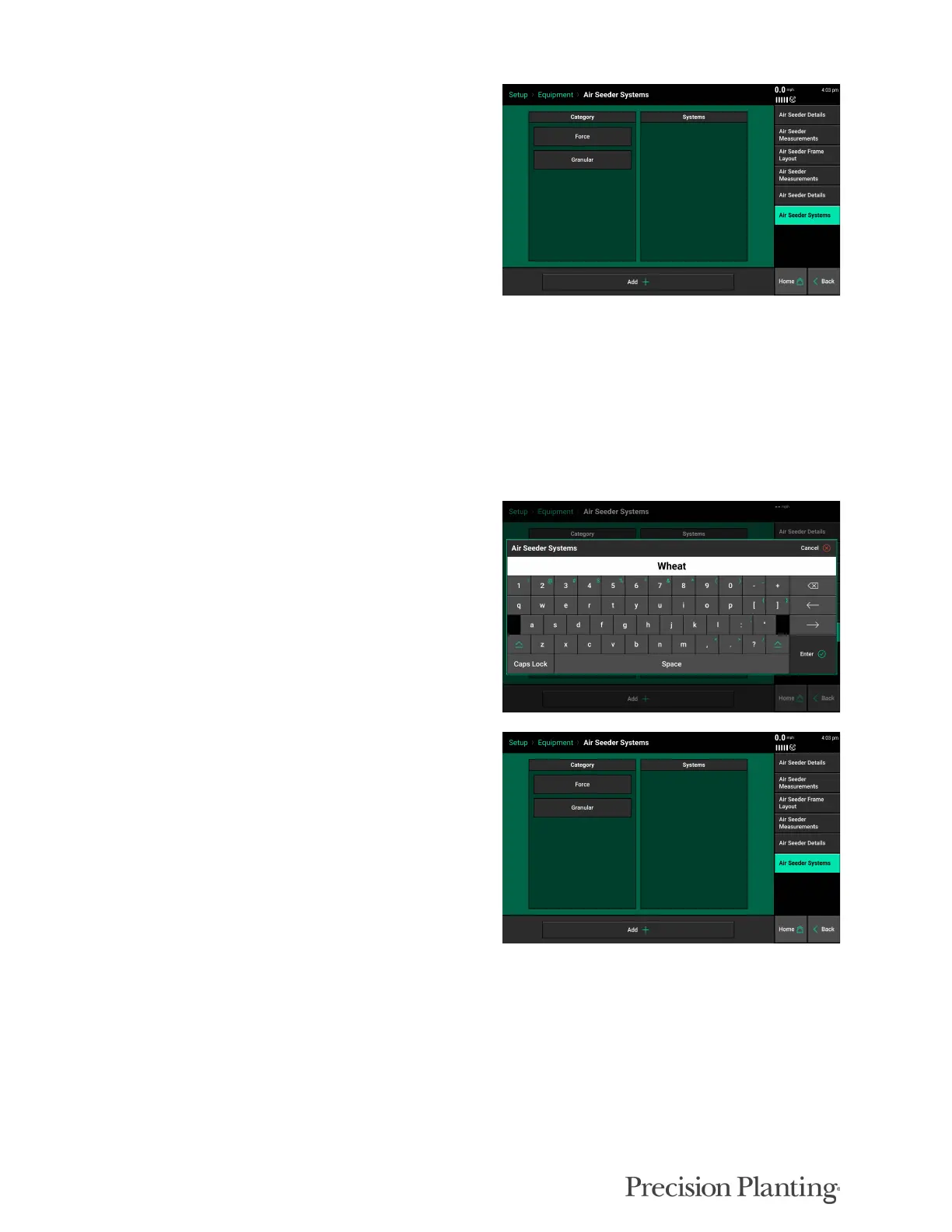
Air Seeder Systems must be added here before
they can be further configured in Setup >
Systems.
Systems include Seeding, Force, Liquid, and Granular (labeled “Categories” on this page). Each
system can then have a Product or multiple Products assigned (labeled as “Systems” on this
page). For example, “System” (Category) would be “Granular”, and the “Product (System) would
be “Fertilizer” and/or “Wheat”.
Note: Granular should be selected for any product that is measured in lbs./acre (K/ha)
such as seeding, fertilizer, fungicide, etc.
Press the “Add System” button at the bottom of
the page and select desired system. Repeat this
process until all of the systems present have been
added
When a system has been added, a product or
products need to be assigned within that system.
A product name can be chosen from a preset list
or a custom name can be assigned.
Air Seeder Cart Equipment Setup
From the Equipment Setup page, press the “Edit Cart” button to configure the air seeder cart.
Setup > Equipment > Edit Cart



 To Next Page