955725_4
43
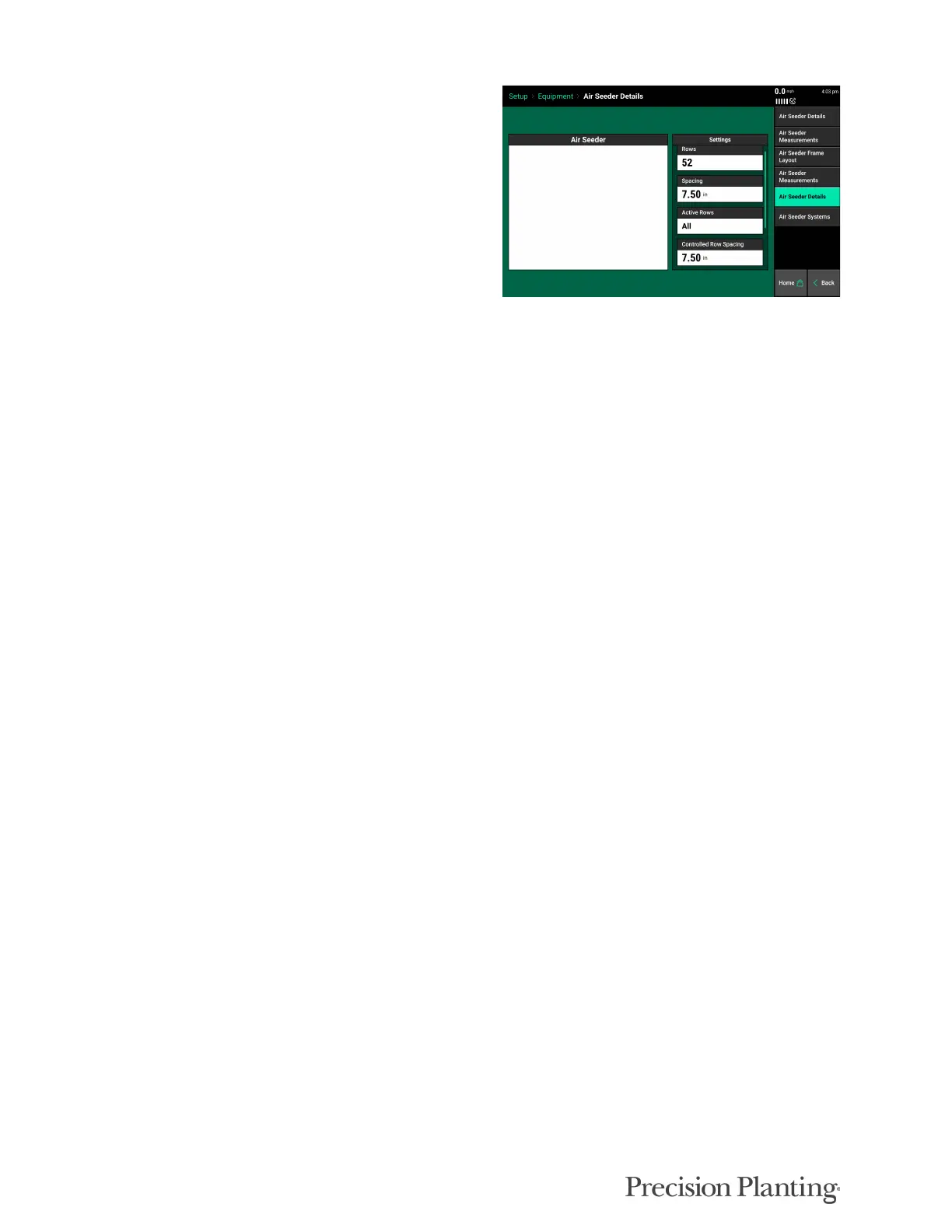
AIR SEEDER DETAILS (Tab 5)
The Air Seeder Details Tab 5 page includes the
follow options:
• Rows
• Spacing
• Active Rows
• Controlled Row Spacing
• Controlled air Seeder Width
• PDM
Press the “Rows” button to enter the correct number of physical rows on the Air Seeder.
Press the “Spacing” button to select the spacing for the rows on the Air Seeder. If the correct
spacing is not available, select “Other” to manually enter the row spacing.
Press the “Active Rows” button to define the Air Seeder rows that will actively be planting. The
system defaults to all rows active. Preset row options for Odd, Even, Left, or Right rows can be
selected. To define specific rows, select “List”. When listing out the active rows, rows marked by
a green box are active rows.
Note: Active Rows are the rows that will be seeding. If a row does not have an SRM, but is a
seeding row it is still considered an active row.
“Controlled Row Spacing” value is automatically calculated based on row width and active rows
(formerly “Effective Row Spacing”). Additionally, the “Controlled Air Seeder Width” is used for
acre calculations and is automatically calculated based on row width, number of rows, and active
rows (formerly “Effective Air Seeder Width). If either of these values is incorrect, select the
button showing these values to manually enter a new value.
Press the “Controlled Air Seeder Width” button to edit the effective width of the Air Seeder. This
value is used for acre calculations and is automatically calculated based on row width, number of
rows, and active rows. If either of these values are incorrect, select the button showing these
values to manually enter the correct one.
Press the PDM button to select whether or not a PDM is present.



 To Next Page