955725_4
10
Step 5:
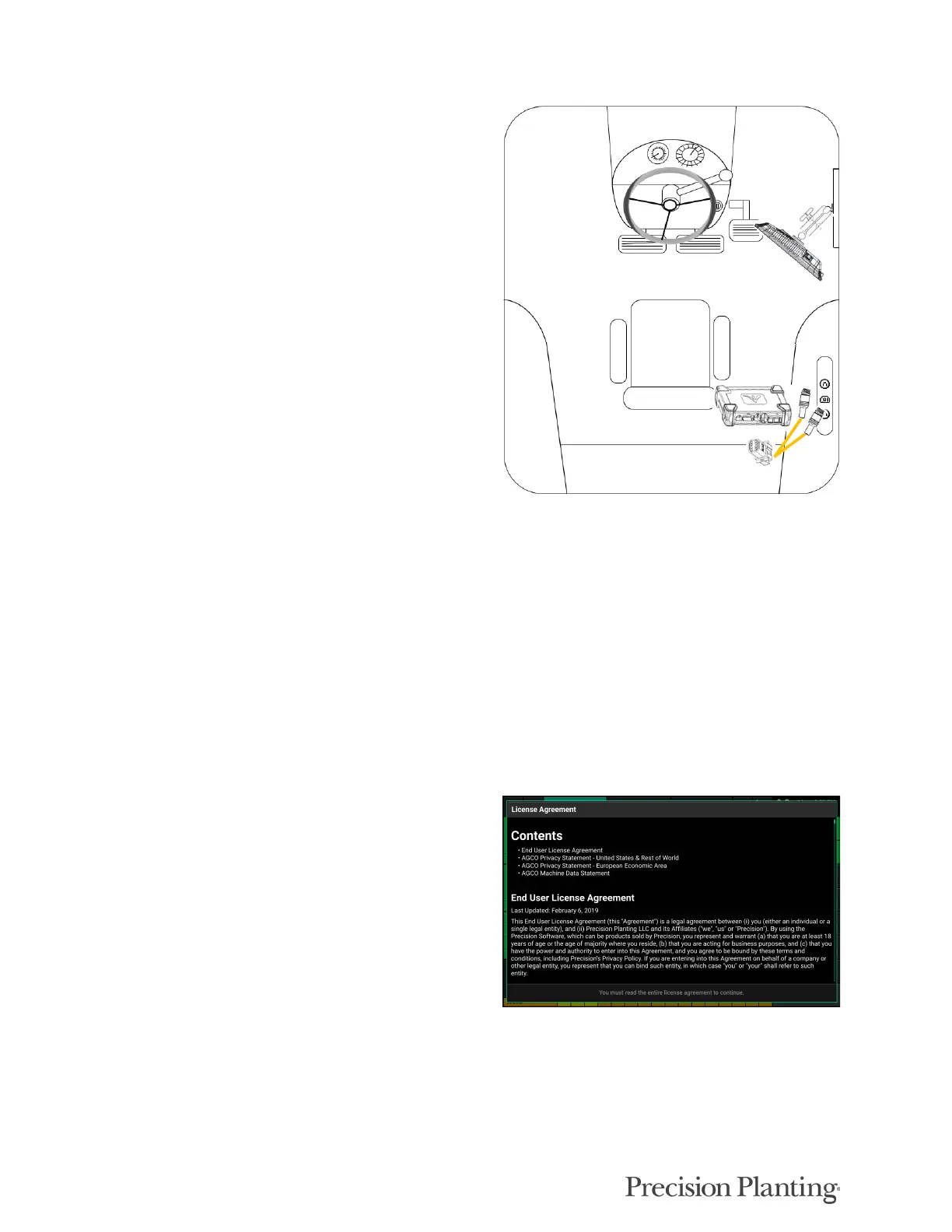
Connect the 725155 Speed Harness to the 8-pin
Deutsch connector on the DBM. This will provide
you with two 4-pin round connections. The male pin
connector will connect to the GPS adapter, while the
female pin connector will connect to the Radar
adapter.
Note: If this system is being used for Sensing only
with a 725939 5Hz GPS Hockey Puck, the 725155
adapter is not necessary. The 725939 harness will
plug directly into the 8–pin Deutsch connector on the
DBM.
Powering the 20|20 On and Off
The monitor must have 12 volts of both switched and constant power. With the power harness
connected to the DBM and power supply, turn the key on the tractor to the On or Run position.
Switch the power button on the DBM to the On position.
To power the system off, either switch the power button on the DBM to the Off position or key
the tractor/combine off.
User License Agreement
Once the 20|20 has booted up, read and agree to
the User License Agreement to use the display.
This will occur on first boot up and when updates
are required for the agreement.
Note: If this system is being set up for a third
party, the agreement should be reset to appear on
next power up for the end user to agree to the
document. This can be done under Advanced
Display settings. Refer to the Display section of
this manual for more details.
Note: This will only appear on 2019.1 and newer
software.



 To Next Page