955725_4
9
Step 3:
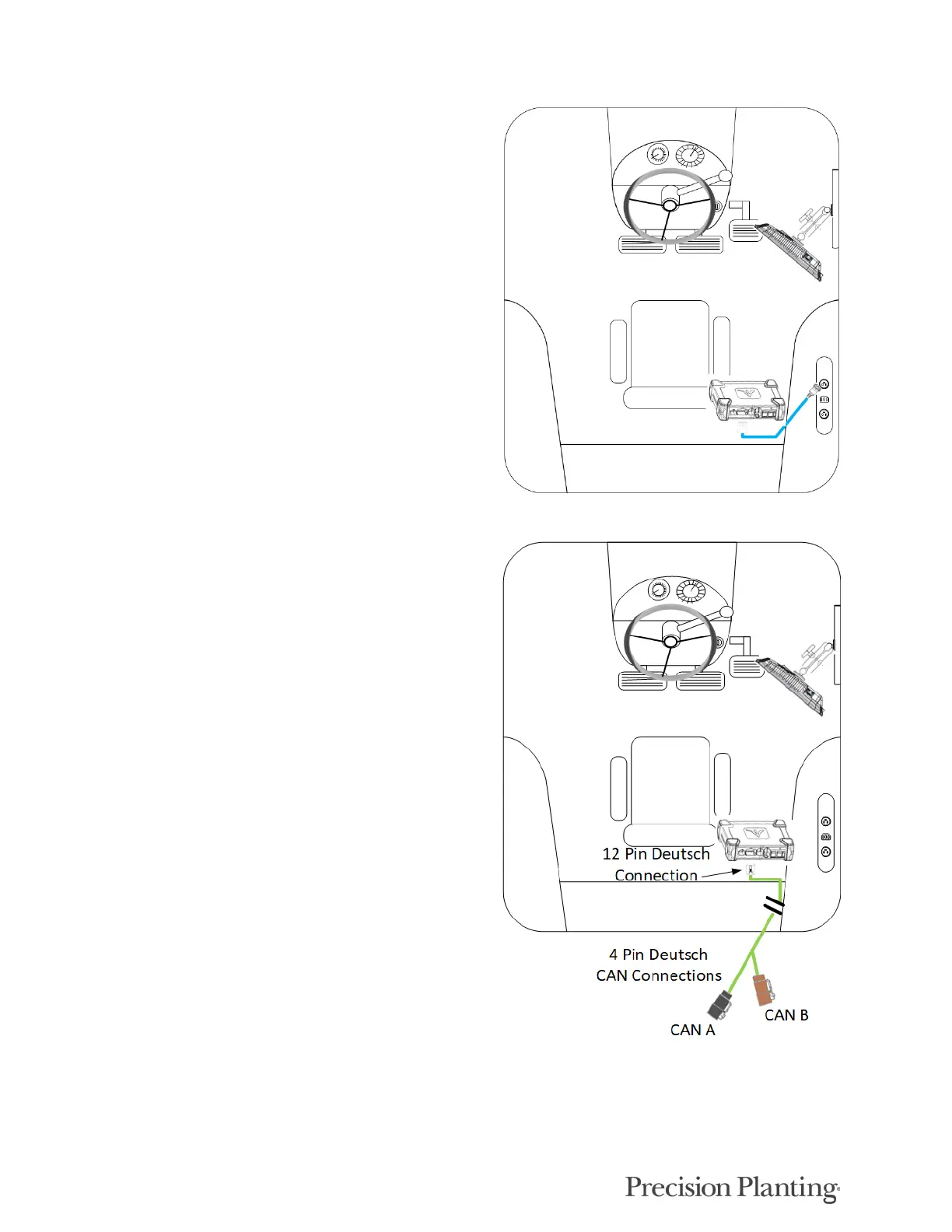
Connect the 725150 Power Harness to the DBM into
the 4-pin Deutsch Connector on the DBM and then to
the power source in the tractor cab. A three pin round
convenience port connector is provided to plug
directly into a standard convenience port. Various
adapters are available to connect to different types of
power ports.
Step 4:
Connect an Implement CAN Harness into the 12-pin
Deutsch Connector on the DBM. Route the remaining
length of the cable through the cab harness port in the
back window. There will be two CAN connections on
the harness, CAN A (black connector) and CAN B
(brown connector). If a PDM is installed, CAN A
must be used and routed to the PDM. If no PDM is
installed, (i. e. Smart Connector only system) then
CAN B must be used.
Note: The 725935 Sensor CAN harness will only
have a CAN B connection present.



 To Next Page