955725_4
24
Setup Button
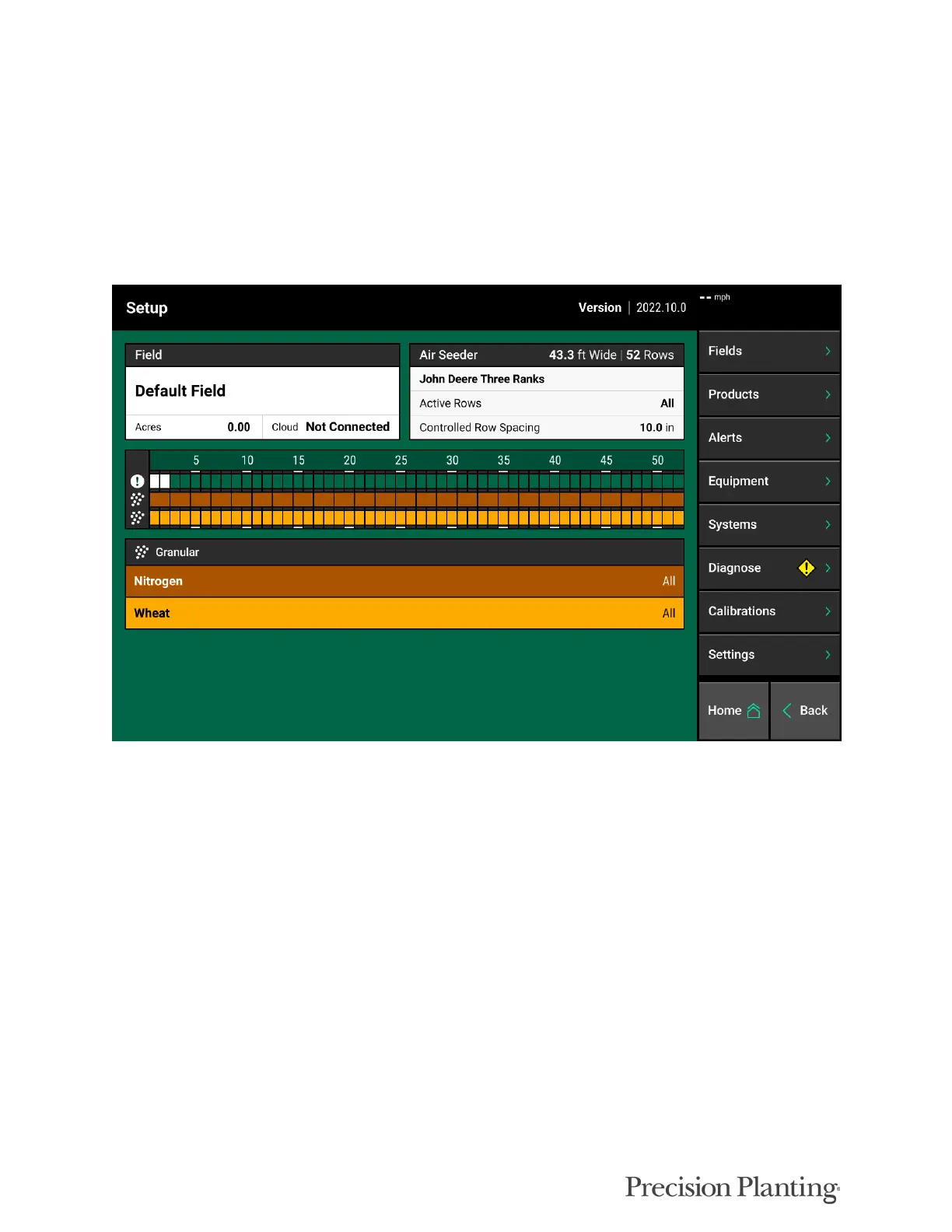
Press the Setup button on the home screen to access the main navigation screen for equipment
and control systems’ setup, diagnostic, and data pages. This page is divided into information
about the system including diagnostics, information about products being applied, and the main
navigation pane.
The implement portion of the main setup page displays basic implement setup, diagnostic, and
product assignments. Additionally the active field name and total acres planted will be displayed.
A - Displays the active field name as well as the total acres planted for the field in the current
season. Press on the field name to select a different field name.
B - Row Diagnostic Information. Displays each rows diagnostic color from the diagnose page.
Quickly see if all rows are green, or if there is an issue with a row or rows.
C - Row by Row Product Information. A color will be assigned to each row indicating the
product name that is assigned. Colors correspond to the products listed underneath the row
information.
On the right hand side of the Setup screen is the Navigation Pane. The Navigation Pane is used to
access all other menus in the system.



 To Next Page