955725_4
19
Connectivity
Speed & GPS
Speed
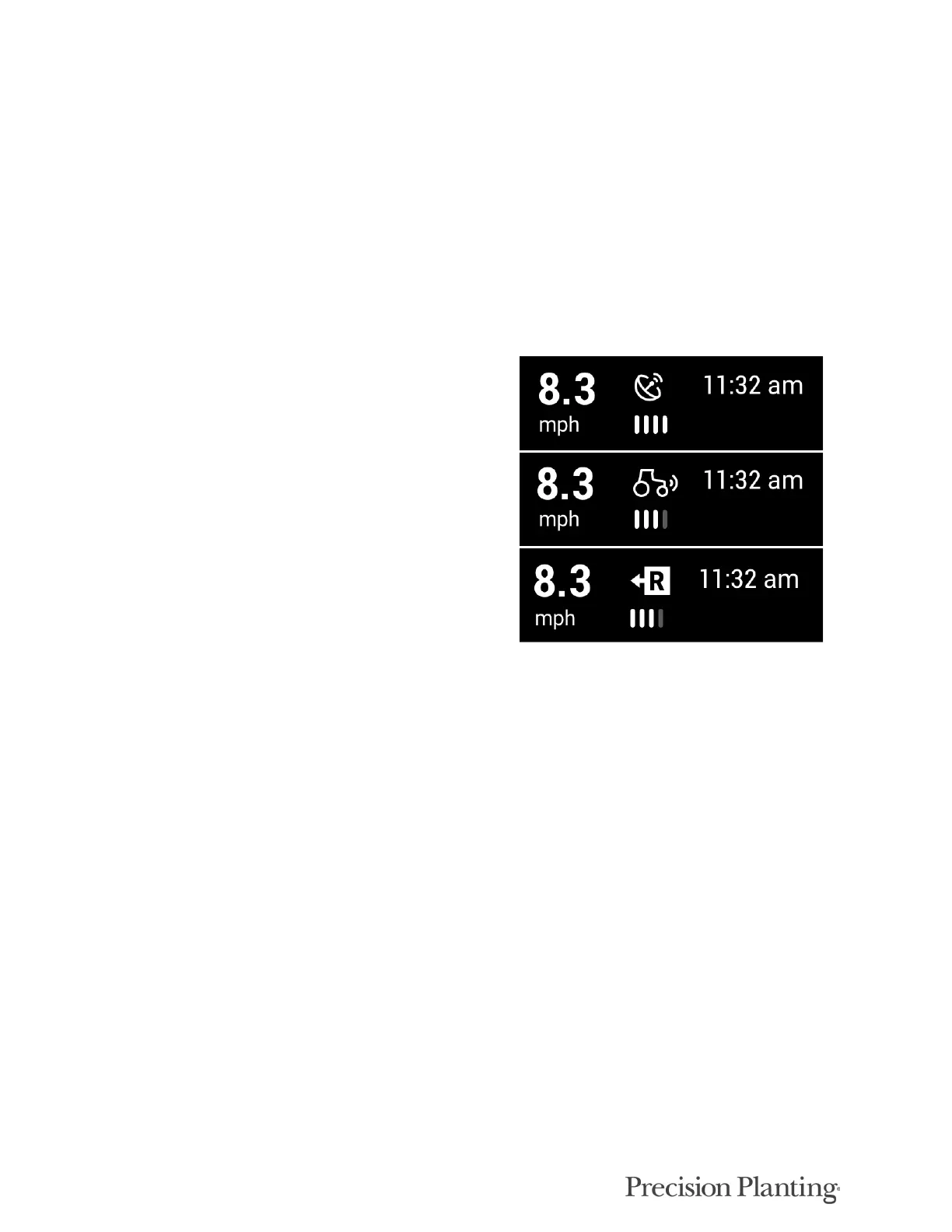
The top right hand corner of the home screen displays the current speed of the tractor. The bars
under the speed source icon indicate signal strength. The icon itself will be white if the speed
source state is good. It will turn yellow if communication is lost momentarily, there are errors in
the signal, or the GPS fix is lost. The icon will turn red if the speed source becomes unusable.
There are three different icons that can be
displayed:
1. GPS Receiver icon – indicates the speed
source is coming from the GPS system.
2. Tractor/Radar icon – indicates the speed
source is coming from the Radar system.
3. A capital R inside of a box – indicates the
tractor is moving in Reverse.
Note: In 2022.10.0 software, pressing on the Speed button in the top right hand corner will NOT bring up
the GPS Communications Details page.
To access the GPS Communication Page, navigate to Setup > Diagnose > Tractor > GPS.
This page displays information about the GPS information that the 20|20 is receiving. For best
GPS results:
• Set the Baud Rate to 19200 or 38400 in the system outputting the GPS.
• The communication Quality should be as close to 100% as possible.
• There should be at least three satellites within view
• The HDOP should be between 0 – 2.
• Set NMEA messages GGA, RMC (or ZDA), and VTG at 5 Hz in the system outputting the GPS..
(Additional NMEA messages may degrade the GPS information due to too much information being
received).



 To Next Page