955725_4
59
ADDING HARDWARE
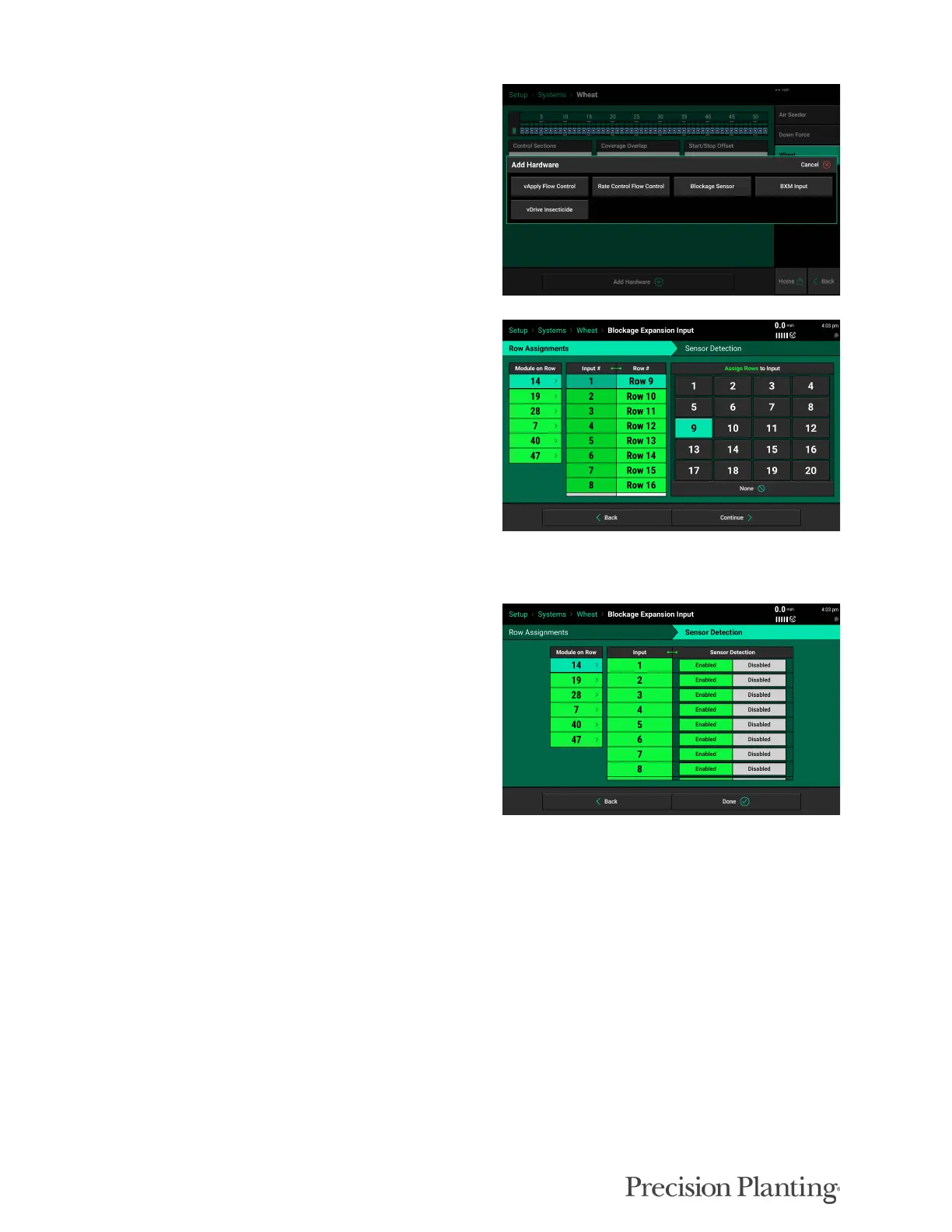
Click on “Add Hardware” to add any hardware
associated with product.
Any product monitoring blockage sensors will
need the BXM hardware set up.
For each module (selected in “Module on Row”
column) assign each Input a Row. (The BXM
locations are pre-determined by the Bus Devices
Configuration.)
Note: In some applications a BXM may have
inputs assigned to two different products. (Ex—
BXM connected to both Wheat and Fertilizer
blockage sensors. In this case, you would only
assign the inputs associated under the product
currently being setup.
Sensor Detection should be left on Enabled
when powered by the 20|20 system. In most
applications Sensor Detection should be left
enabled.
Repeat product setup for all products on the Systems screen.



 To Next Page