3–34 Troubleshooting
Off–Line
U + D
CL
or OL
CL
or OL
NOTE:
Ready
CL
or OL
HIDDEN DIAGNOSTICS MENU
P
N
P
N
P
N
Hidden Hidden Hidden Hidden
Burn
In
Error Print
Sig. Analysis
Clear NVM
P
N
U
D
Burn In Burn In
7 sec cycle
20 min cycle
P
N
U
*
CL
or OL
P
N
Hidden
Calibrate Coils
Sig.
Analysis
Normal
Sig.
Analysis
Checksum/Print
D
U
P
N
P
Sig.
Analysis
U
U
U
P
N
*
Checksum only
T
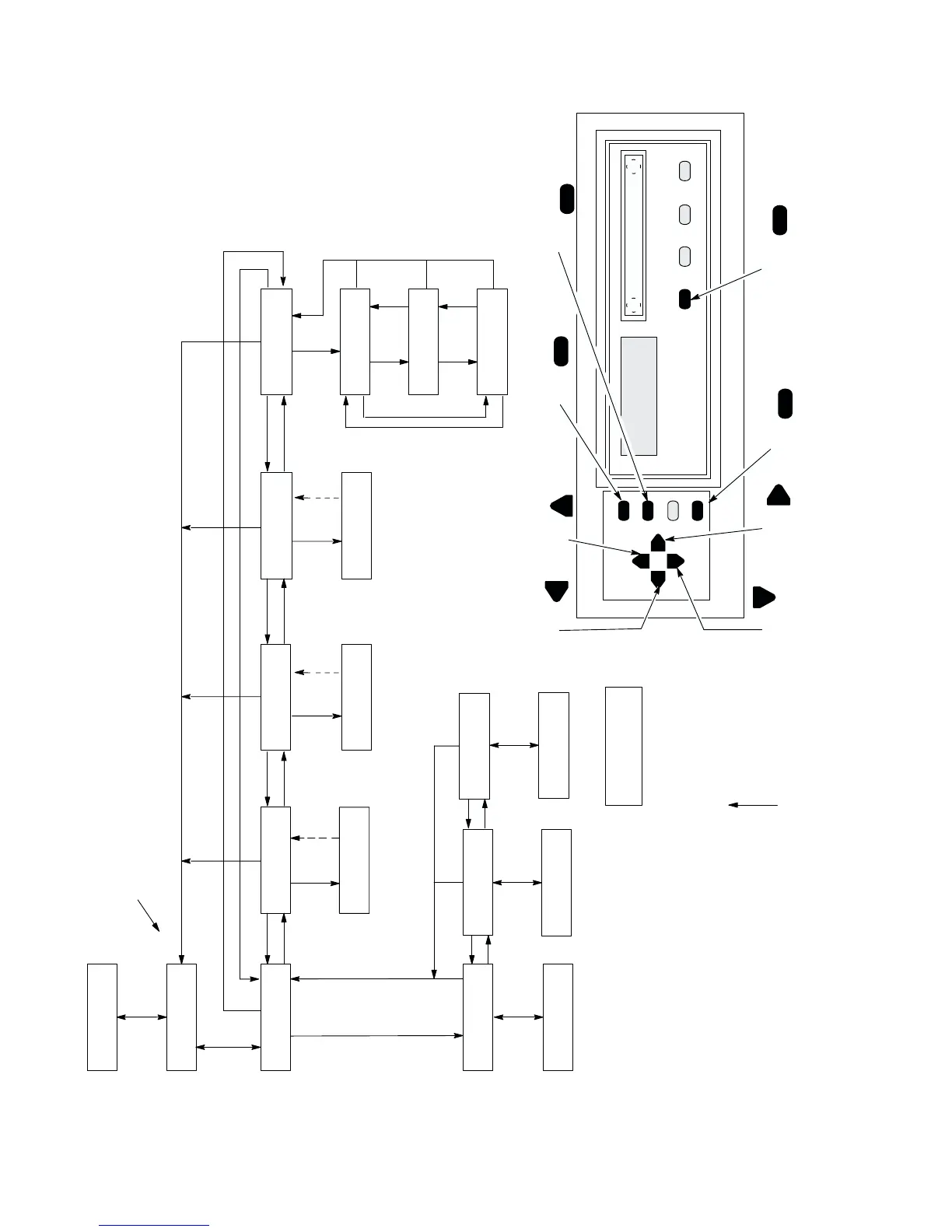
o access the hidden diagnostics menu, take the printer of
f–line,
simultaneously press UP and DOWN, then simultaneously press NEXT and
PREV.
N + P
P
N
Burn In
U
Always On
RS
7 sec cycle
Printing / Idle
RS
20 min cycle
Printing / Idle
RS
Always On
Printing
RS
Error Print
Printing
(1) Returns at completion
of printout.
(1)
Done
E
(2)
Clear NVM
(2) Returns after 1 second.
Done
Calibrate Coils
calculting and storing
On–Line
OL
(Font)
(3) Returns after
ambient temperature
data.
E
(3)
N
Symbol Key
DISPLAYED
MESSAGE
CL
=
D =
U =
N =
P
=
+ = PRESS SWITCHES
SIMUL
TANEOUSLY
=
ARROWS LEAD TO
THE DISPLAYED
RESULT
AFTER
PRESSING A
SWITCH
OL
=
E =
FACTORY (DEFAULT)
SETTING
=
ON LINE
CLEAR
DOWN
UP
NEXT
PREV
ENTER
*
ON LINE FF
ENTER
CLEAR
R/S
SET
TOF
LF
NEXTPREV
DOWN
UP
RS =
R/S
VIEW













 To Next Page