H - I - J PROGRAMMER’S MANUAL V8.94.11-
- 10 -
Display mode
On pushing the “Display” button the display changes to data display mode. Return to programming mode is made with
the “Escape” button.
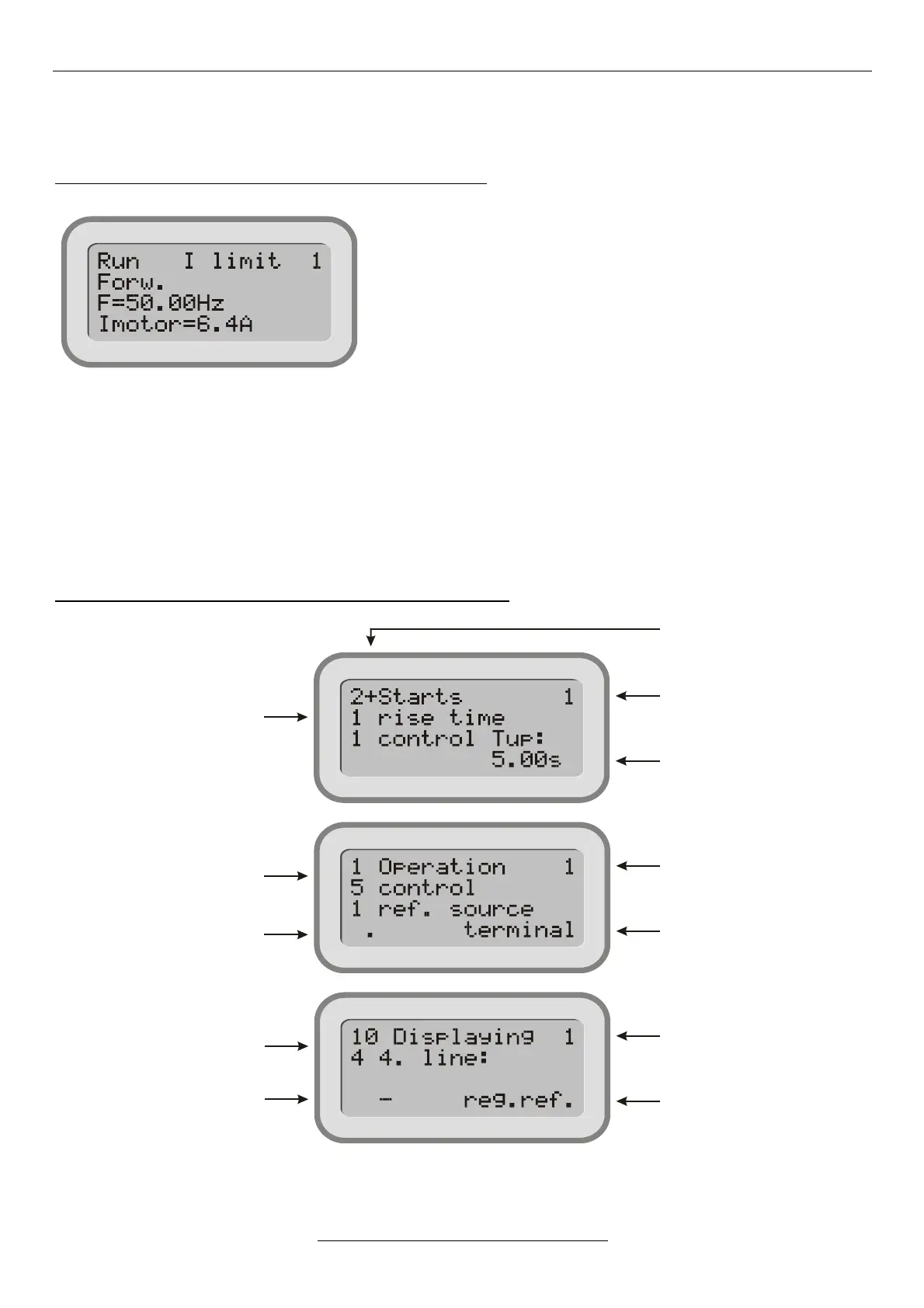
In Display mode, a possible state of the screen is shown below:
(The display layout can freely be configured: any parameter can be displayed in any row)
Row 1 shows the state consisting of three parts:
- the motor’s state: Run / Stop,
- dynamic feedback of the state (e.g. I limit),
- identification mark of the frequency converter (e.g. 1).
Row 2 shows the actual running direction Forward / Backward
Row 3 shows the frequency (e.g. f=50.00Hz),
Row 4 shows the motor current (e.g. Imotor=6.4A)
If more than one frequency converter is used, looped on the Terminal serial line, in display mode the individual frequency
converters can be selected with the and buttons. The identifier always indicates the actual frequency converter!
The functions of the push buttons during display can be selected (e.g. operating the motorized potentiometer,
changing the parameter displayed in row 4 etc.)
In case of error, the ! Error ! state feedback appears in the state display. On pushing the „Escape” button, it will be
jumped to the error menu, where the error can be inspected!
Programming mode
After switching on, the DISPLAY mode is active on the programming terminal connected to the frequency converter.
Pushing the „Escape” button changes to PROGRAMMING mode. Pushing the “Display” button switches backwards.
Examples for the appearance of the display in programming mode:


 To Next Page