H - I - J PROGRAMMER’S MANUAL V8.94.11-
- 65 -
Explanation, further submenus
The setting is the same as that of item 10-7 productivity 1.
Setting the individual dimensions up to 4 characters.
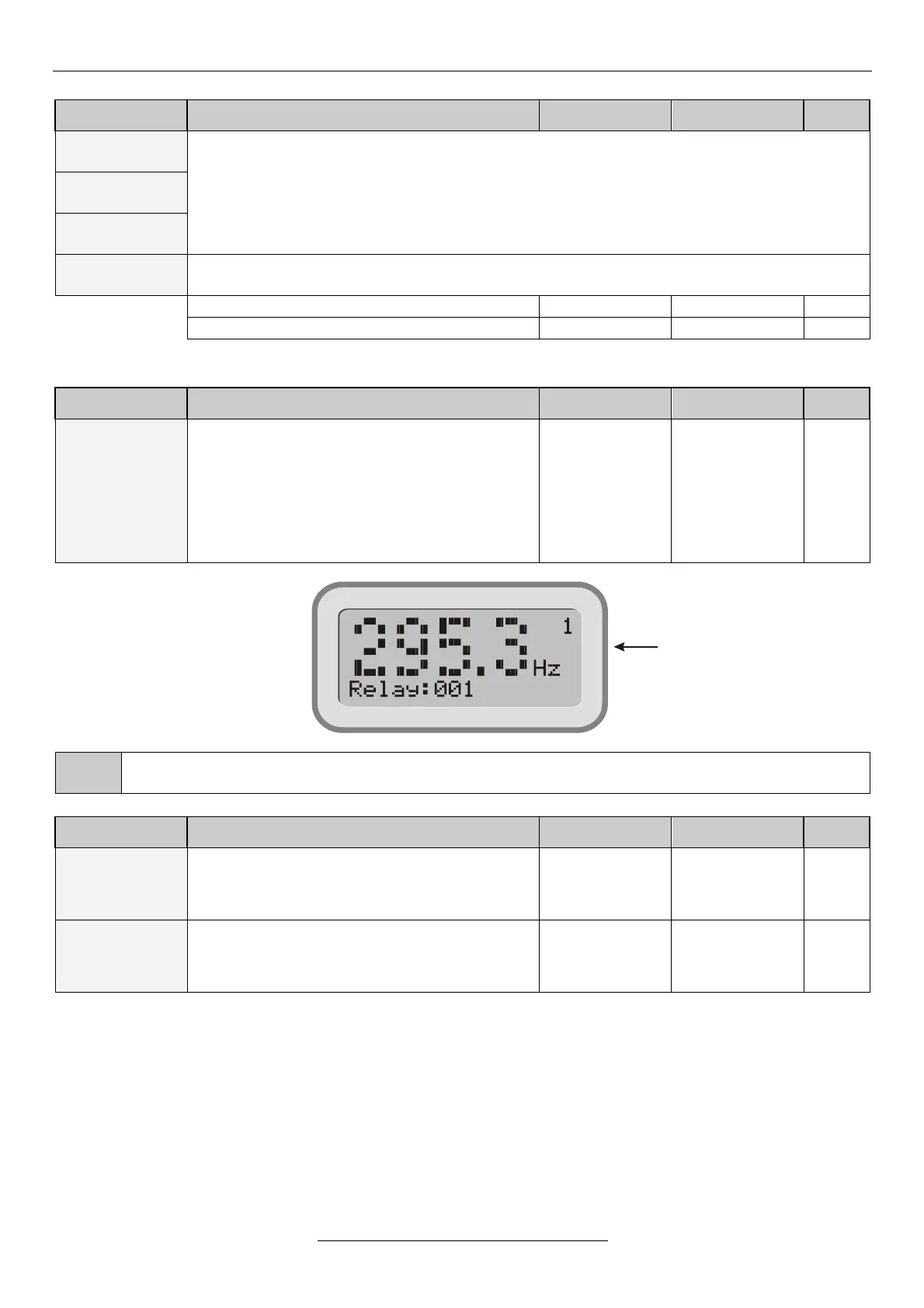
Display image with big characters
Explanation, further submenus
Visualizes row 3 of the display in the size of the
first three rows
After the value, the dimension is displayed in
normal size.
If the row to be displayed cannot be written in
maximum 4 characters + dimension format (e.g.
status, dig. IN etc.), the big character display is not
available!
In case of big character display, at the item in row 4 the accented characters will be displayed with normal
characters!
Explanation, further submenus
10-13
consumption
meter clear
Sets the consumption meter to zero. Useful e.g. at
measuring the energy consumption in a month.
The counters of all consumption meters will only
be cleared using clear with log.
Sets the menu that can be accessed with the
setting terminal. With setting “quick” only the quick
menu can be accessed, with “all” the whole menu
system can be accessed.
Row 3 of display
(295,3 Hz)


 To Next Page