Translation of the original German user manual
43
ENGLISH
6. MENU OVERVIEW
6.1 Basic Settings
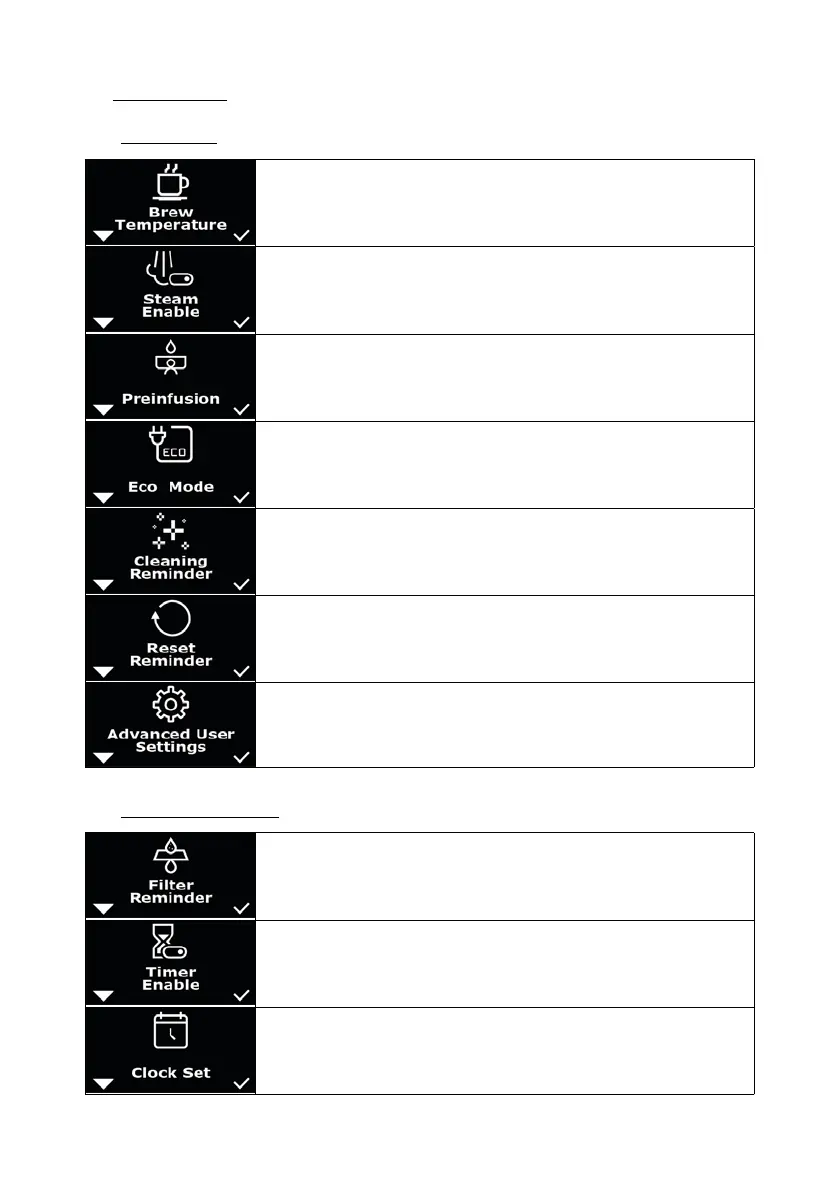
Menu: “Brew Temperature” to set the brewing temperature (chapter 7.3).
Menu: “Steam enable” to switch the steam boiler off or on (chapter 7.4).
Menu: “Preinfusion” to switch preinfusion off or on and to enter the active
and passive preinfusion times (chapter 7.6 ff).
Menu: “Cleaning Reminder” to remind for cleaning the brew group (chapter
7.8).
Menu: “Reset Reminder” to reset the reminder functions: “Cleaning
Reminder” and “Filter Reminder”(chapter 7.9).
Menu: “Reset Reminder” to reset the reminder functions: “Cleaning
Reminder” and “Filter Reminder”(chapter 7.9).
Menu: “Advanced User Settings” for advanced, optional settings (chapter
8 ff).
6.2 Advanced User Settings
Menu: “Filter Reminder“ to remind to change the lter (chapter 8.1).
Menu: “Timer Enable” to enable the input of machine on and off times
(chapter 8.2).
Menu: “Clock Set” for time setting (chapter 8.3).



 To Next Page