Translation of the original German user manual
52
ENGLISH
If you want to switch off the timer function, e.g. for a holiday, it is sufcient to deactivate
the ”Timer Enable“ function. The settings in “Schedule Set“ remain saved and can be
reactivated at any time via the “Timer Enable“ function.
To use the timer function, the machine must remain connected to the mains and switched
on. Please make sure that the valves are closed and that the machine is out of the reach
of children.
Shortcut-Funktion:
If the
button is pressed for 3 seconds, the machine switches to Eco mode and turns on
again after the set time.
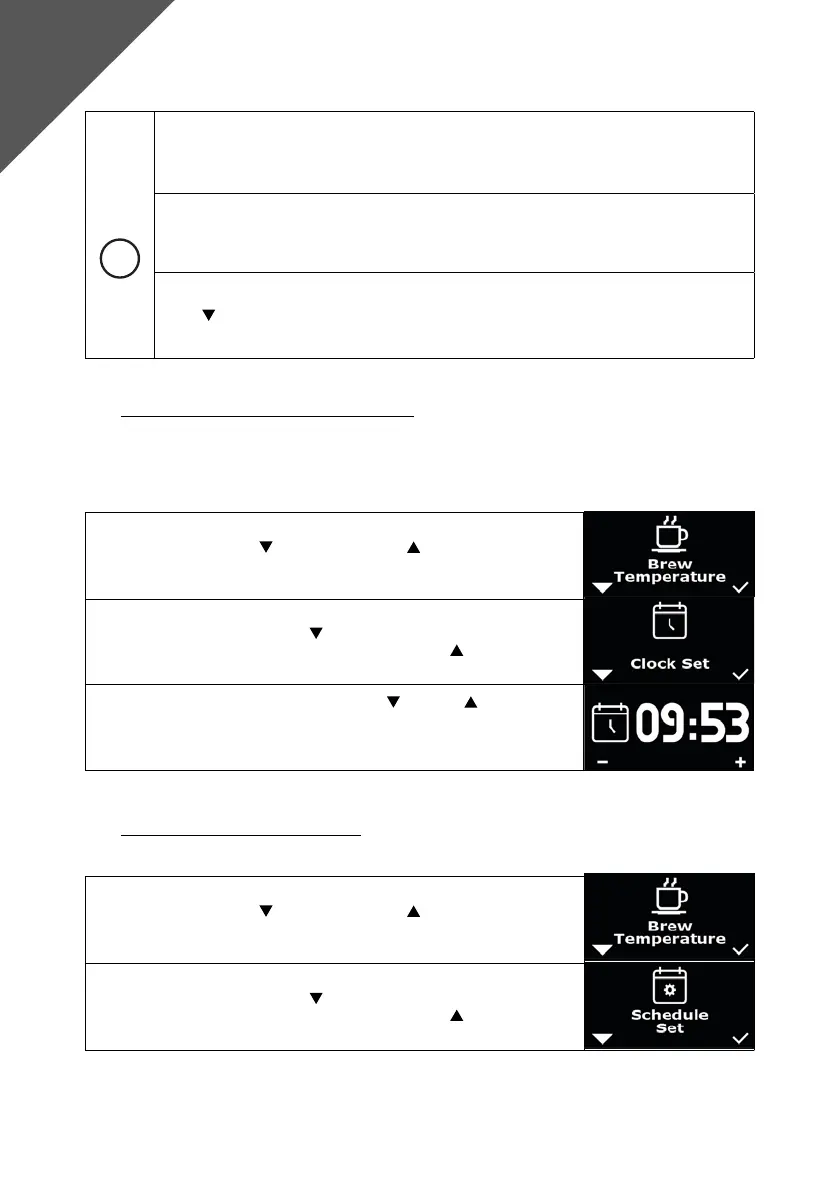
8.3 Time and day of the week setting “Clock Set“
Under “Clock Set“, the current time between 00:00 and 23:59 and the current day of the week can be set
using both buttons.
Make sure that “Advanced User Settings“ is activated.
1. Press the left button and the right button simultaneously, “Brew
Temperature“ appears on the display.
2. Navigate with the left button until “Clock Set“ appears on the
display. Conrm the selection with the right button .
3. First you can set the hours using the left and right buttons. After
3 seconds of inactivity, you can set the minutes in the same way. After
another 3 seconds of inactivity, you can now set the day of the week
using - and +. After 3 seconds, you automatically exit this menu item.
8.4 Setting the schedule “Schedule Set“
Make sure that “Advanced User Settings“ is activated.
1. Press the left button and the right button simultaneously, “Brew
Temperature“ appears on the display.
2. Navigate with the left button until “Shedule Set“ appears on the
display. Conrm the selection with the right button .
Advanced
User Settings



 To Next Page