Translation of the original German user manual
54
ENGLISH
Make sure that “Advanced User Settings“ is activated.
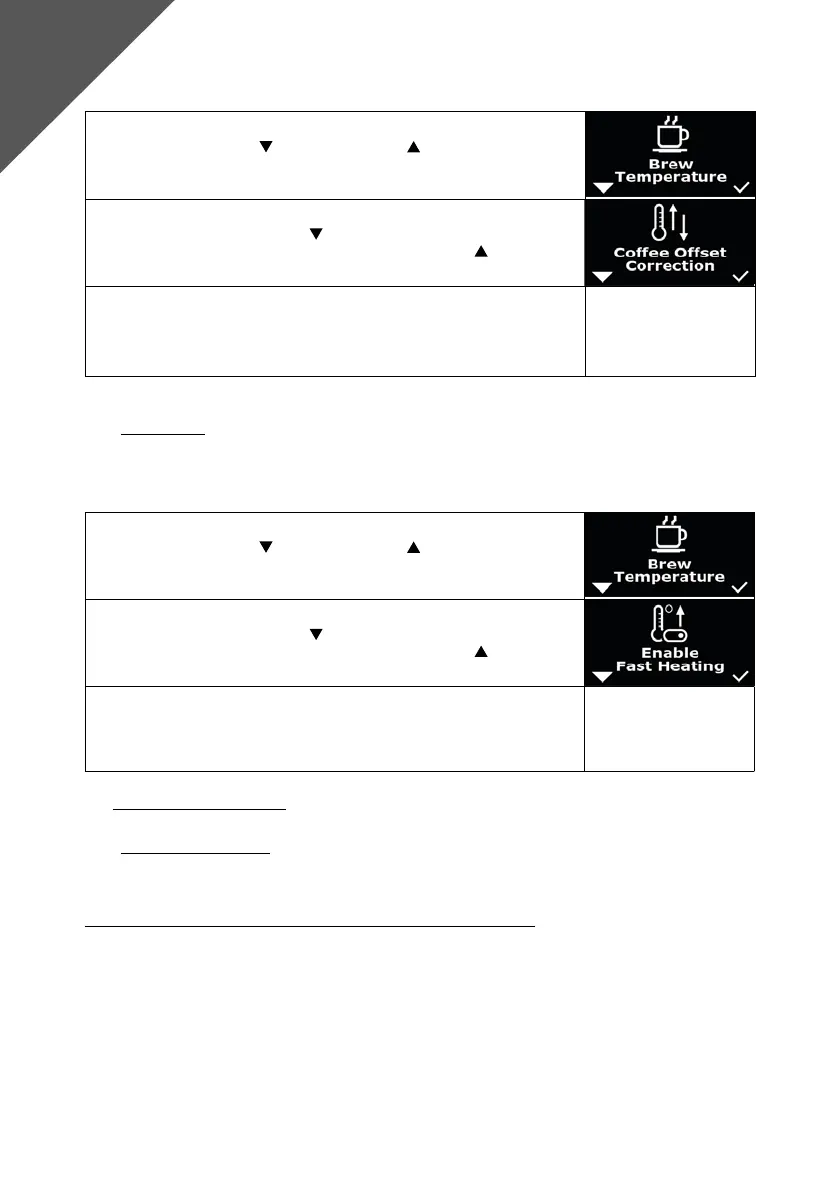
1. Press the left button and the right button simultaneously, “Brew
Temperature“ appears on the display.
2. Navigate with the left button until “Offset Correction“ appears on
the display. Conrm the selection with the right button .
3. The offset value can now be adjusted in steps of 1 between -10 and +10.
The selection is conrmed after 5 seconds.
8.7 Fast Heating
To get your machine up and running faster, you can activate the Fast Heat-Up mode.
Make sure that “Advanced User Settings“ is activated.
1. Press the left button and the right button simultaneously, “Brew
Temperature“ appears on the display.
2. Navigate with the left button until “Enable Fast Heating“ appears on
the display. Conrm the selection with the right button .
3. Now you have the option to choose between “ON“ and “OFF“. The
selection is conrmed after 5 seconds.
9. OPERATING THE MACHINE
9.1 Preparing the machine
The switched-off machine is put into operation as follows:
Preparing a machine in water tank or permanent water supply modes
1. In water tank mode: Fill the water tank or check whether there is enough water in the water tank. In
xed water connection mode: Ensure that there is always water pressure, but not more than 2 bar, in
the line.
2. Now turn on the machine, the ring LED lights up.
3. The heating time usually takes approx. 12-13 minutes, depending on the ambient temperature, with
“Fast Heating“ activated.
4. When “Flush“ is shown on the display, the user should ush until “Ready Go“ is shown on the display.
To do this, keep the portalter clamped and place a tall cup under the portalter spout. As soon as
Advanced
User Settings



 To Next Page