Translation of the original German user manual
44
ENGLISH
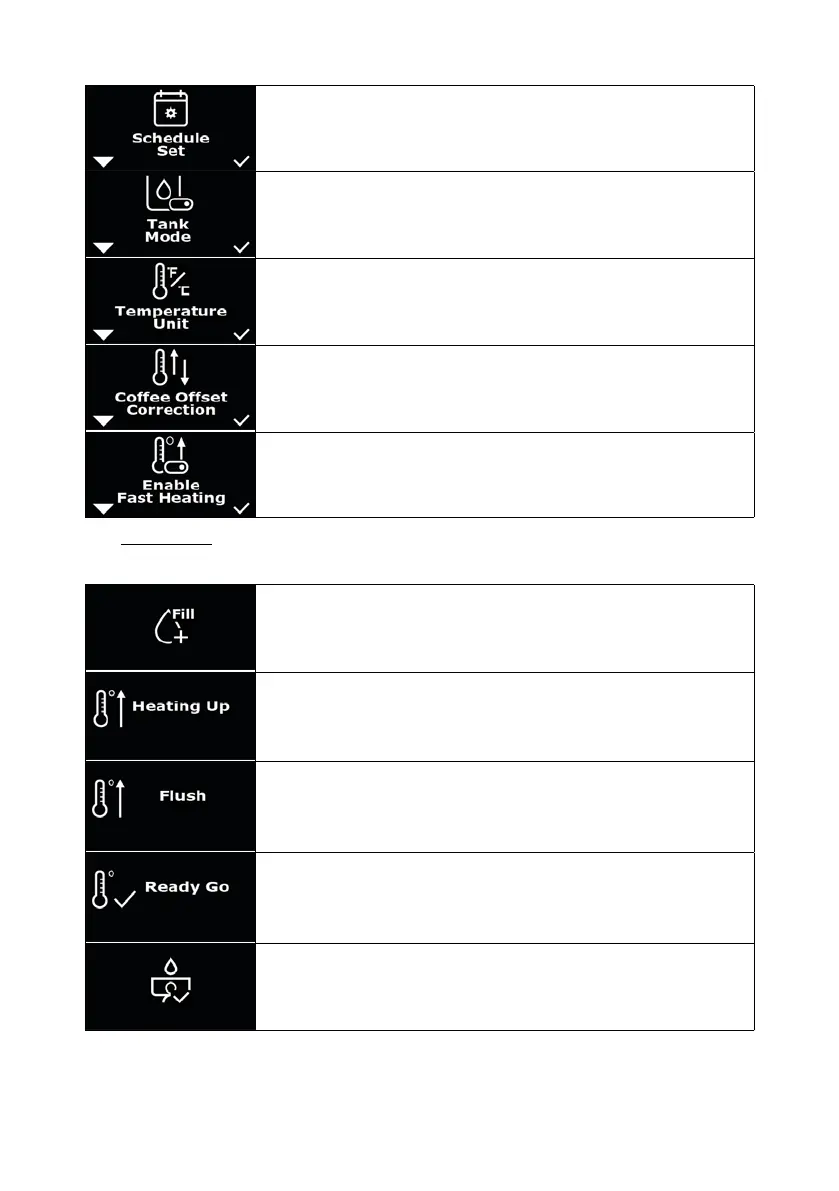
Menu: “Schedule Set” to set switch-on and switch-off times of the
machine (chapter 8.4).
Menu: “Tank Mode” to switch the water tank mode on or off for xed water
mode (see 4.3.1).
Menu: “Temperature Unit” for setting the temperature unit °C or °F
(chapter 8.5).
Menu: “Offset Correction” to adjust the offset value (chapter 8.6).
Menu: “Enable Fast Heating” to enable or disable the “Fast Heating”
(chapter 8.7).
6.3 More displays
In addition to the settings, there are also the following displays:
“Fill mode“ (see chapter 5.1 or 5.2).
“Heating UP“: The machine heats up.
A ush should be carried out. This involves letting water ow out of the
brew group with the portalter clamped in place.
Ready Go: The machine is ready to brew.
Preinfusion activated.



 To Next Page