Translation of the original German user manual
51
ENGLISH
8.1 Filter Reminder
The lter change reminder can be set in 5 litre increments from OFF to 200 litres. After the lter has
been changed, the reminder function must be reset so that the counter starts again and reminds you to
change the lter again after the set quantities.
Make sure that “Advanced User Settings“ is activated.
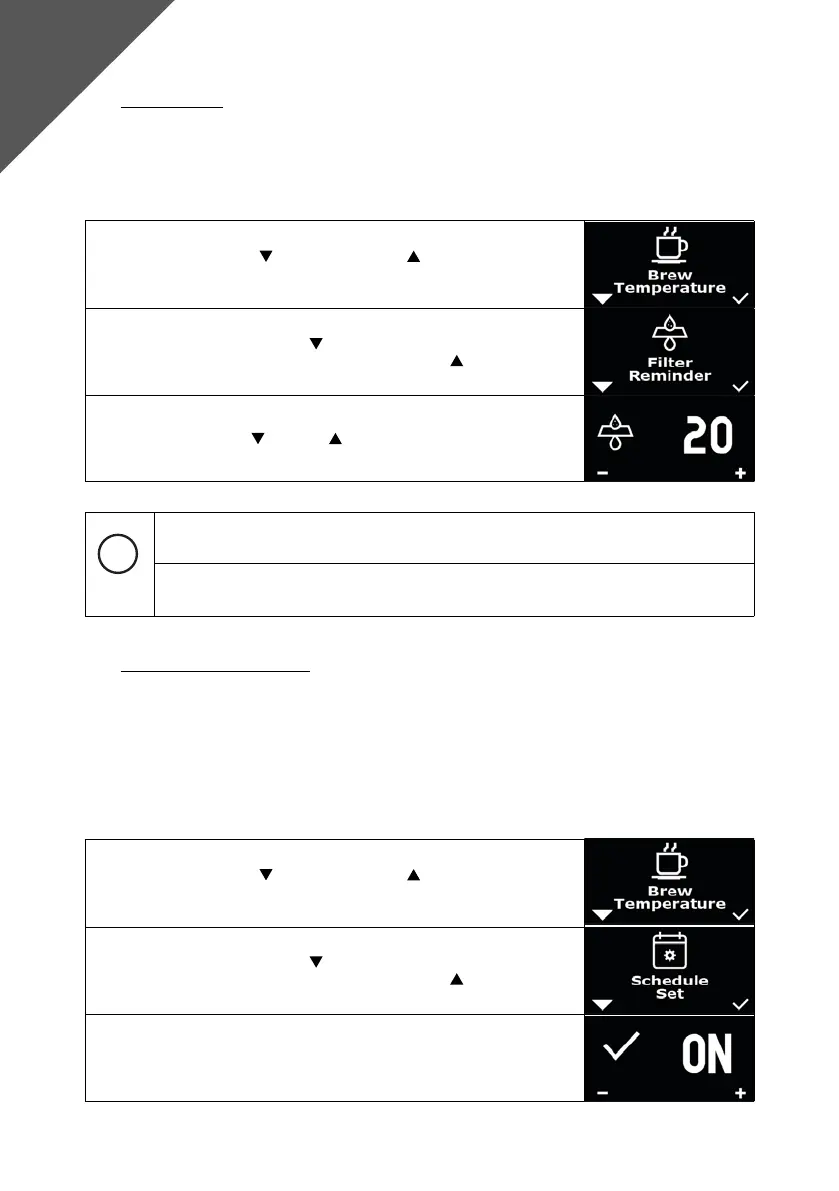
1. Press the left button and the right button simultaneously, “Brew
Temperature“ appears on the display.
2. Navigate with the left button
until “Filter Reminder“ appears on the
display. Conrm the selection with the right button .
3. Now you can programme in 5 litre increments, between OFF and 200,
by pressing the left
and right buttons. The selection is conrmed
after 5 seconds.
The lter reminder can be reset via the “Reset Reminder“ function in the menu (see 7.9).
Please refer to the instructions provided with the water lter you are using to determine
the replacement interval.
8.2 Timer setting “Enable Timer“
With the DRIVE, the user can set two automatic switch-on and switch-off times per weekday (Mon-Sun).
The function can be activated via the ”Enable Timer“ option. Only if this option is active, the machine
uses the settings in “Schedule Set“ to switch on and off automatically. If it is deactivated, it ignores the
settings in “Schedule Set“. When the function is =“OFF“, the machine uses the Eco Mode counter, when
the function is =“ON“, the machine ignores the Eco Mode counter.
Make sure that “Advanced User Settings“ is activated.
1. Press the left button and the right button simultaneously, “Brew
Temperature“ appears on the display.
2. Navigate with the left button until “Shedule Set“ appears on the
display. Conrm the selection with the right button .
3. Now you have the option to choose between “ON“ and “OFF“ and to
switch the timer function on or off.
Advanced
User Settings



 To Next Page