Translation of the original German user manual
49
ENGLISH
7.7 ECO mode
The ECO mode offers the possibility to set an automatic switch-off after a longer period of machine
inactivity. The factory setting is 90 min. This activates a countdown after the last brewing process, which
switches off the heating after 90 minutes have elapsed.
This countdown runs automatically in the background and is not visible via any display. Reactivation,
after the machine has been switched off by the countdown, is done by pressing one of the buttons or by
operating the brewing lever. Press and hold the left button to switch the machine directly to
Eco mode. If the display is dark but the LED ring is lit, ECO mode is activated.
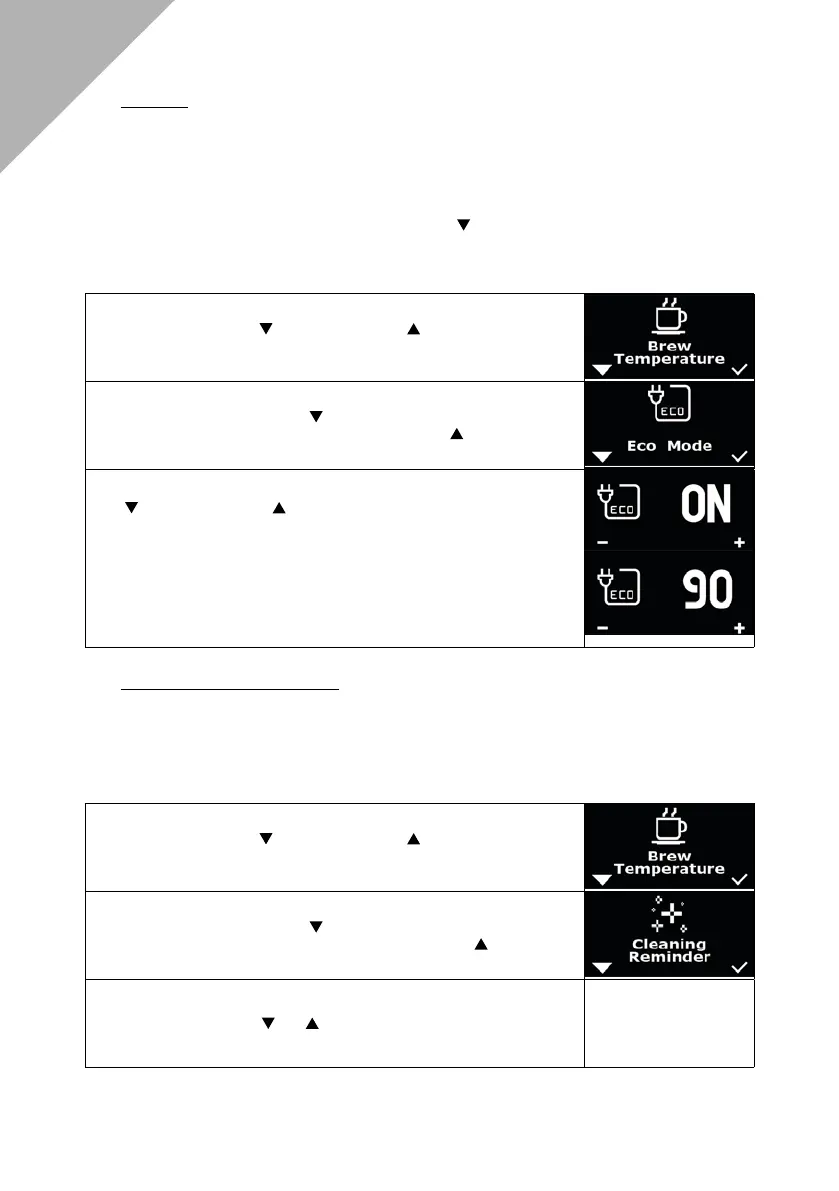
To programme the ECO mode, please proceed as follows:
1. Press the left button and the right button simultaneously, “Brew
Temperature“ appears on the display.
2. Navigate with the left button until “Eco Mode“ appears on the
display. Conrm the selection with the right button .
3. You can now programme in 30 min steps by pressing the left button
and the right button . The time is adjustable from 0 to 600 min.
After the last extraction, the machine starts counting down the set
time and then switches off automatically when the desired time is
reached. The selection is conrmed after 3 seconds. After a short
wait, the menu will be exited automatically.
e.g.: You have programmed 120 min, then the machine switches off
two hours after the last use. In addition to brewing, pressing any
button will also interrupt the countdown.
7.8 Clean mode “Cleaning Reminder“
With the DRIVE you have the option of programming a reminder for the next brew group cleaning via
the menu settings. At the time of machine delivery, this reminder is set to “OFF,“ so no reminder is
programmed yet.
To programme the cleaning reminder, please proceed as follows:
1. Press the left button and the right button simultaneously, “Brew
Temperature“ appears on the display.
2. Navigate with the left button until “Cleaning Reminder“ appears on
the display. Conrm the selection with the right button .
3. You can now programme a reminder in steps of 10, between OFF
and 200, by pressing and . The selection is conrmed after 5
seconds. After a short wait, the menu is automaitcally exited.
Basic Settings



 To Next Page