PROLiNK® PRC3801 Wireless AC1200 MU-MIMO Dual-Band Gigabit Router
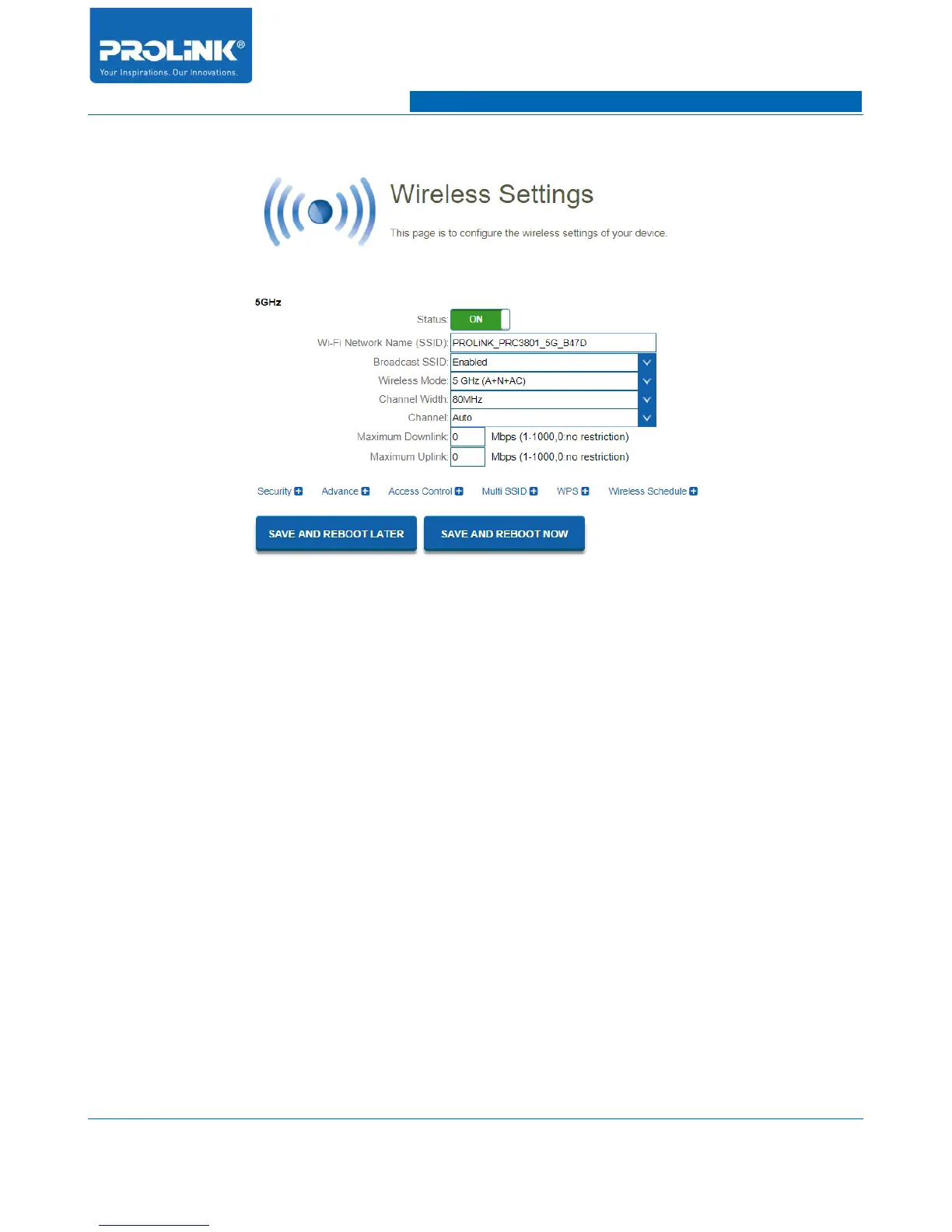
Basic Wireless Setting
• Status: Here able to Enable or Disable the 5GHz frequency band to broadcast.
• Wi-Fi Network Name (SSID): Assign a unique name to 5GHz wireless network SSID. By
default SSID is set as PROLiNK_PRC3801_5G_XXXX. The character used in SSID is case-
sensitive.
• Broadcast SSID: To broadcast wireless access point SSID for wireless client to detect on local
area survey wireless network. Select Disable to hide the Wireless Network Name.
• Wireless Mode: Select preferred wireless mode of 5GHz. Available wireless mode is 802.11a,
802.11n, 802.11ac, 802.11a/n, 802.11n/ac and 802.11a/n/c. By default this setting is
802.11a/n/c.
• Channel Width: Select preferred channel width. Available channel width is Auto, 20MHz,
40MHz and 80MHz. By default the setting is in Auto.
• Channel: Channel selection will determine which operating will be used. By default the setting
is in Auto for PRC3801 to choose the best channel automatically.
• Maximum Downlink: You are able to limit the Download throughput of 5GHz wireless for
connected wireless client.
14



 To Next Page