PROLiNK® PRC3801 Wireless AC1200 MU-MIMO Dual-Band Gigabit Router
4.5 Network Setting
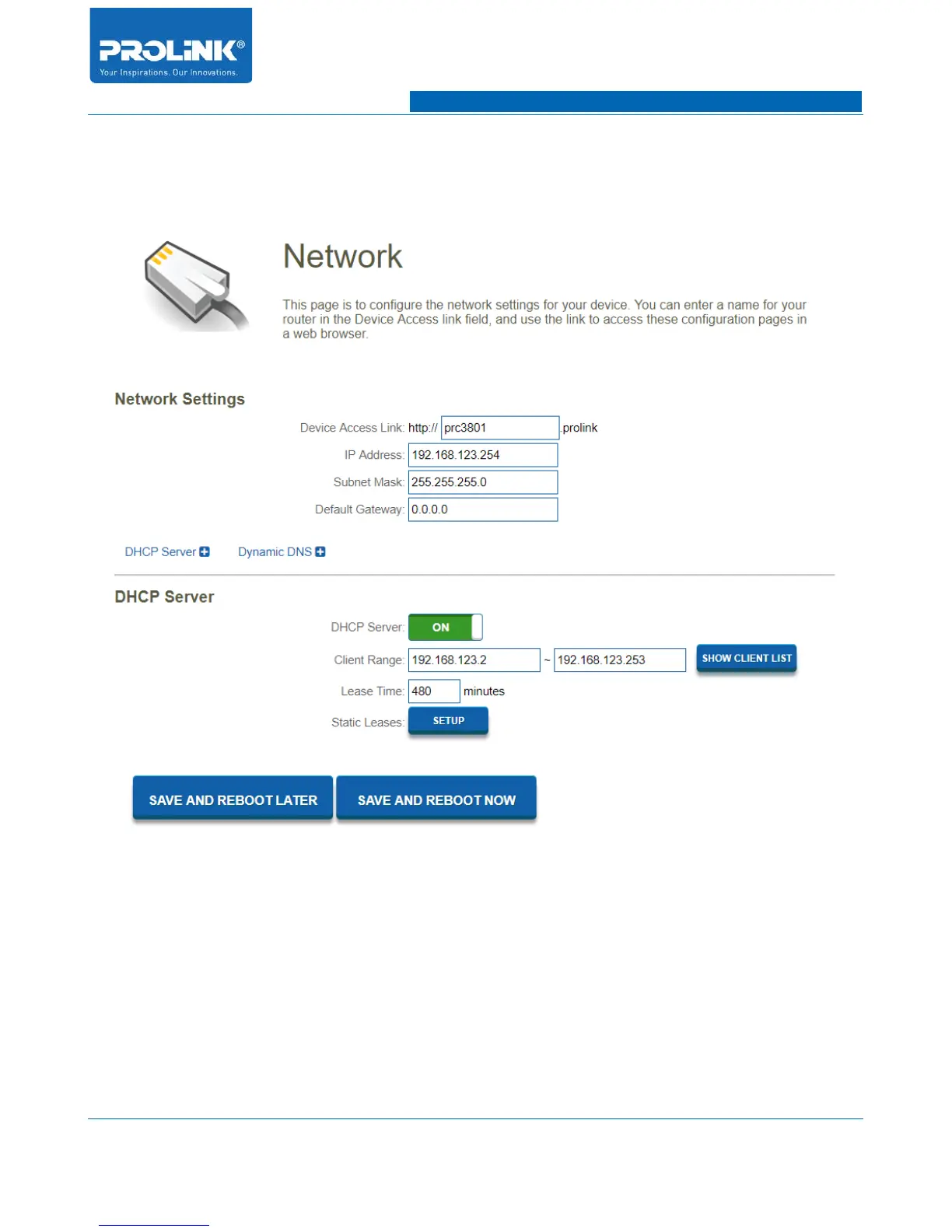
Go to Setting → Network to enter Network Setting of PRC3801 Router. In Network Setting page
consist of Network Settings, DHCP Server and Dynamic DNS.
Network Settings
Configure router network setting for IP Address , Subnet Mask, Default Gateway and Device access
link.
• Device Access Link: Enter URL or device name to access the Router using URL name.
• IP Address: Enter the IP address of PRC3801 router (factory default: 192.168.123.254).
33



 To Next Page